Why My First Azure User Became a #EXT# Account, and How I Fixed It
The Confusing Starting Point
When I first started using Azure, I ran into a confusing identity issue while trying to obtain the free subscription credits.
I initially signed up for the Azure free trial using my personal Microsoft account (Hotmail). Later, I also used my school account (which is backed by a Microsoft Entra ID tenant) to access Azure services and continue my setup.

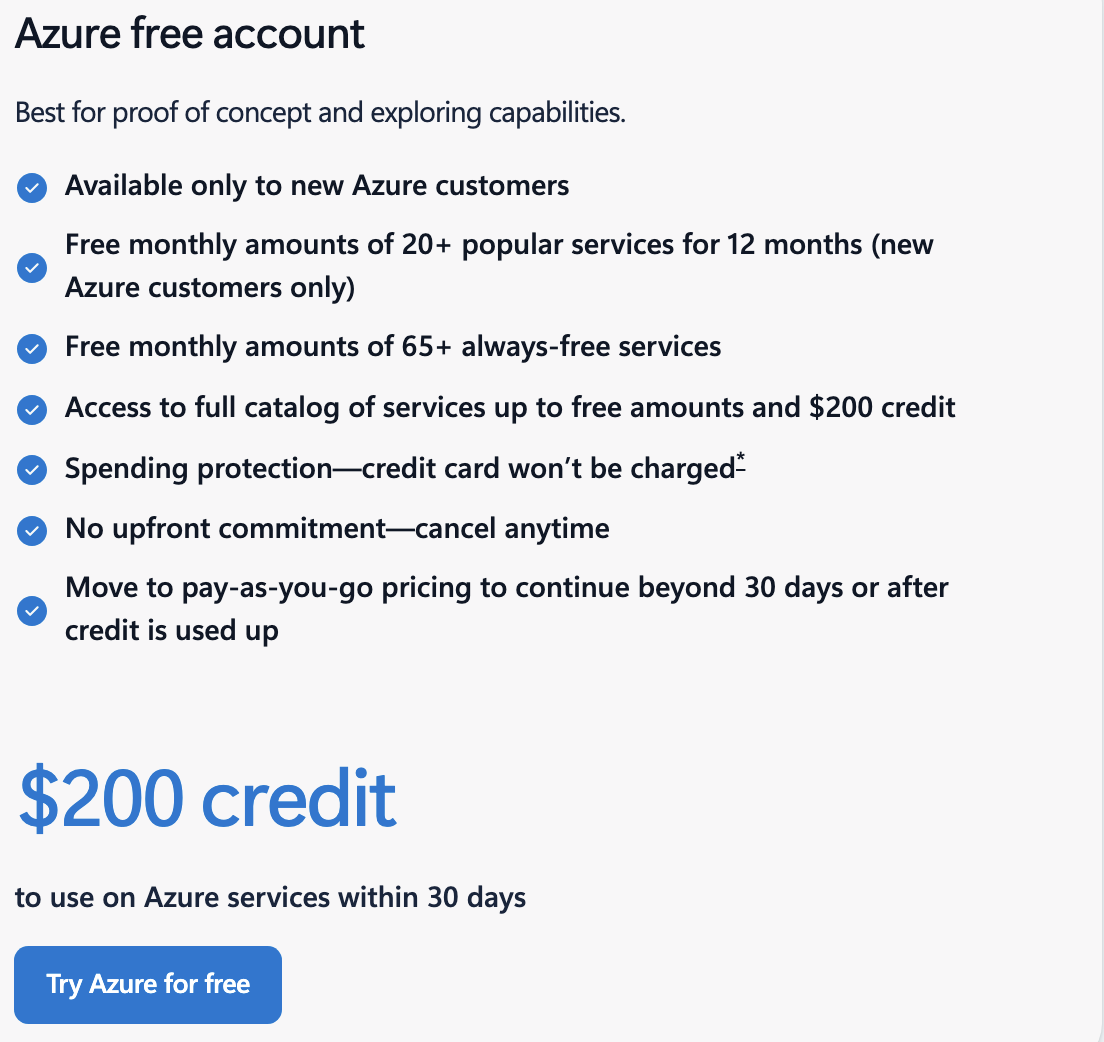
This created an unexpected situation:
- The Azure environment was associated with my school tenant
- But my personal account was not part of that tenant by default
- When I signed in with my personal account, Azure automatically added it as a guest (external) user
As a result, my primary working account appeared in Microsoft Entra ID as:
LWChan<redact>.com#EXT#@<tenant>.onmicrosoft.com
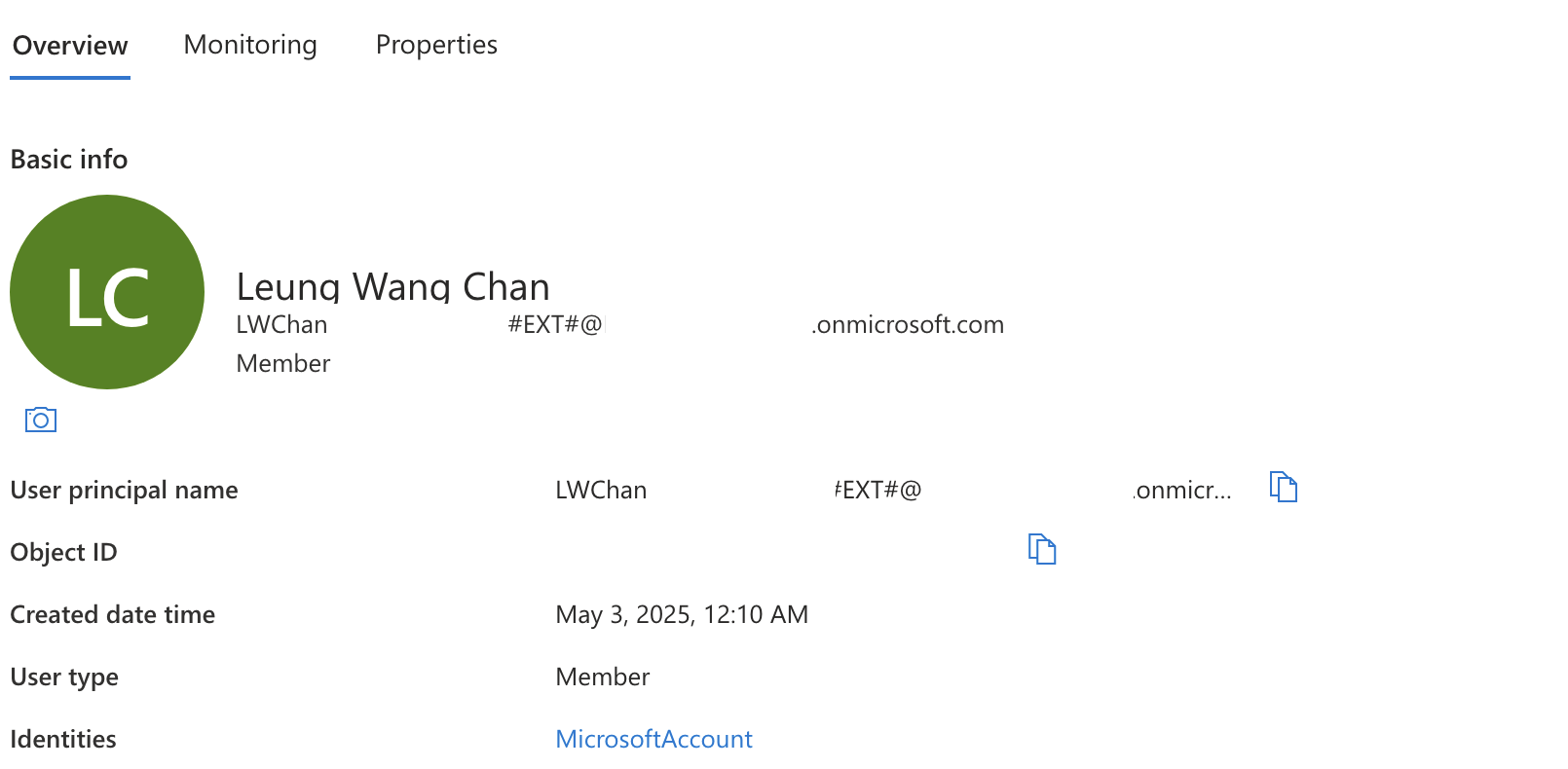 At first glance, this looked wrong. I expected the first important Azure user to be a clean tenant-native admin account, but what I actually saw was an
 #EXT# identity.
What the #EXT# Account Really Means
The #EXT# format usually appears when Azure and Microsoft Entra are representing an external identity inside the tenant.
In this case, the first account was tied to a personal Microsoft account identity rather than being a clean cloud-only tenant account.
That is why the Entra user details looked different.
The important point is that this does not automatically mean the account is broken. It means the tenant is representing a sign-in identity that came from a Microsoft account path rather than from a user created natively inside the tenant as a normal cloud-only work account.
So the problem was not that the account was fake. The problem was that it was a poor choice for long-term Azure administration.
Why This Caused Confusion
The issue became obvious when I tried to access the Microsoft 365 / Entra admin portal:
https://admin.microsoft.com/
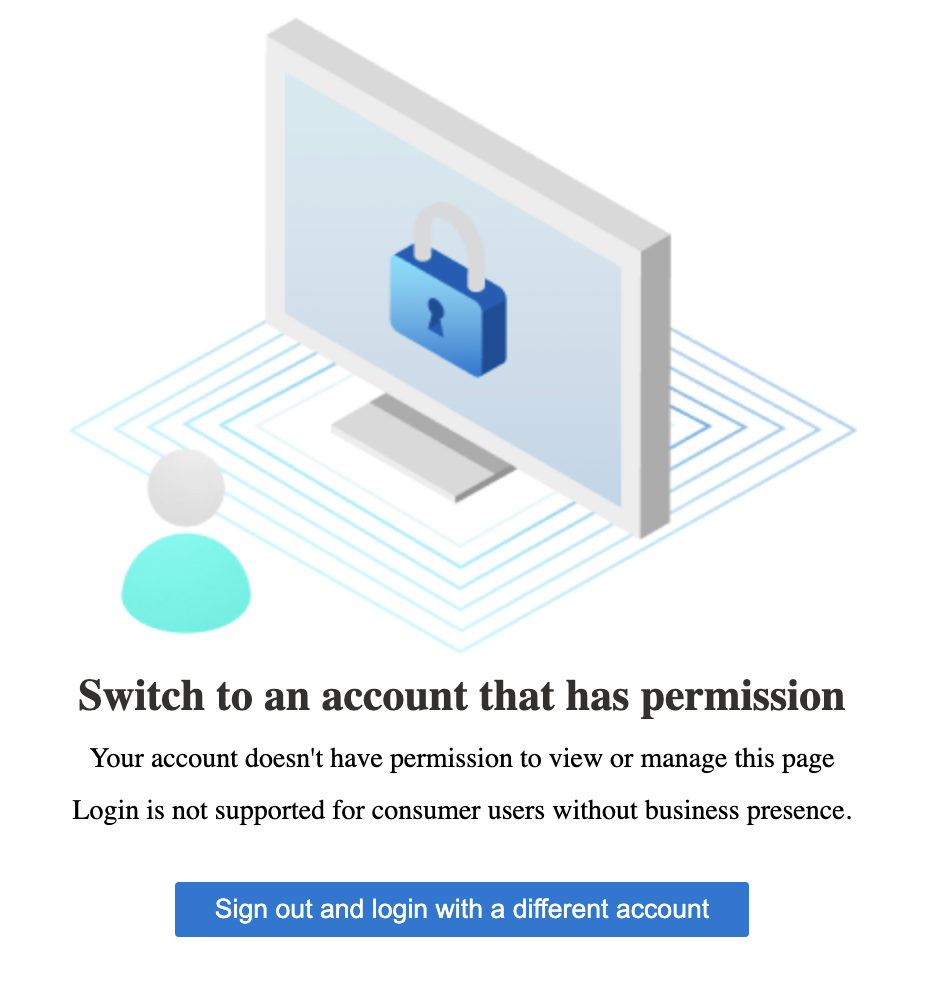
Using the #EXT# account, I noticed that:
- I could not access subscription details properly
- I could not view or manage licensing information
- Some admin features were either missing or restricted
At that point, something clearly felt wrong.
This was confusing because:
- I was able to sign into Azure
- I could see resources
- But I did not have full visibility or control in the admin portal
That led me to question:
Why does this account behave like an admin in some places, but not in others?
The Real Reason
The confusion came from mixing together two separate layers:
- Microsoft Entra ID identity
- Azure RBAC permissions
These are related, but they are not the same thing.
Microsoft Entra ID answers:
- Who is this user?
- Where does this identity come from?
- Is this a member, guest, or external identity?
- Can this user manage tenant-level settings (users, licenses, directory)?
Azure RBAC answers:
- What can this user do inside Azure resources?
- Is this user an Owner, Contributor, or Reader?
- Can this user manage a subscription or resource group?
What Was Actually Happening
- My
#EXT#account was a guest/external identity in the tenant - It could still have Azure RBAC permissions (like Owner or Contributor)
- But it did not behave like a full tenant-native admin in Entra / Microsoft 365
That’s why:
- Azure portal access worked (RBAC allowed it)
- But admin portal features (like licenses and tenant management) were limited
The Trap
This created a dangerous misunderstanding:
The account looked powerful in Azure, but was not a proper tenant admin identity.
That mismatch between:
- identity type (external guest)
- and
- resource permissions (RBAC roles)
is what caused the confusion.
The Better Admin Identity
To clean this up, I created and used a tenant-native admin account:
admin@<tenant>.onmicrosoft.com
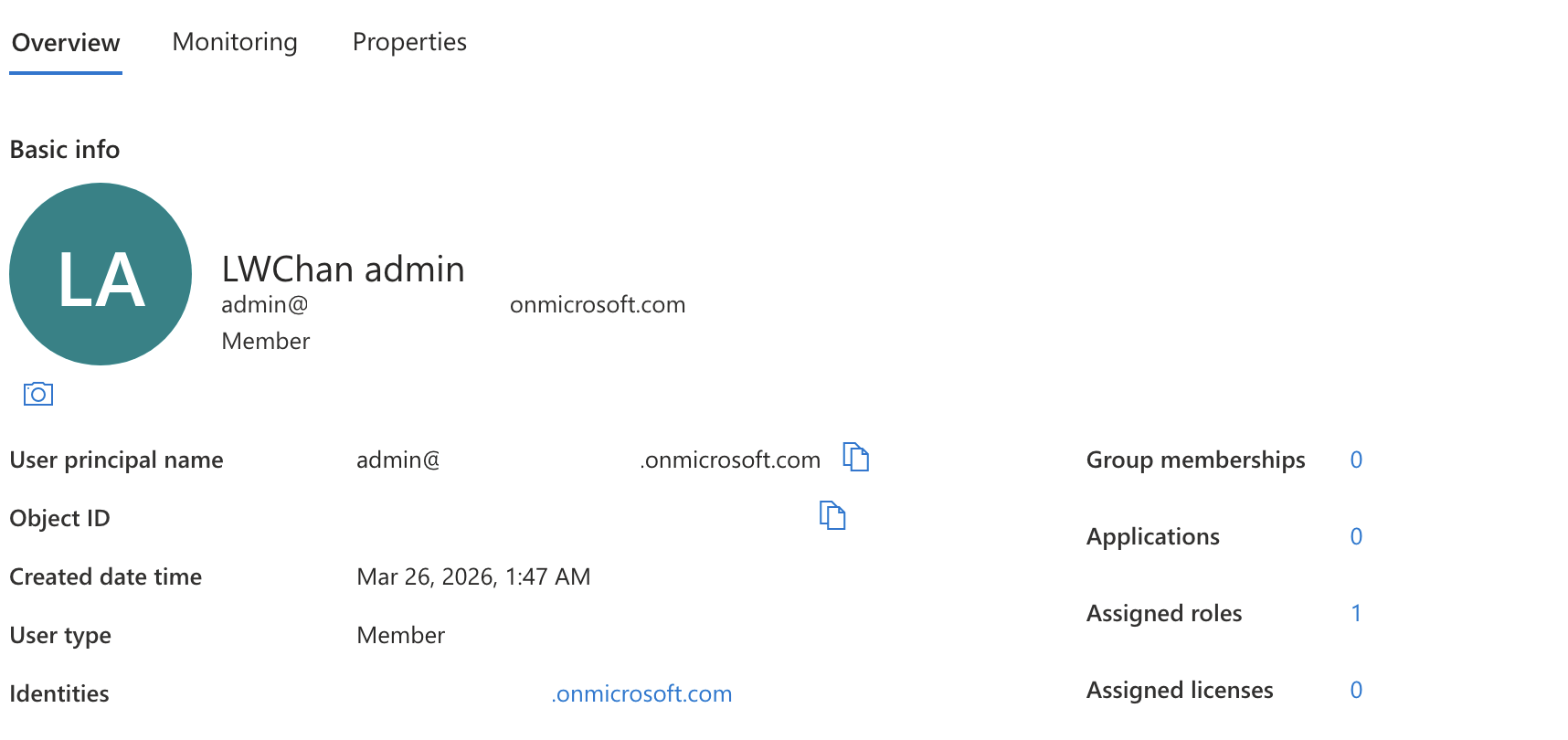 This account was much easier to reason about because:
- it was clearly created inside the tenant
- it matched the tenant domain directly
- it looked like a proper cloud admin identity
- it reduced ambiguity during Azure portal and Entra administration
In other words, it became the account that should act as the primary Azure admin identity.
The Real Fix: Use the Native Admin for Azure RBAC
The key fix was not only creating the [email protected] user.
The key fix was making sure that the correct account held the right Azure RBAC role at the subscription scope.
From the Azure subscription IAM flow, the native admin account was selected and assigned the Owner role.
That mattered because the Owner role is what gives full control over subscription resources and role assignment operations.
So the cleanup path became:
- identify the tenant-native admin user
- open Subscription → Access control (IAM)
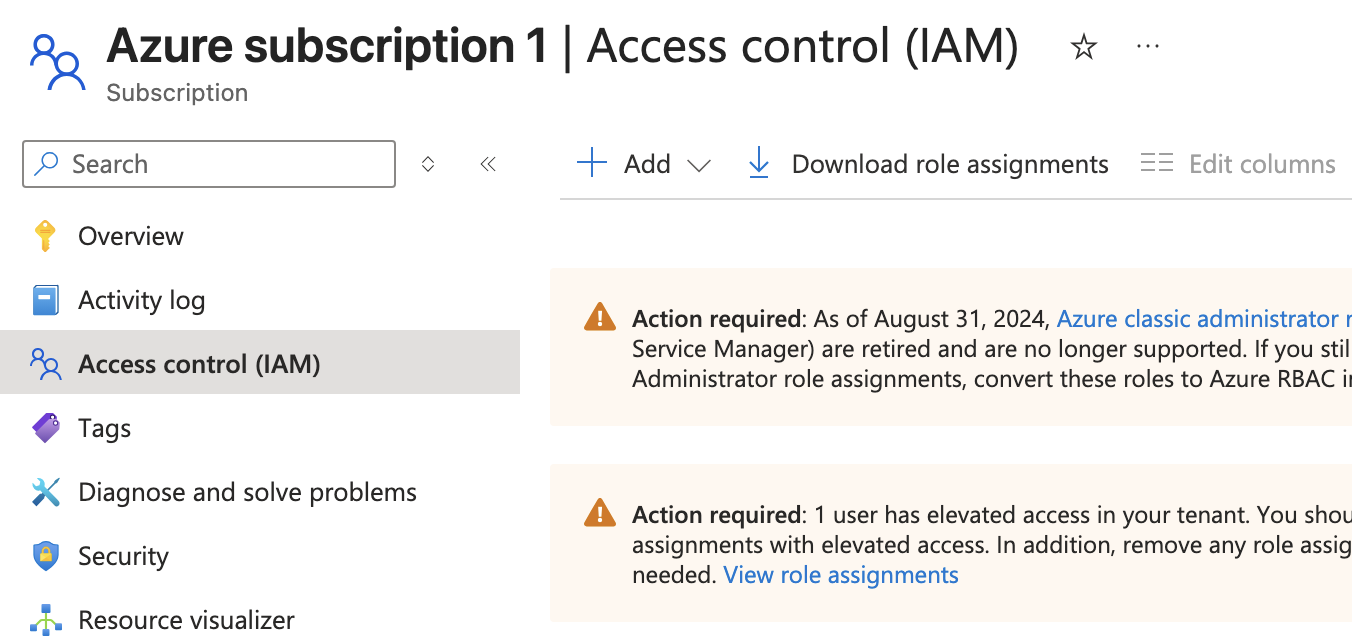
- add a role assignment
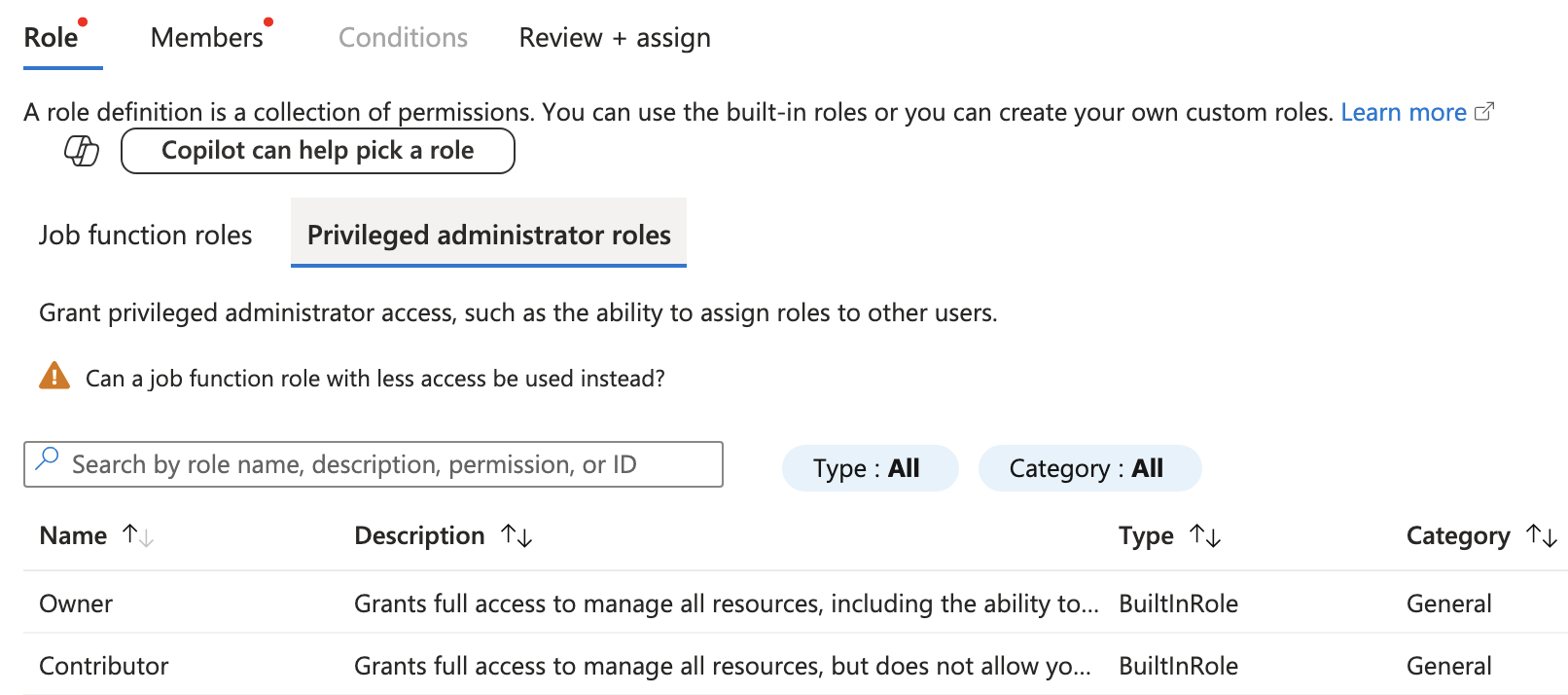
- choose Owner
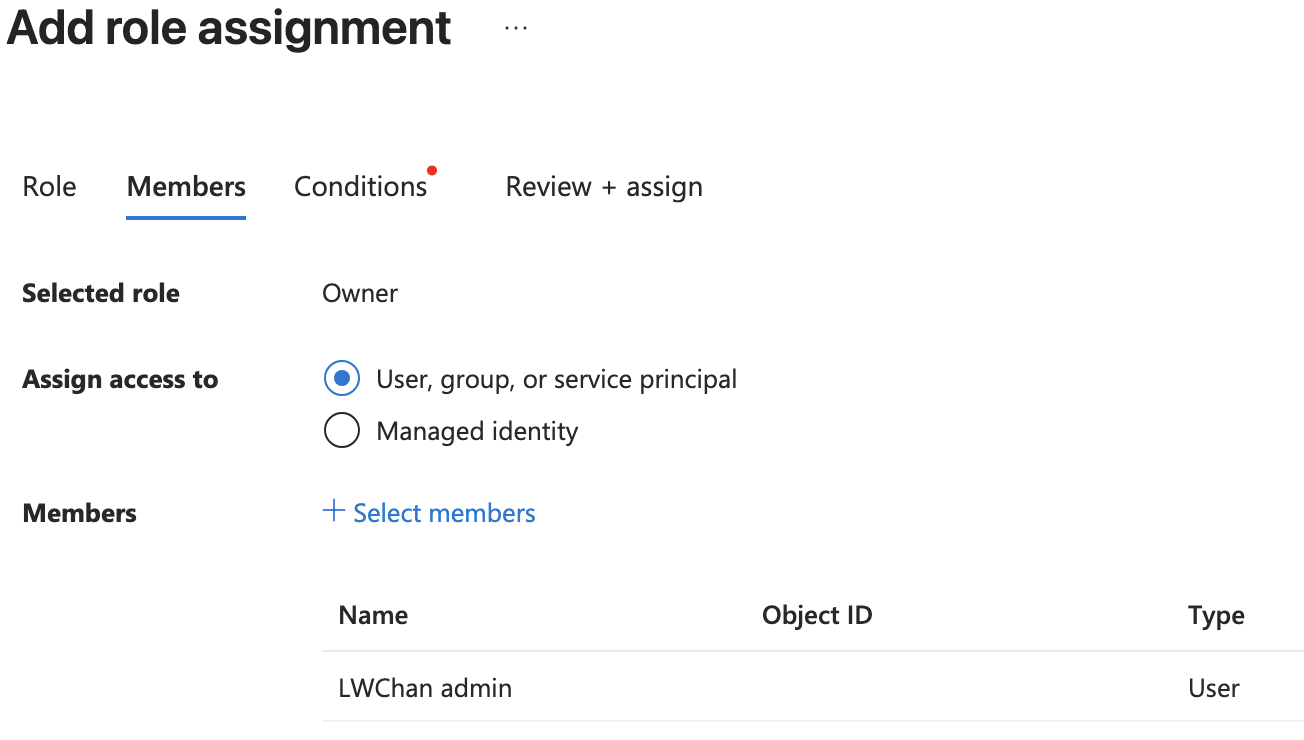
- select the native admin account as the member
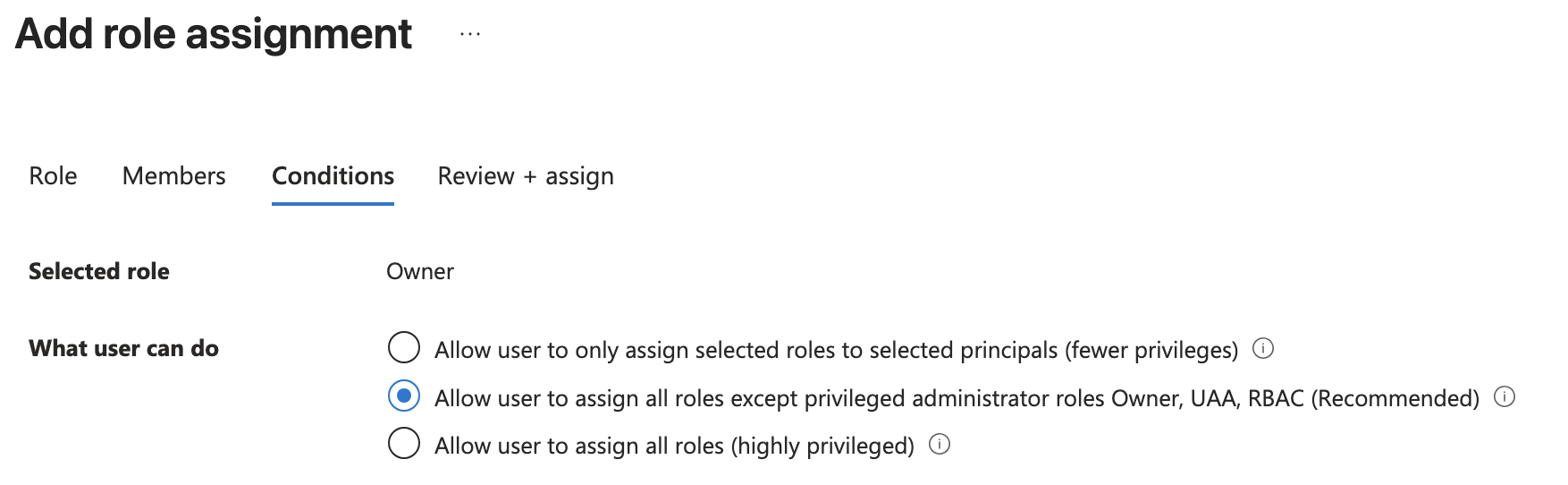
- complete the role assignment
This made the tenant-native account the real Azure control point.
Why I Did Not Want the #EXT# Account as My Main Admin
Even if the #EXT# account can work, it is not the cleanest long-term setup for Azure administration.
I wanted to avoid using it as the primary admin identity because:
- it makes the tenant structure look messier
- it mixes a personal sign-in path with tenant administration
- it creates more confusion when reviewing identities and permissions
- it is not as clean as using a dedicated cloud admin account
For labs and learning, clean identity separation matters more than people expect.
What I Learned About Entra ID vs RBAC
This situation forced me to understand the difference much more clearly.
Microsoft Entra ID
This is the identity directory.
It stores:
- users
- groups
- sign-in identity sources
- guest/member state
- tenant-level identity objects
Azure RBAC
This is the authorization layer for Azure resources.
It controls:
- who can manage subscriptions
- who can manage resource groups
- who can manage individual resources
- who can assign roles to others
That means a user can exist in Entra ID and still be harmless in Azure if it has no RBAC role.
Likewise, a user can look awkward in Entra ID but still be extremely powerful if it has the Owner role at the subscription level.
That distinction was one of the most important identity lessons in this whole setup.
The Practical Cleanup Model I Ended Up With
The cleaner model for this tenant became:
1. Tenant-native admin account
Use:
admin@<tenant>.onmicrosoft.com
for:
- Azure subscription administration
- IAM and role assignment work
- tenant administration tasks
- sensitive changes
2. Personal / external-style account
Keep the original account only if needed, but do not treat it as the ideal primary Azure admin.
3. Least-privilege daily account later
For a more mature setup, create a lower-privilege day-to-day account for normal use and keep the admin account for actual administrative work.
That model is much easier to manage and explain.
Final Reflection
This issue looked small at first, but it taught me an important Azure lesson.
Cloud work is not only about deploying resources. Identity design matters just as much.
By cleaning up the first-user confusion, creating a tenant-native admin account, and assigning the correct RBAC role at the subscription level, I ended up with a setup that was easier to understand, easier to operate, and much better suited for future Azure work.
Sometimes the real fix is not changing the cloud resource. It is fixing who should be controlling it in the first place.