Enterprise Azure Terraform Lab Phase 2A: Identity Access Foundation
📁 GitHub Repository: lwc-wk/enterprise-azure-lab1
Enterprise Azure Terraform Lab Phase 2A: Identity Access Foundation
🧩 Background
After building the Azure infrastructure foundation, I moved into the SC-300 identity layer.
This phase focuses on one practical question:
Can users authenticate into the Azure App Service through Microsoft Entra ID,
and can application access be restricted to assigned users and groups?
This is not yet the full authorization model.
Phase 2A is about proving the identity access foundation:
- Microsoft Entra security groups
- Test users and group membership
- App registration
- Microsoft Graph API permission review
- Admin consent concept
- Enterprise Application assignment
- Azure App Service Authentication
- Login success and blocked-user validation
I used the Azure Portal first because identity workflows are easier to understand visually before converting the proven design into Terraform.
The practical rule for this phase is simple:
Portal first to understand the identity workflow.
Terraform later after the login path is proven.
🧭 Identity Flow Design
The identity flow for this lab is:
User
 ↓
Azure App Service
 ↓
App Service Authentication / Easy Auth
 ↓
Microsoft Entra ID
 ↓
Enterprise Application Assignment
 ↓
Conditional Access
 ↓
Authenticated Dashboard
The application does not store passwords.
Authentication is delegated to Microsoft Entra ID through App Service Authentication.
The key mental model:
Authentication              = Who are you?
Enterprise App Assignment   = Can you access this app?
Conditional Access          = Under what conditions can you access it?
Application roles           = What can you see after login?
Azure RBAC                  = What Azure resources can you manage?
This distinction matters because SC-300 often tests whether the correct control is being used for the correct layer.
🗺️ SC-300-MAP.md
I created SC-300-MAP.md to map lab actions back to SC-300 exam objectives.
The goal is to avoid building a screenshot-only project. Each lab action should explain which identity concept it proves.
Example mapping:
| Objective | Lab Evidence | Screenshot | Notes |
|---|---|---|---|
| Manage users and groups | lab-* groups | 42-entra-security-groups.png | Groups are reusable access containers |
This file becomes the study index for the lab.
It connects the hands-on work back to exam topics such as user and group management, app registration, enterprise application access, and workload identity foundations.
👥 Microsoft Entra Security Groups
I created four Microsoft Entra security groups:
lab-readers
lab-operators
lab-security-reviewers
lab-owners
Configuration:
Group type: Security
Membership type: Assigned
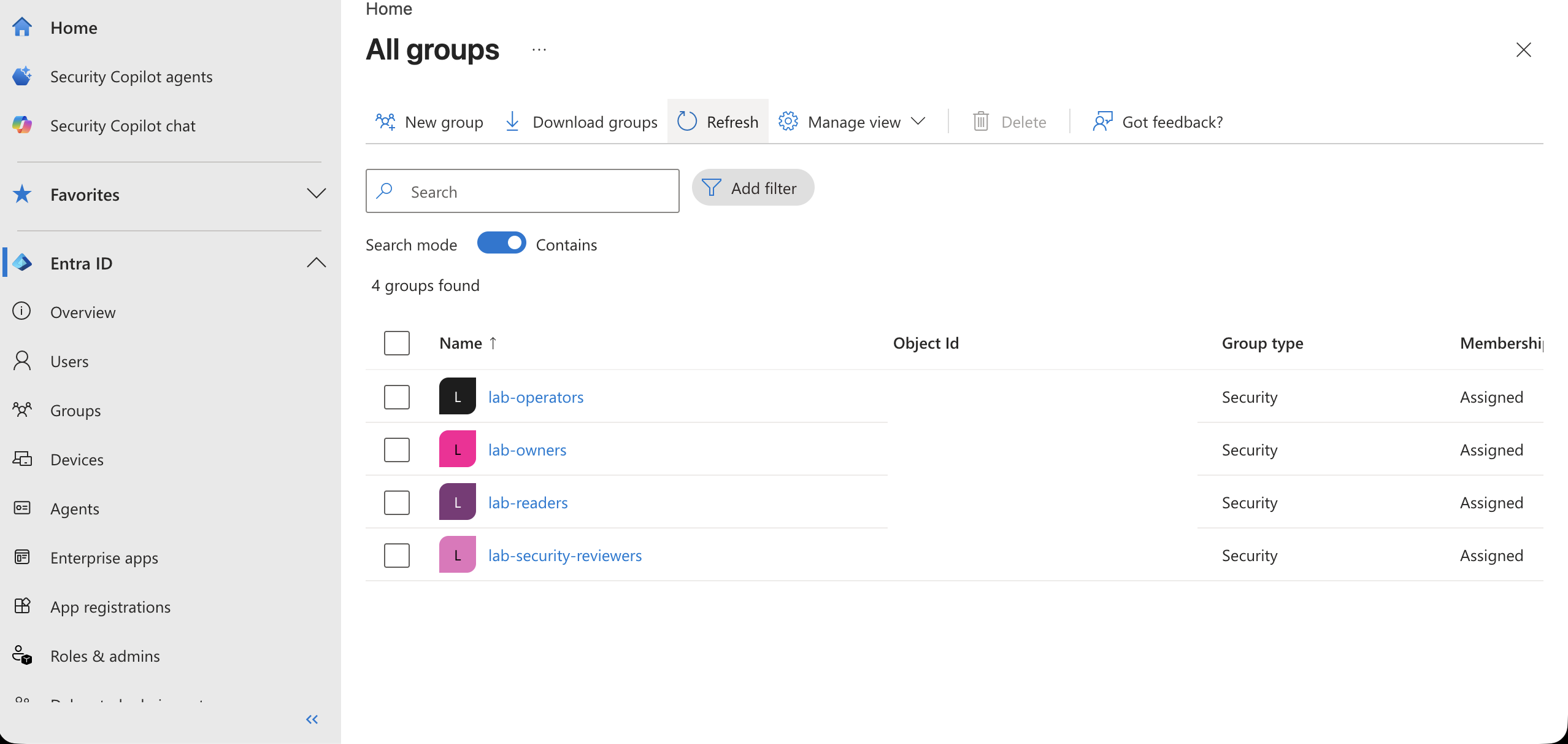
The group model is intentionally simple:
| Group | Purpose |
|---|---|
lab-readers |
Basic read-only application access |
lab-operators |
Operational dashboard access |
lab-security-reviewers |
Security and monitoring evidence access |
lab-owners |
Full lab visibility and ownership |
These groups become reusable access containers.
They can later be used for:
- Enterprise Application assignment
- Conditional Access targeting
- App role assignment
- Azure RBAC assignment
- Access package membership
The important design point is that identity groups should be reusable building blocks, not one-off objects.
👤 Test Users and Group Membership
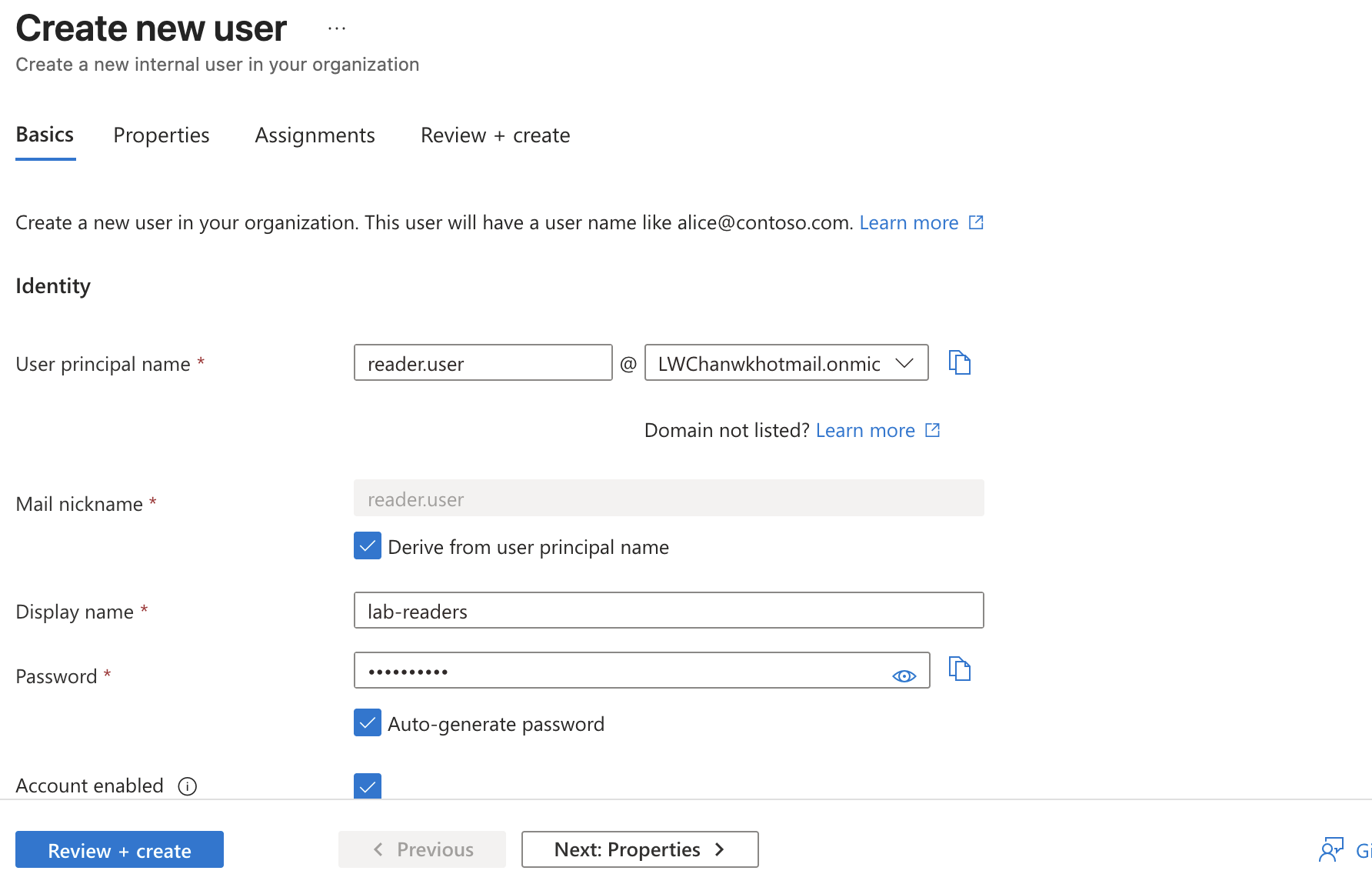
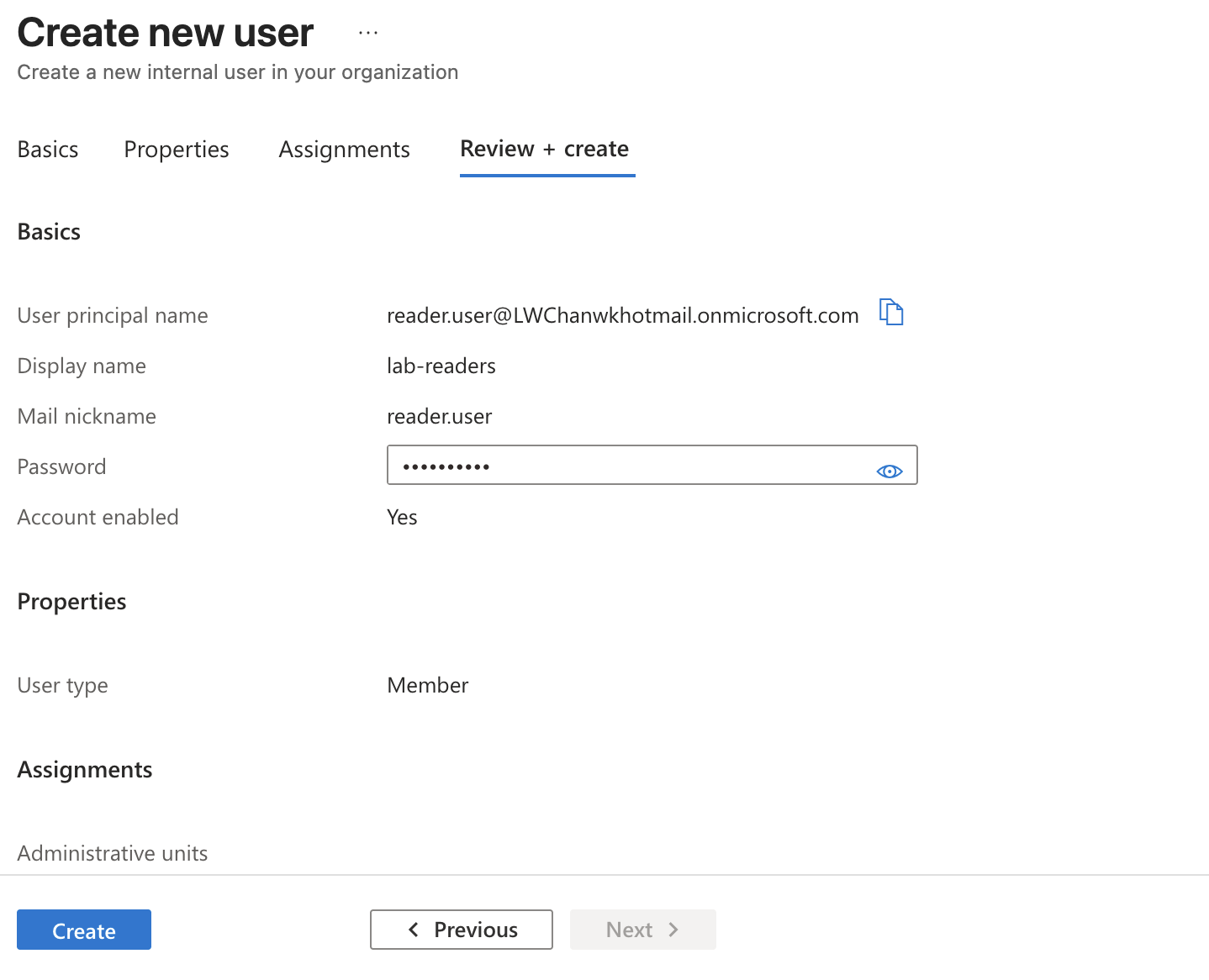
I created test users to validate different access outcomes.
Example users:
reader.user@<tenant>.onmicrosoft.com
operator@<tenant>.onmicrosoft.com
owner.user@<tenant>.onmicrosoft.com
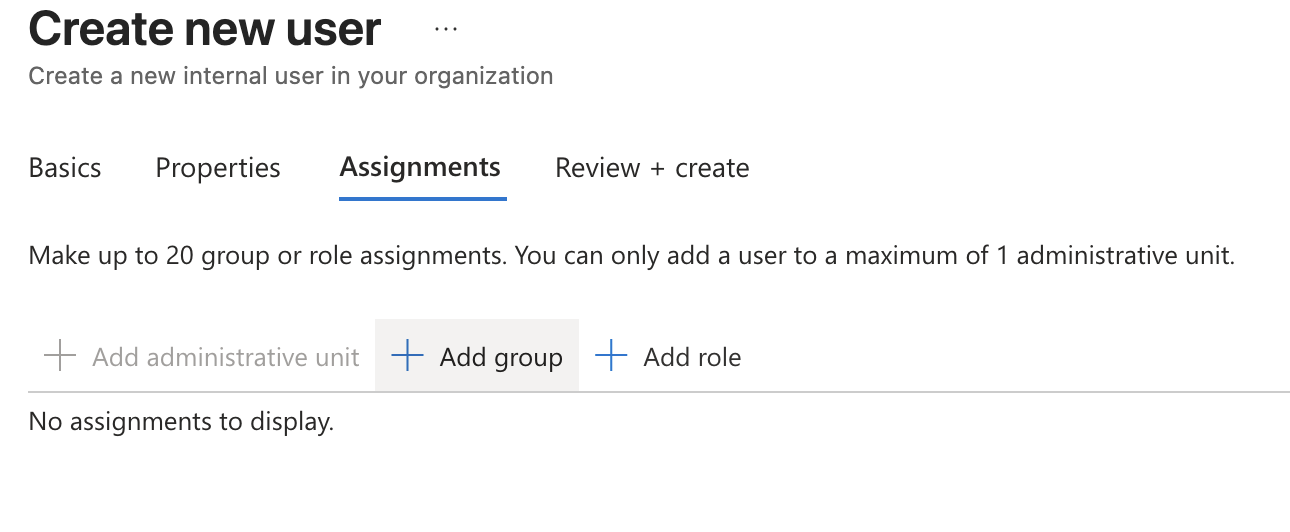
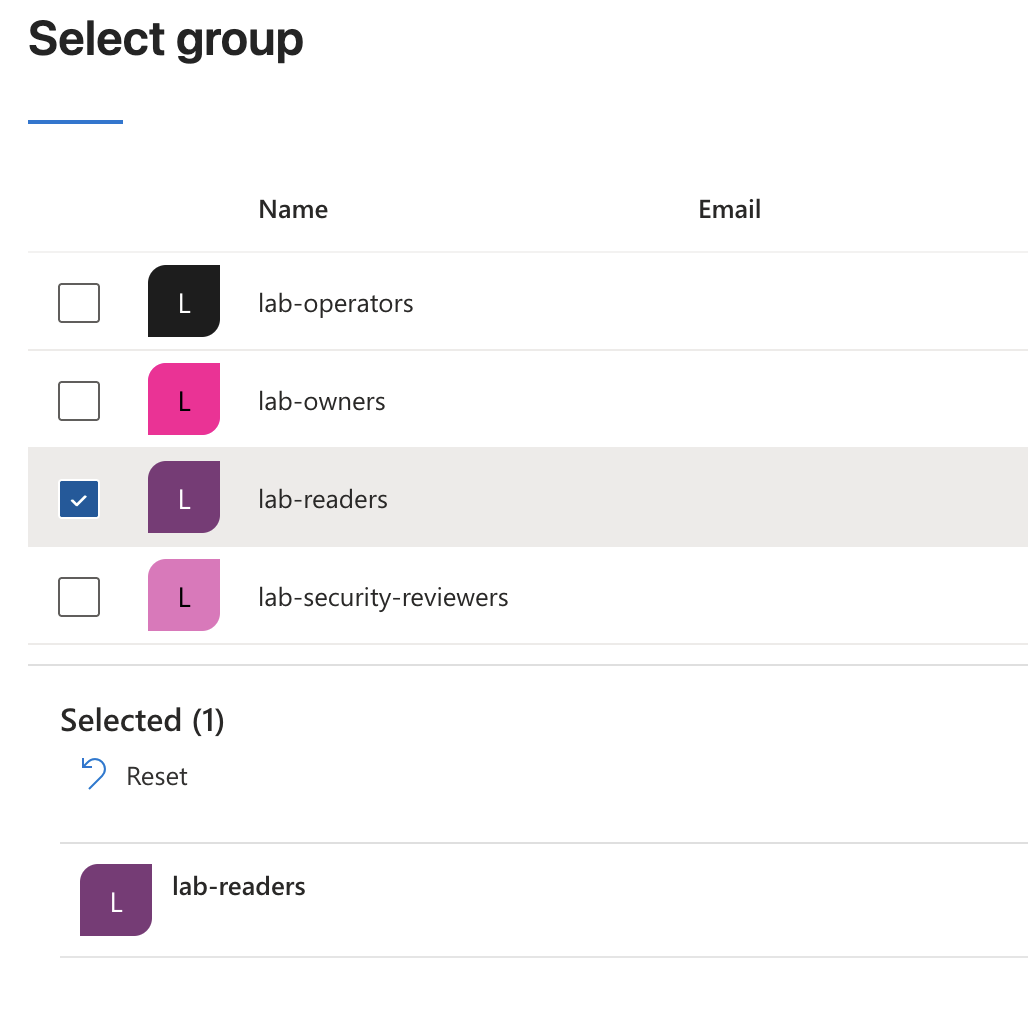
For the reader test user, I assigned the user to the lab-readers group during creation.
SC-300 note:
Users can receive access through group membership, direct app assignment,
Azure RBAC assignment, app role assignment, or access packages.
For this MVP, assigned security groups are enough.
The goal is not to over-engineer the first version. The goal is to prove the access path clearly.
🧱 Identity Control Comparison
Before configuring the app, I documented the difference between several similar-looking access controls.
| Control Layer | Scope | Example |
|---|---|---|
| Microsoft Entra role | Manages identity administration permissions | User Administrator, Groups Administrator |
| Azure RBAC | Manages Azure resource permissions | Reader, Website Contributor |
| Enterprise Application assignment | Controls who is allowed to access the application | Assignment required = Yes |
| App role | Controls what the signed-in user can see or do inside the app | LabReader, LabOperator |
| Conditional Access | Controls access conditions before sign-in is completed | Require MFA, report-only policy |
The shortest version:
Entra role                → administer identity
Azure RBAC                → manage Azure resources
Enterprise App assignment → access the application
App role                  → control features inside the application
Conditional Access        → apply conditions before access
This is one of the most important SC-300 distinctions in the lab.
Mixing these layers together is how identity designs become spaghetti with SSO sauce.
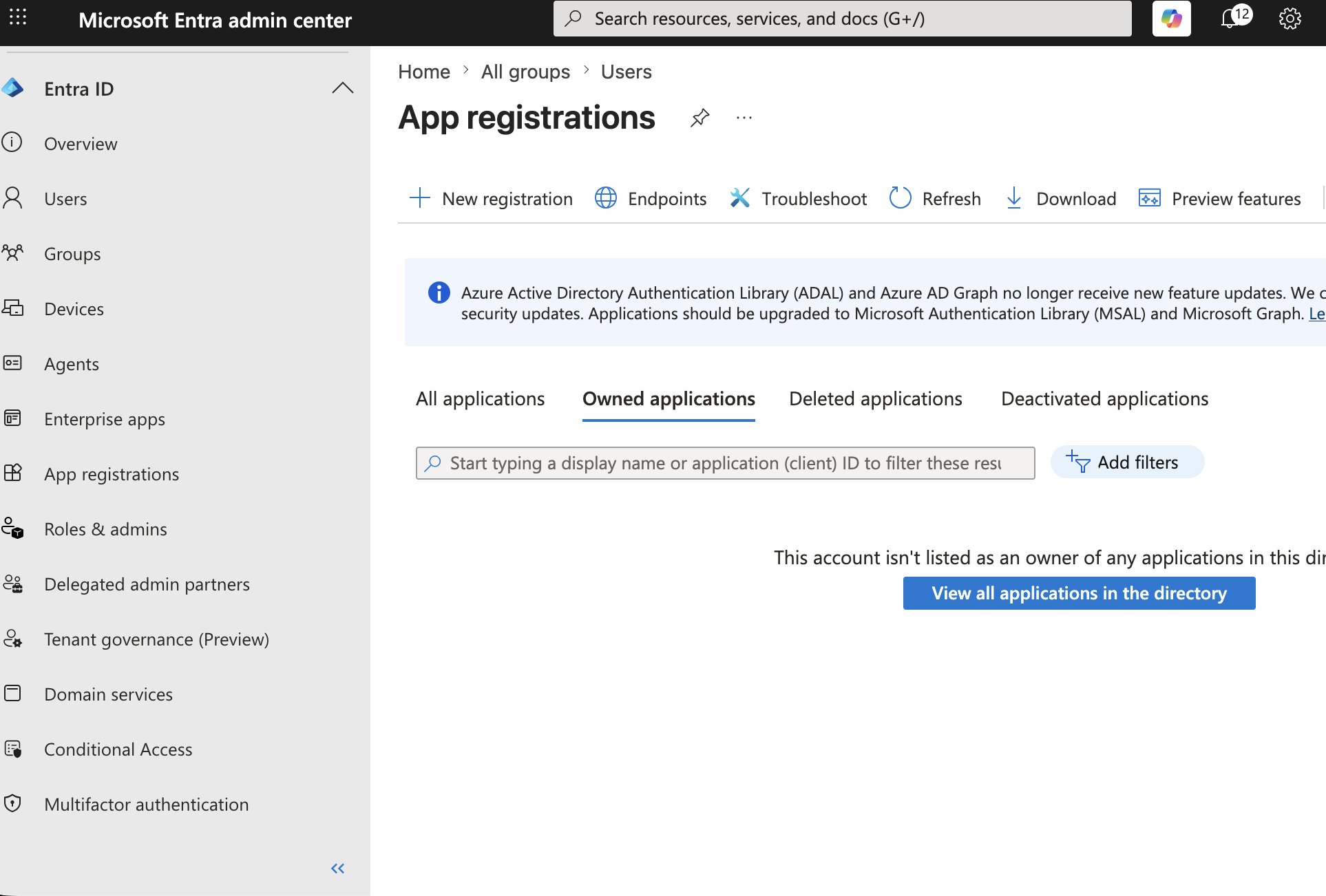
📝 App Registration
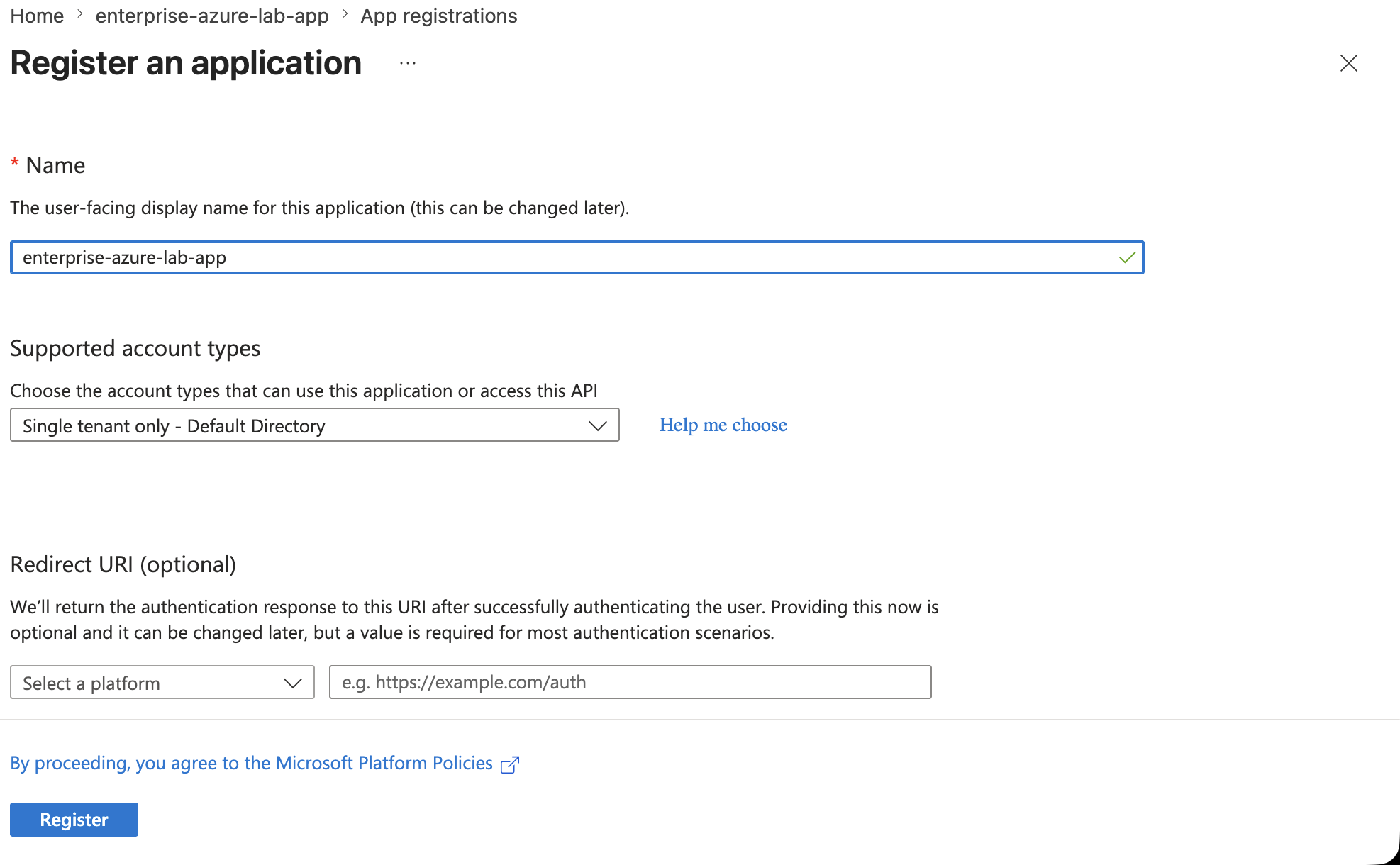
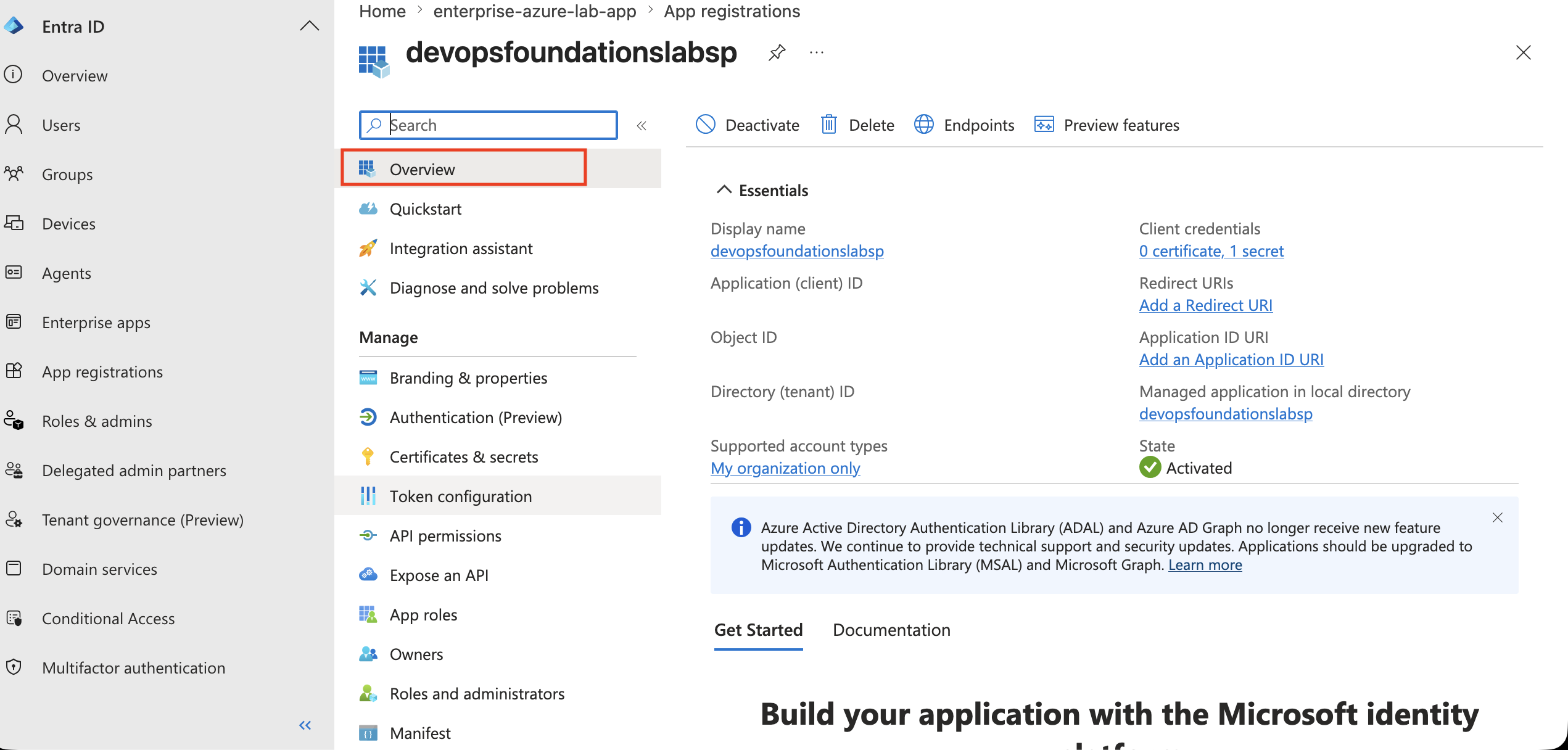
I created a Microsoft Entra App Registration for the lab application.
Configuration:
Name: enterprise-azure-lab-app
Supported account types: Single tenant only
Redirect URI: left empty during initial registration
SC-300 memory:
App Registration     = application definition
Enterprise App       = service principal instance in the tenant
The App Registration defines the application identity, API permissions, redirect settings, and later app roles.
The Enterprise Application side controls assignment and access inside the tenant.
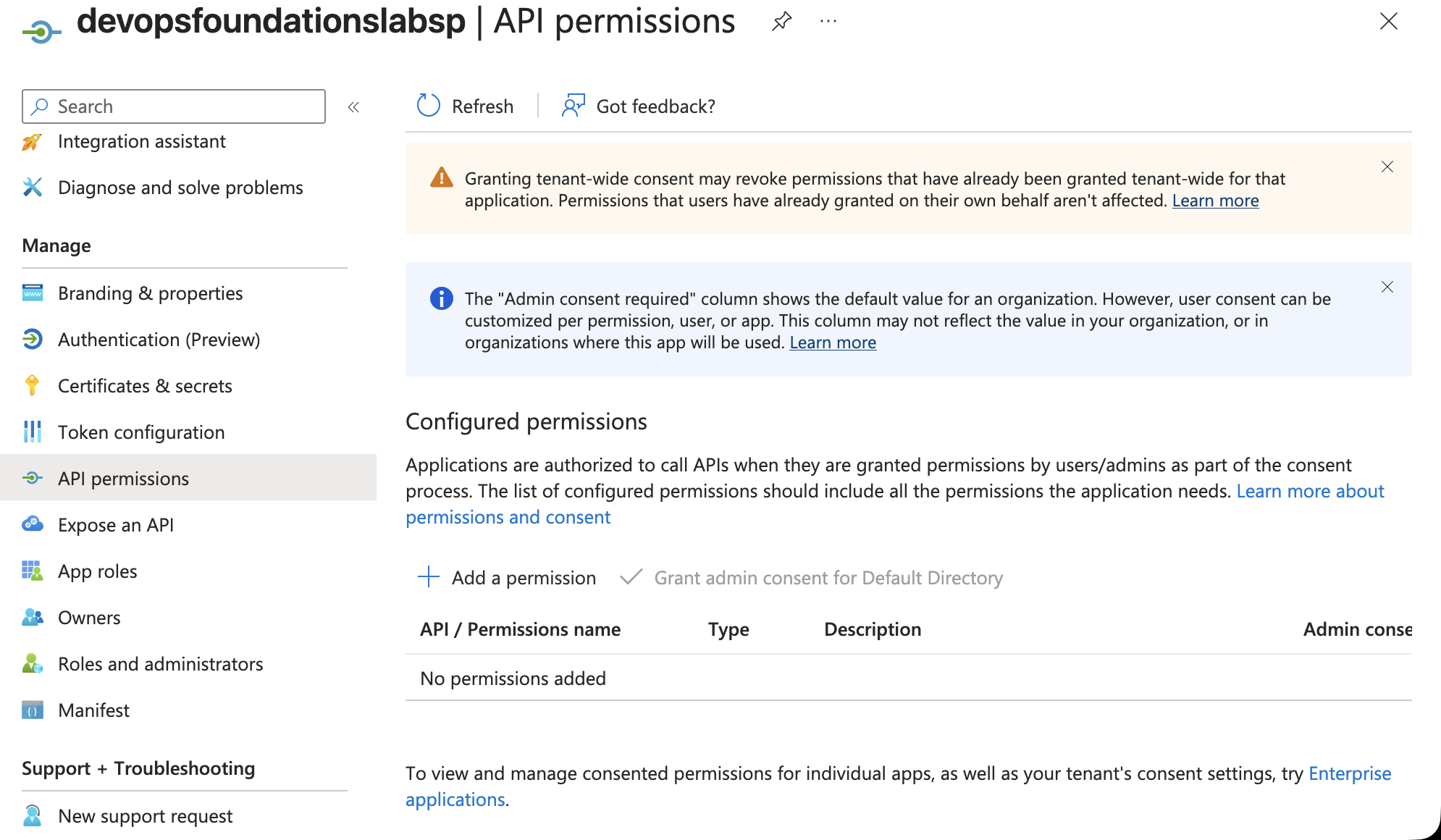
🔐 API Permissions and Admin Consent
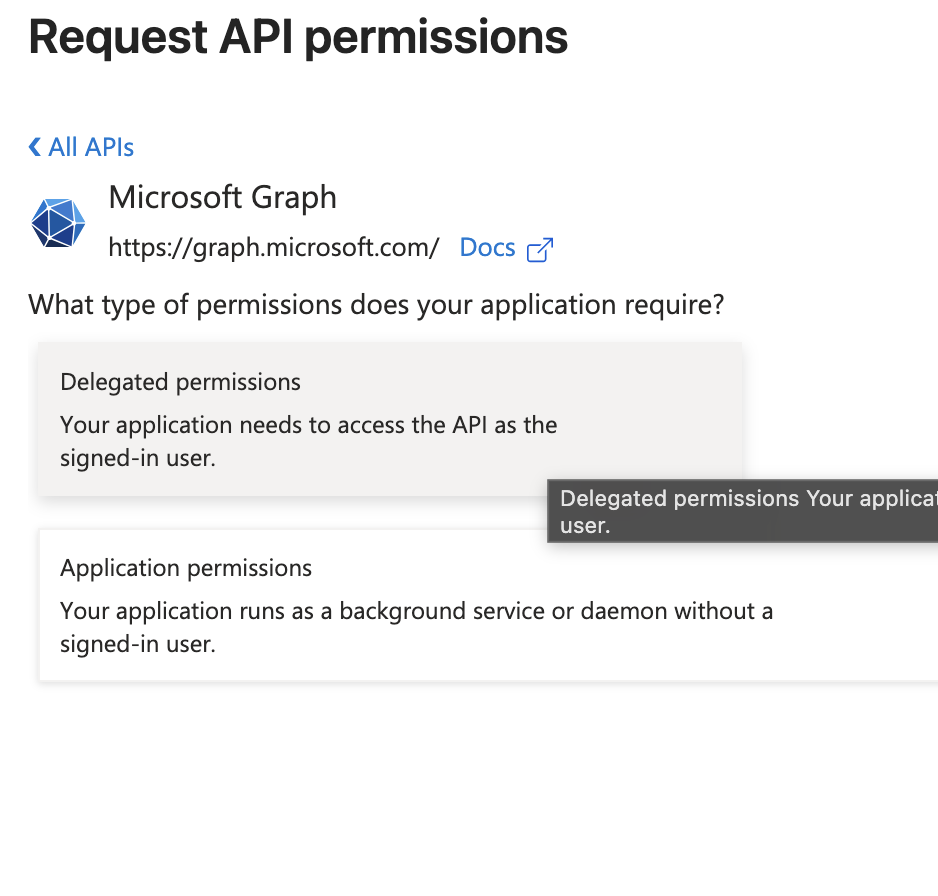
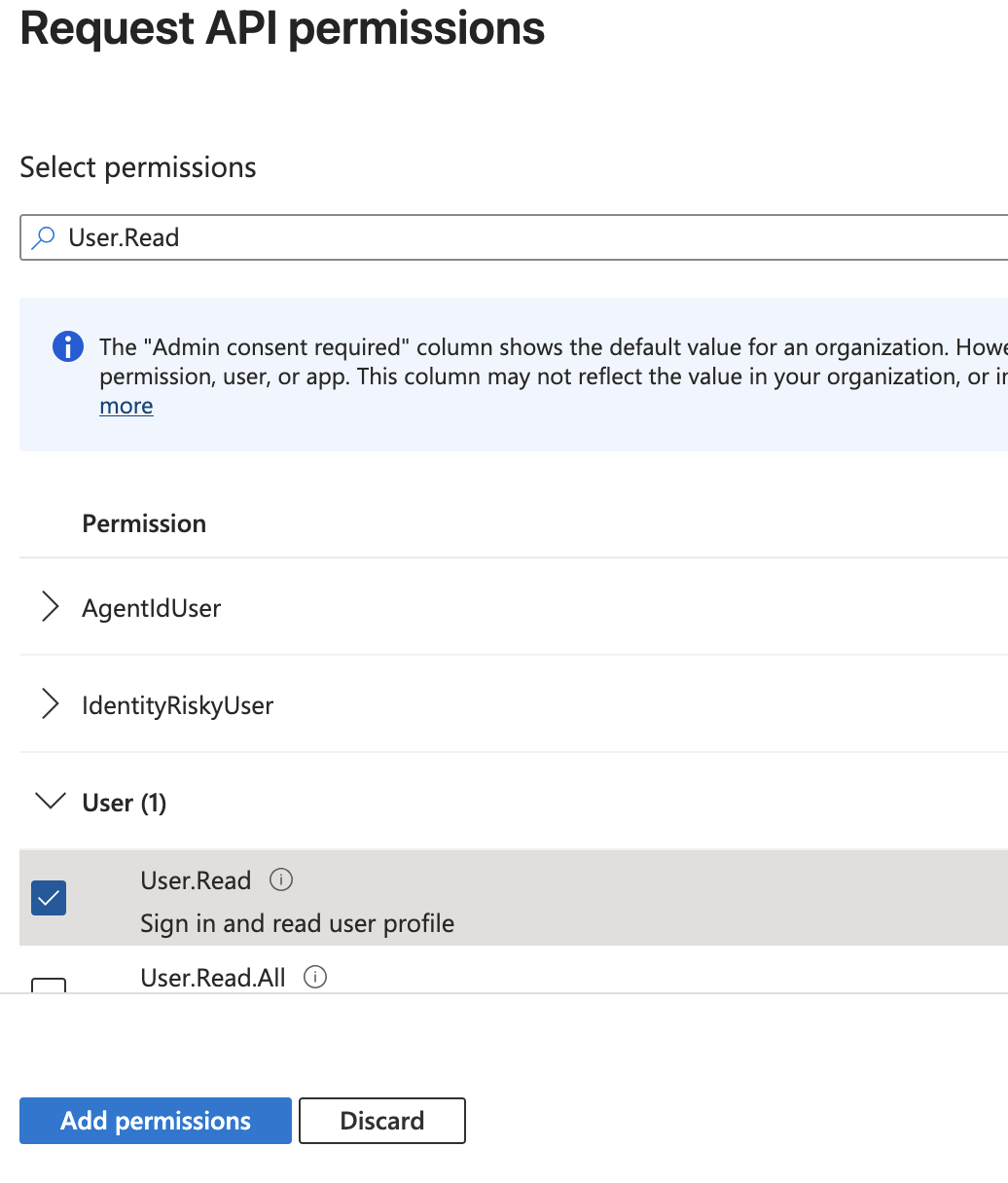
I added a basic Microsoft Graph delegated permission:
Microsoft Graph
Delegated permission
User.Read
This permission allows the signed-in user to read their own basic profile.
Important lesson:
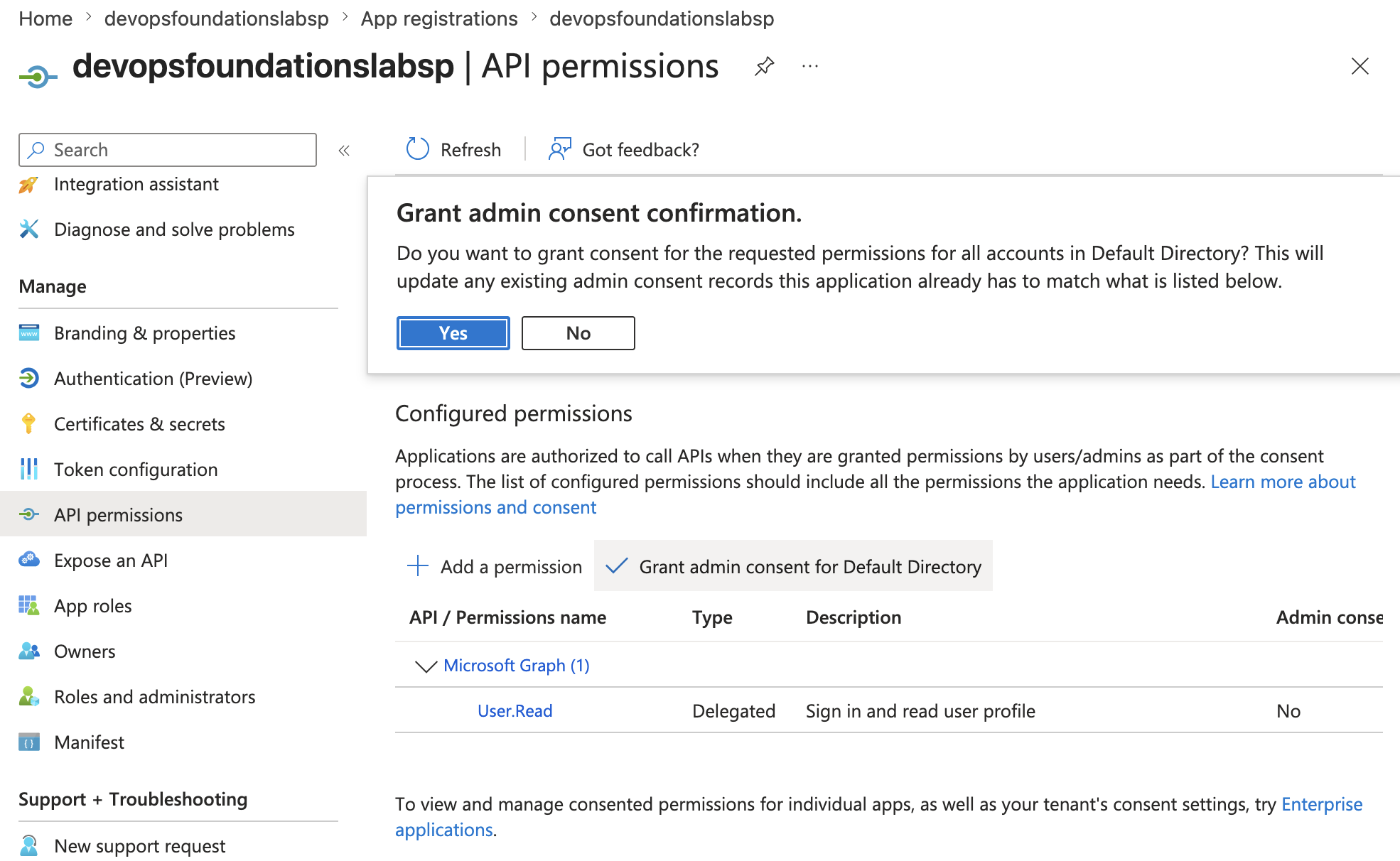
Adding an API permission is not the same as granting consent.
For this MVP, I used User.Read because it is common and low risk.
I avoided broad permissions such as Group.Read.All because they can expose much more tenant information and should not be granted casually.
Quick exam memory:
| Concept | Meaning |
|---|---|
| Delegated permission | App acts on behalf of a signed-in user |
| Application permission | App acts as itself without a signed-in user |
| User consent | User grants permission for themselves |
| Admin consent | Admin grants permission tenant-wide |
This step closes an important SC-300 gap: API permissions are configured on the App Registration side, while application access is controlled on the Enterprise Application side.
🚪 Enterprise Application Assignment
After the App Registration existed, I configured the Enterprise Application side.
Main setting:
Assignment required? = Yes
Then I assigned the four lab groups:
lab-readers
lab-operators
lab-security-reviewers
lab-owners
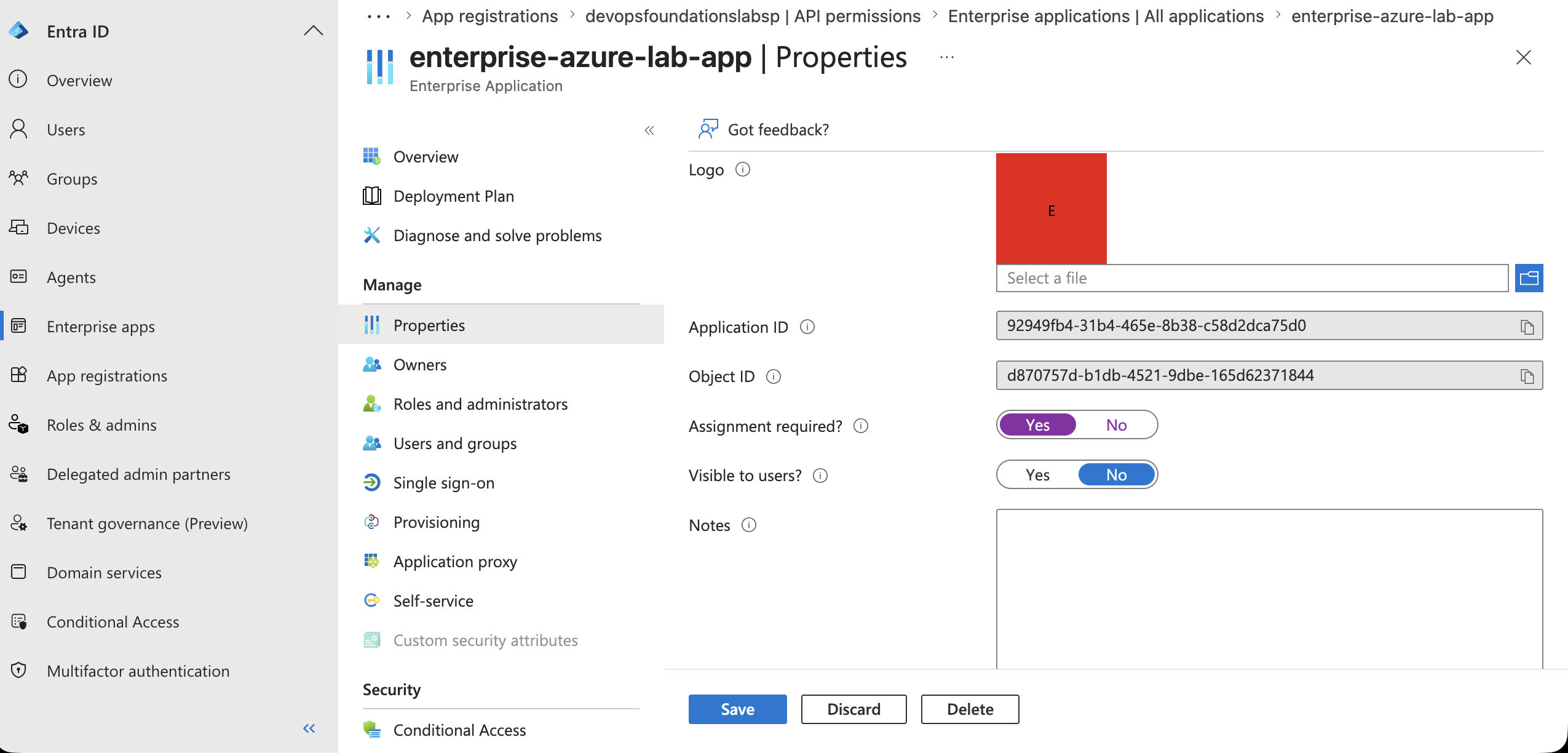
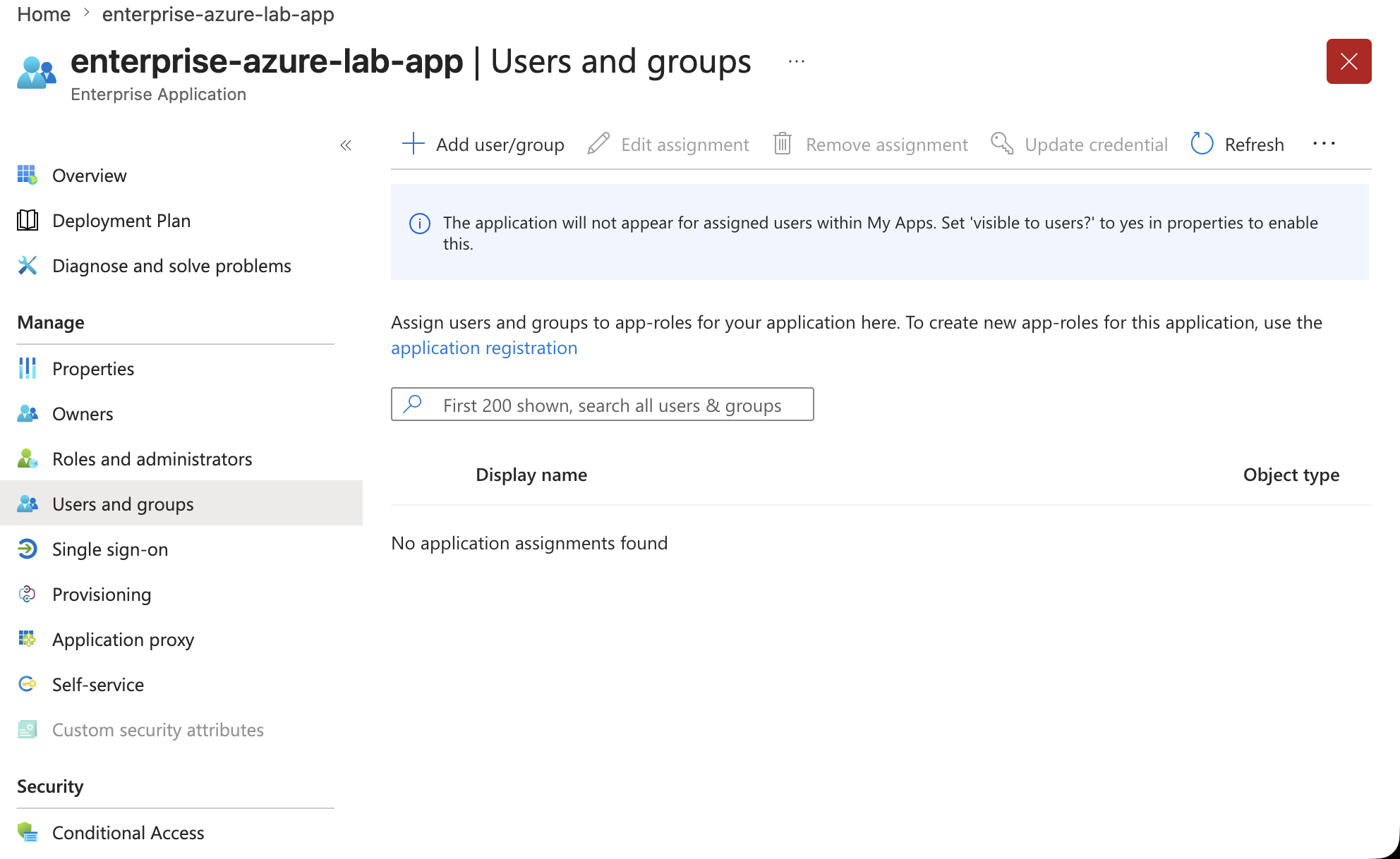
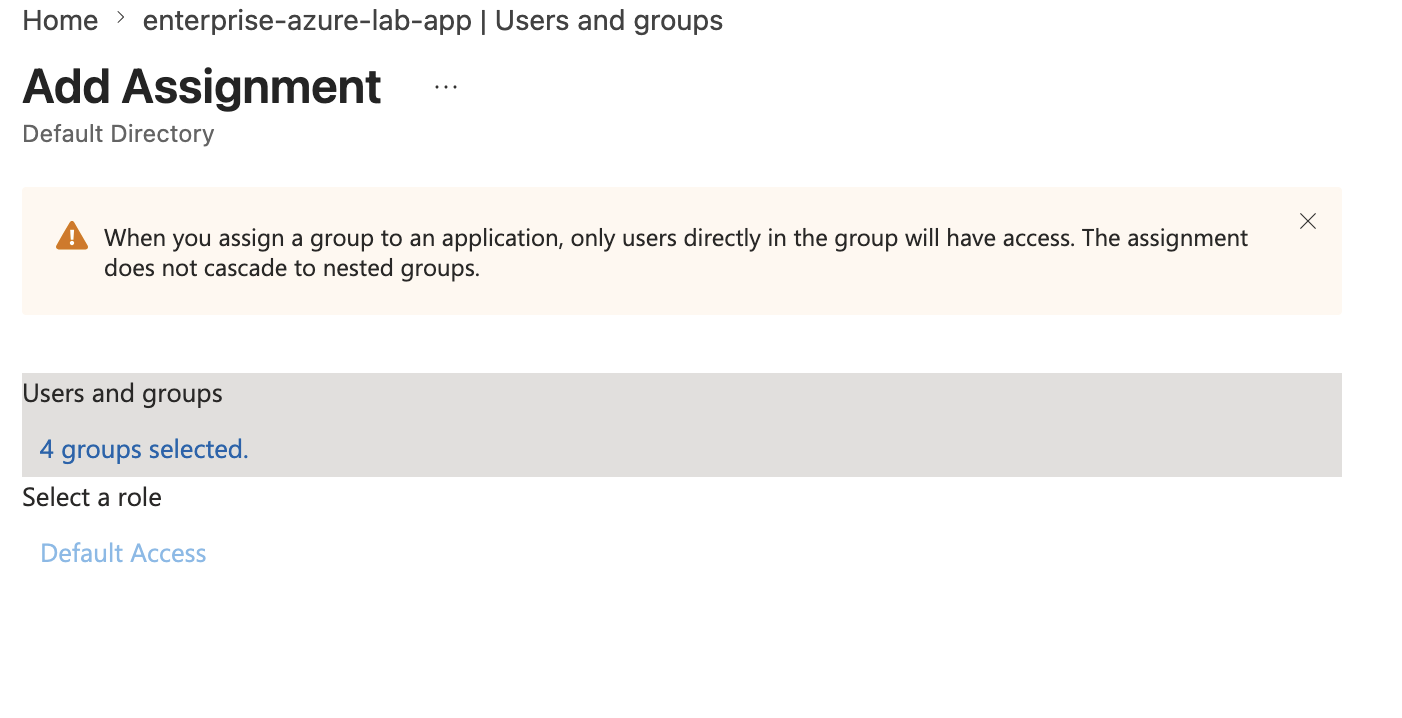
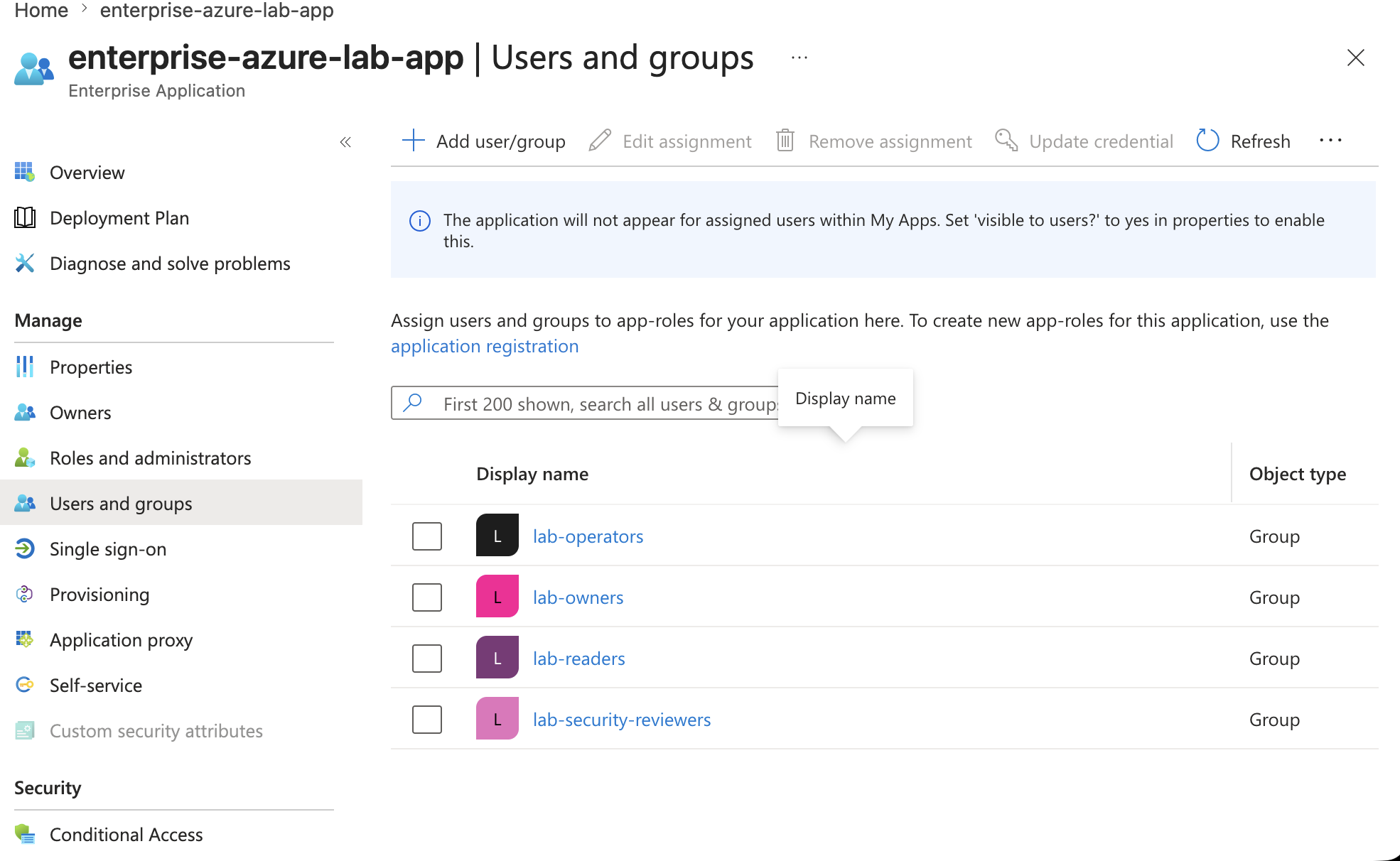
This is the key access-control point for the application.
If Assignment required is enabled, users must be directly assigned
or directly belong to an assigned group.
Important note:
Nested group access does not cascade for this assignment model.
This step proves that application access can be restricted before the user reaches the web app experience.
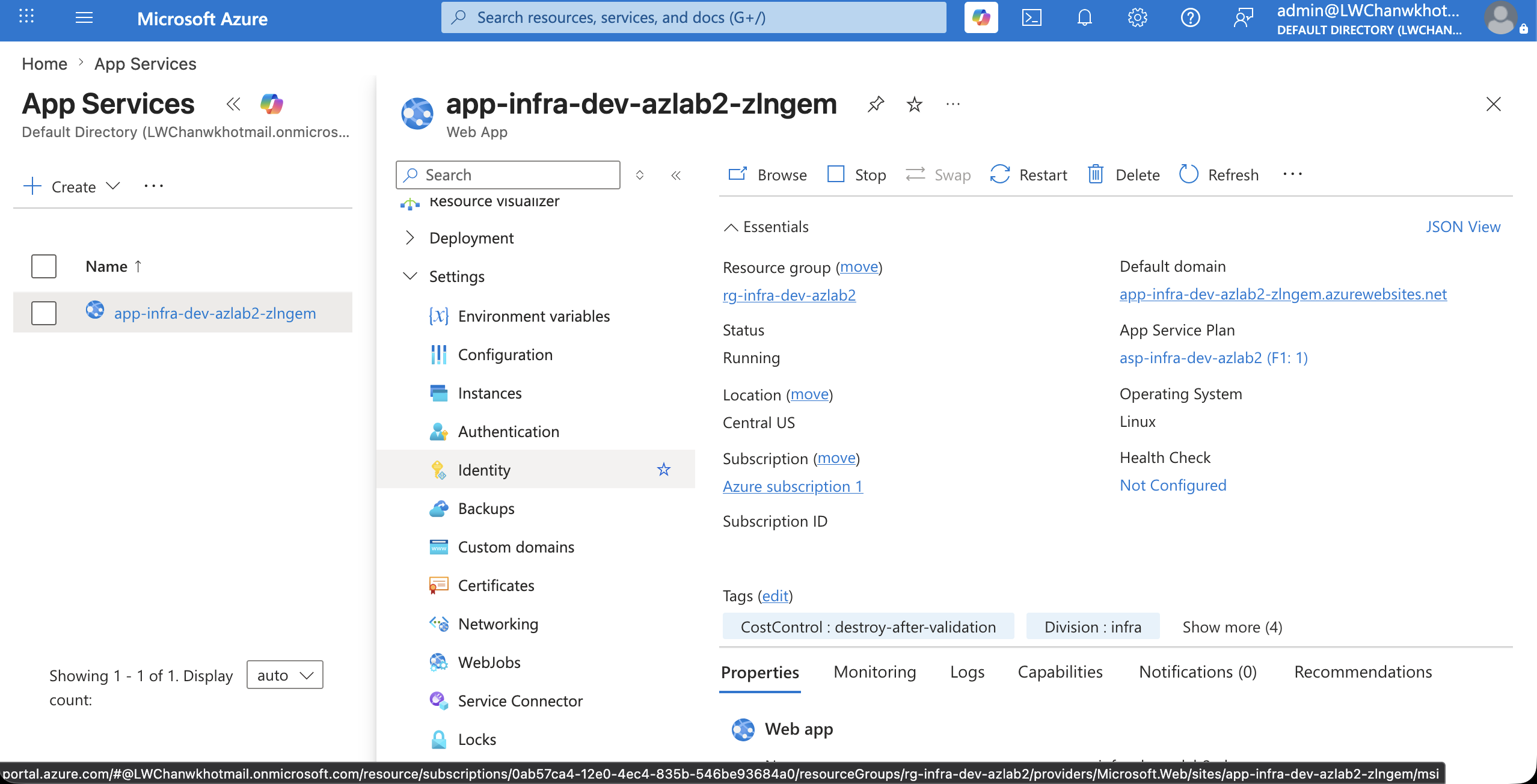
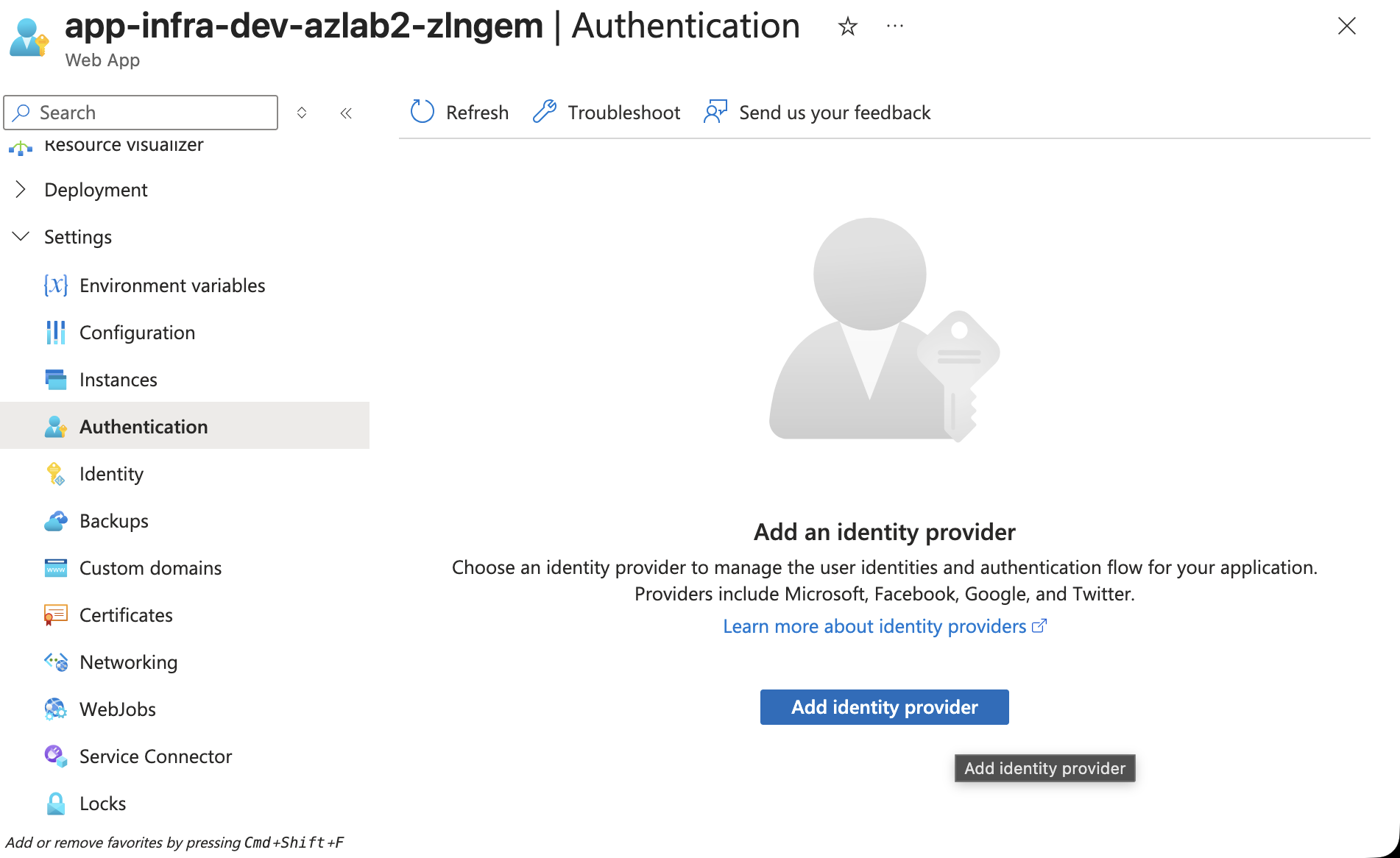
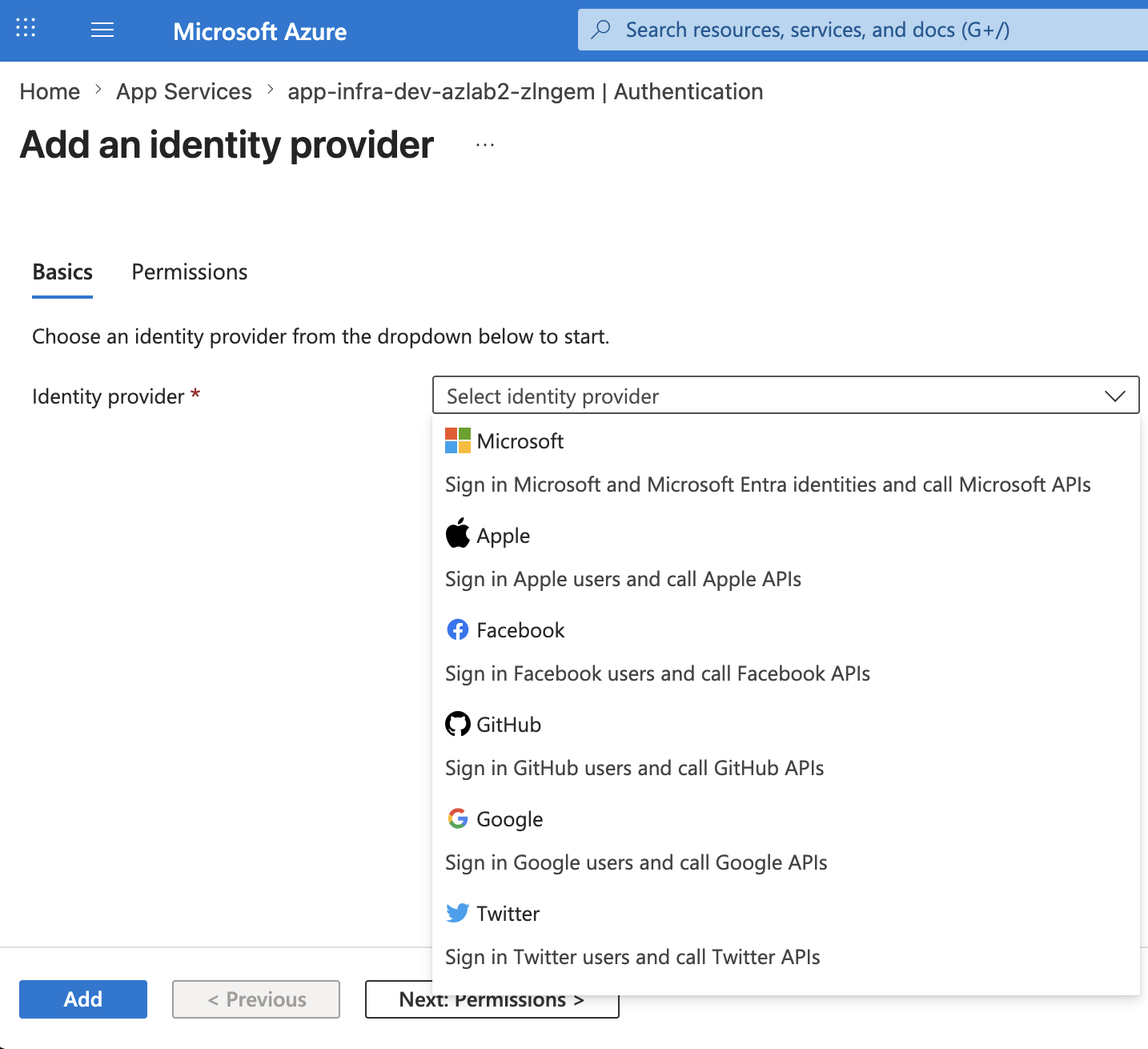
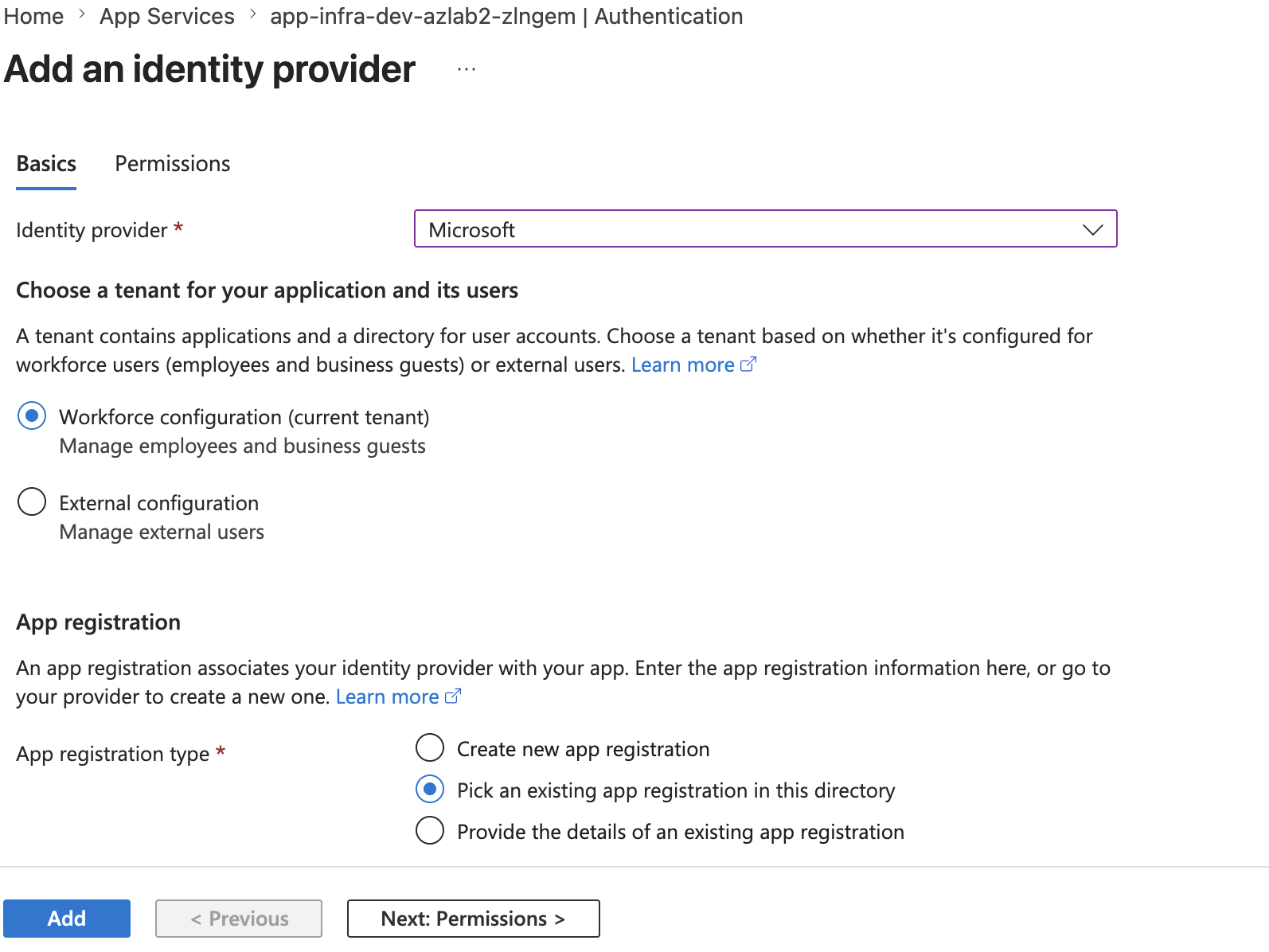
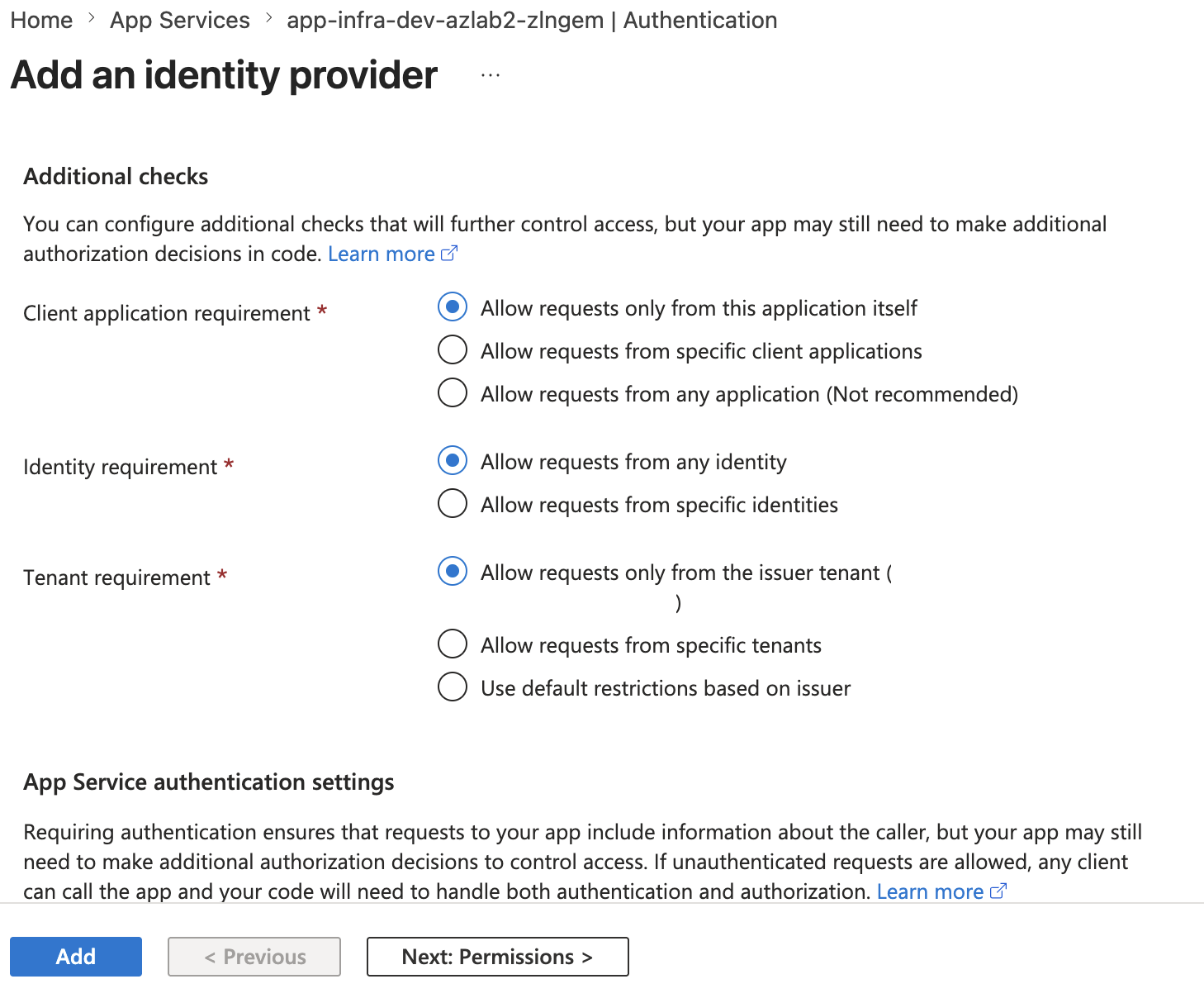
🌐 App Service Authentication
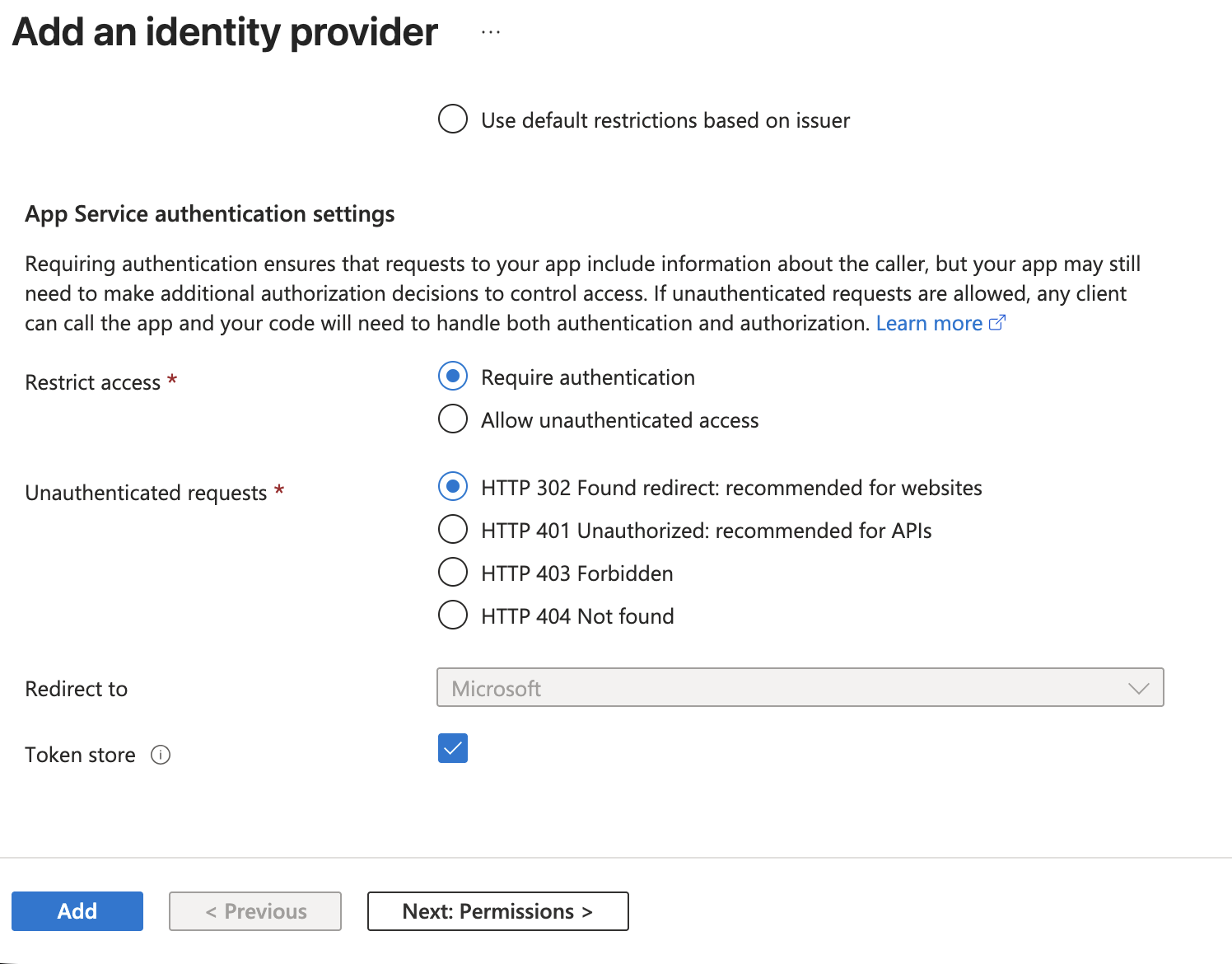
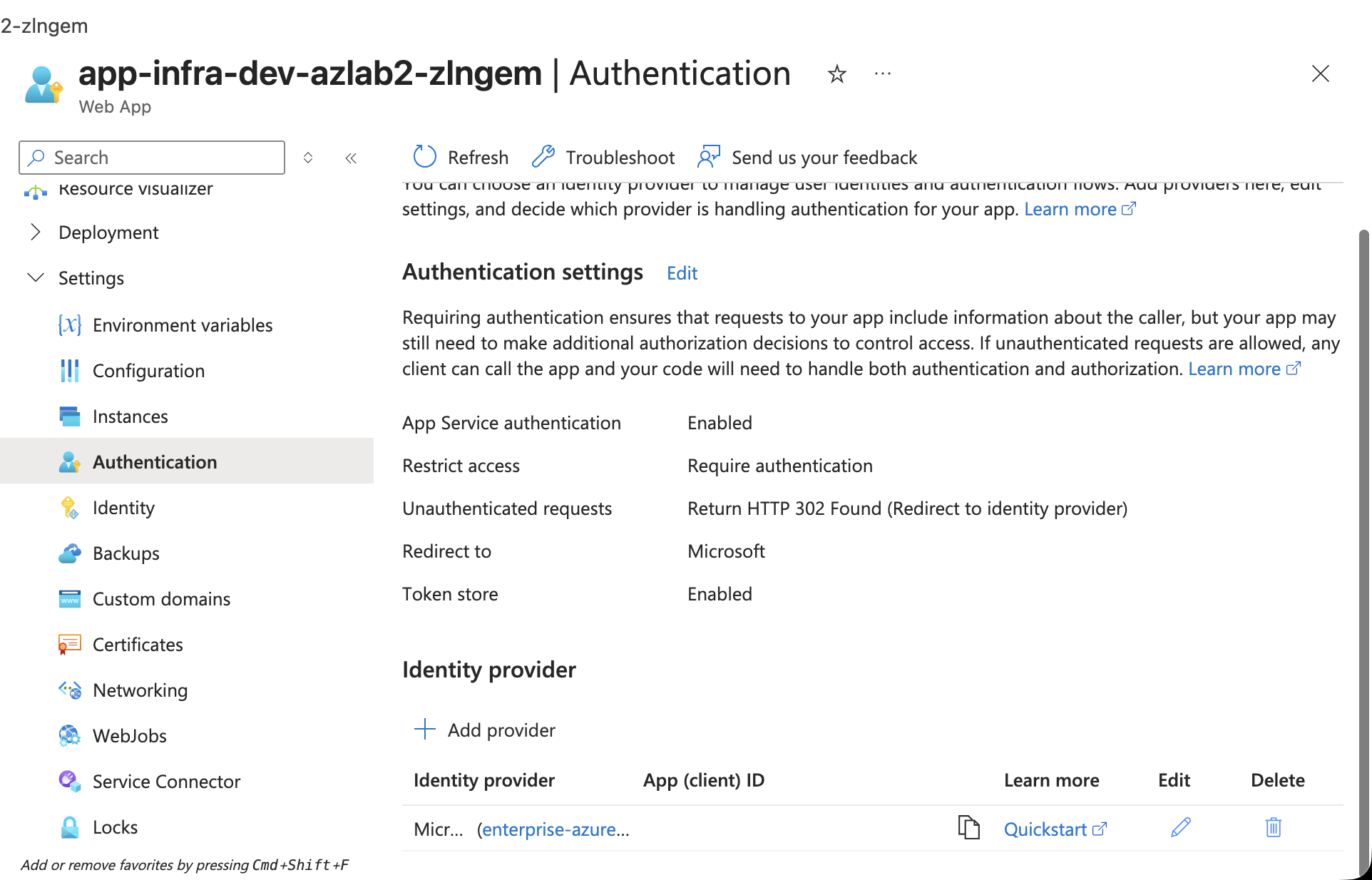
Next, I enabled built-in authentication on the Azure App Service.
Configuration:
Identity provider: Microsoft
Tenant type: Workforce / Current tenant
App registration: Pick existing app registration
Restrict access: Require authentication
Unauthenticated requests: HTTP 302 redirect to login page
Token store: Enabled
The most important design point:
Azure App Service handles the sign-in redirect and identity provider integration.
The application code does not store or validate passwords directly.
This is a practical way to add authentication to a lab web app without building a custom login system.
✅ Login Flow Validation
I tested three login outcomes.
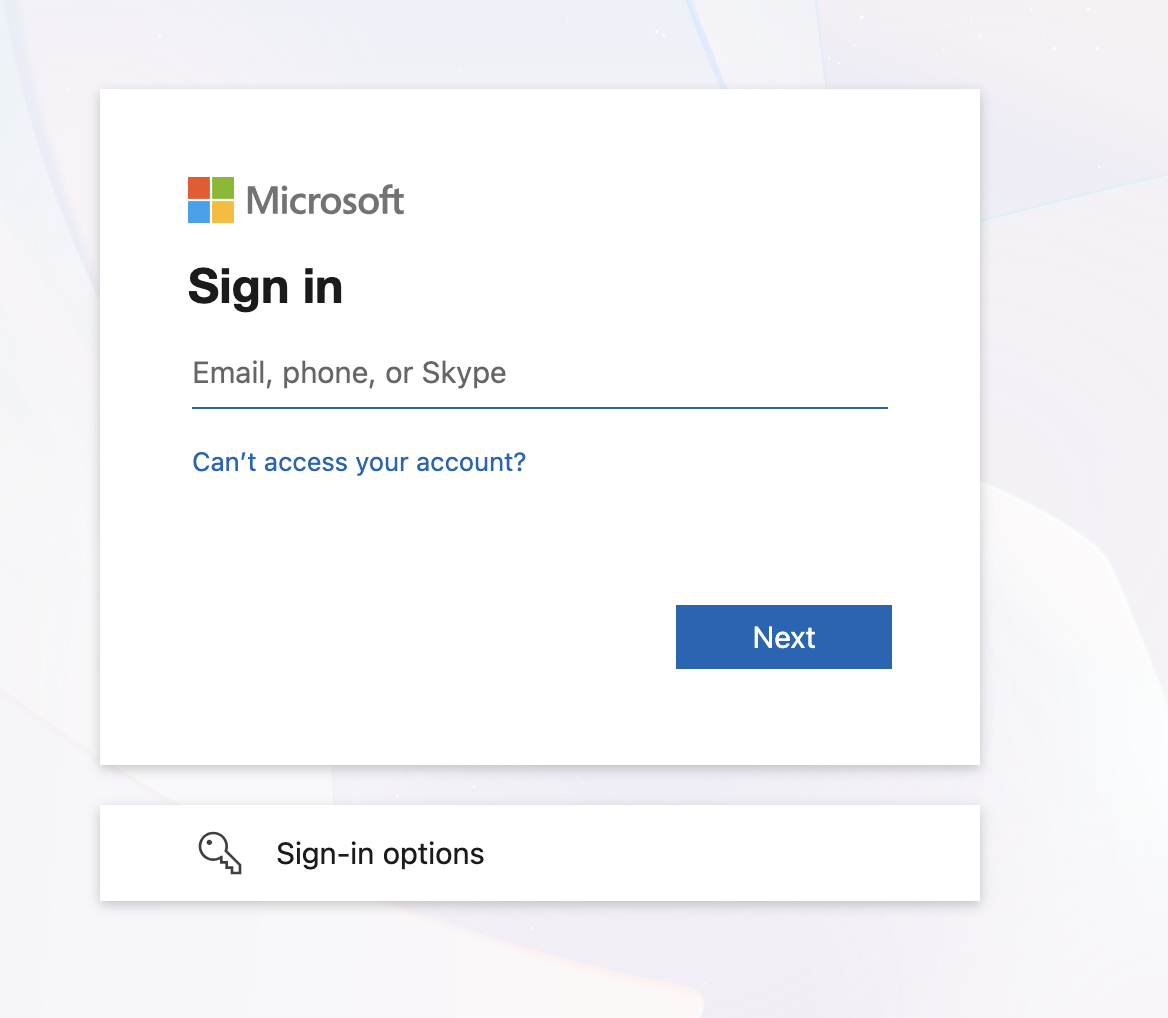
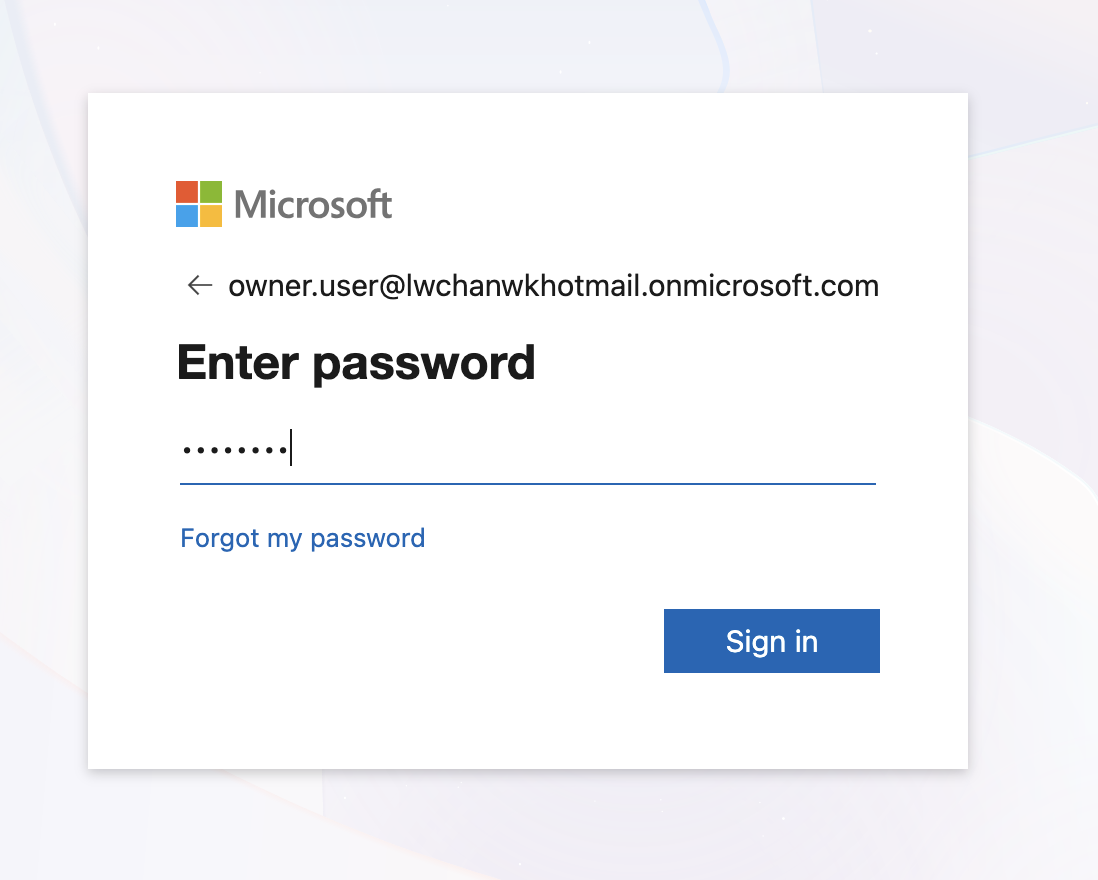
Test 1 — Unauthenticated browser session
Opening the web app in a private browser redirected to Microsoft sign-in.
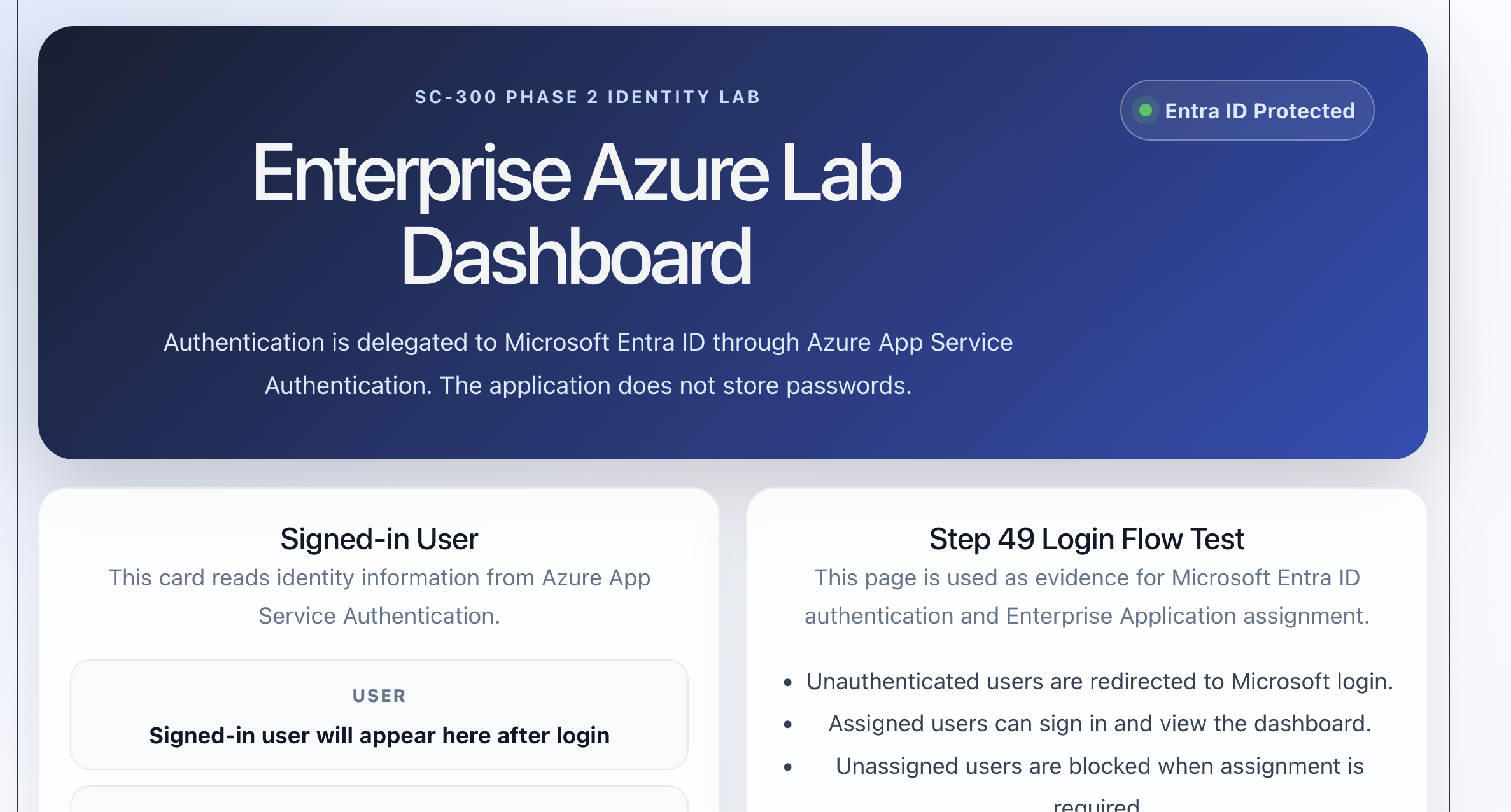
Test 2 — Assigned user
An assigned user could sign in and access the lab dashboard.
Test 3 — Unassigned user blocked
An unassigned user was blocked with AADSTS50105.
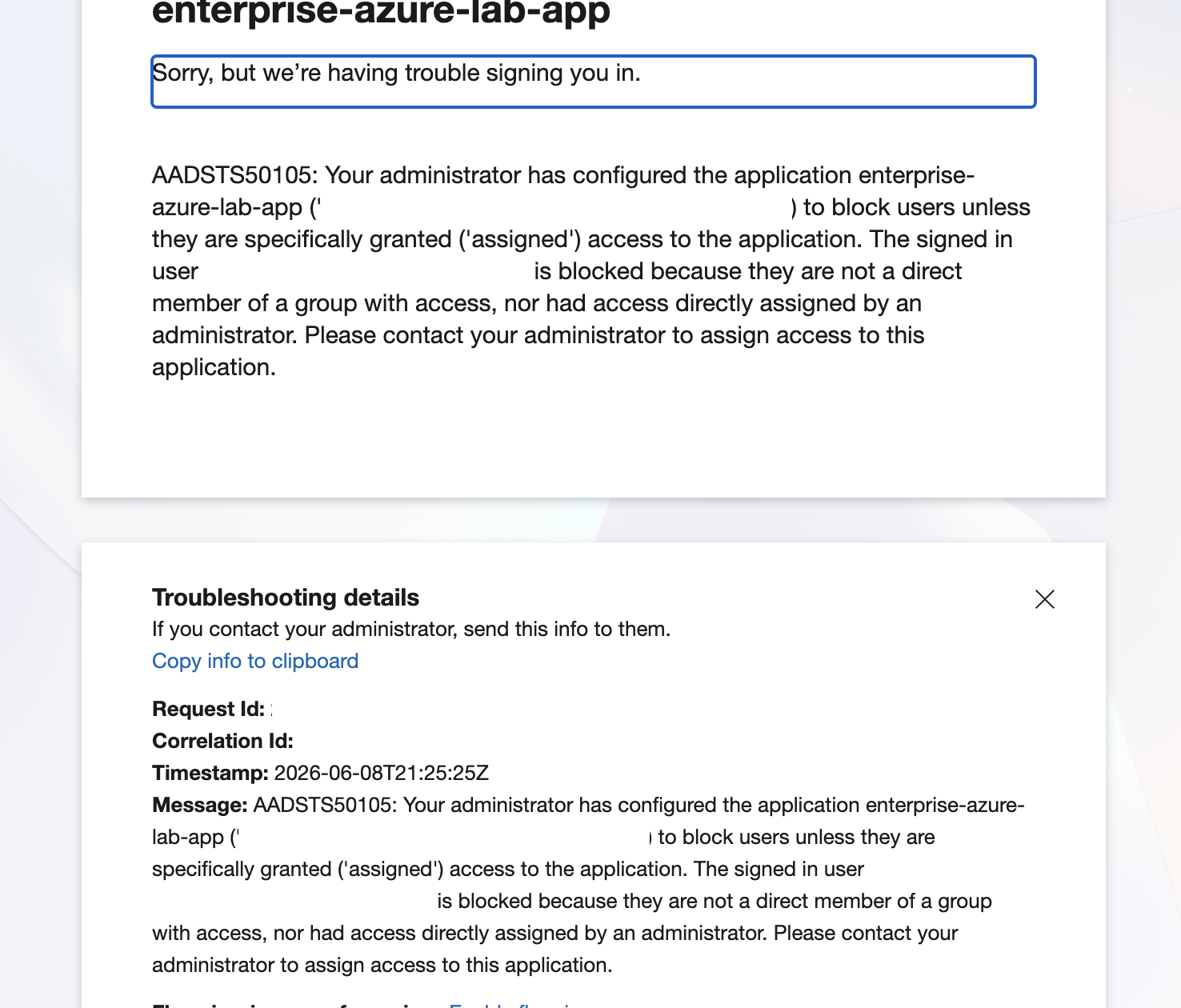
This proves the difference between authentication and application access.
Authentication may succeed,
but application access can still fail if Assignment required = Yes
and the user is not assigned.
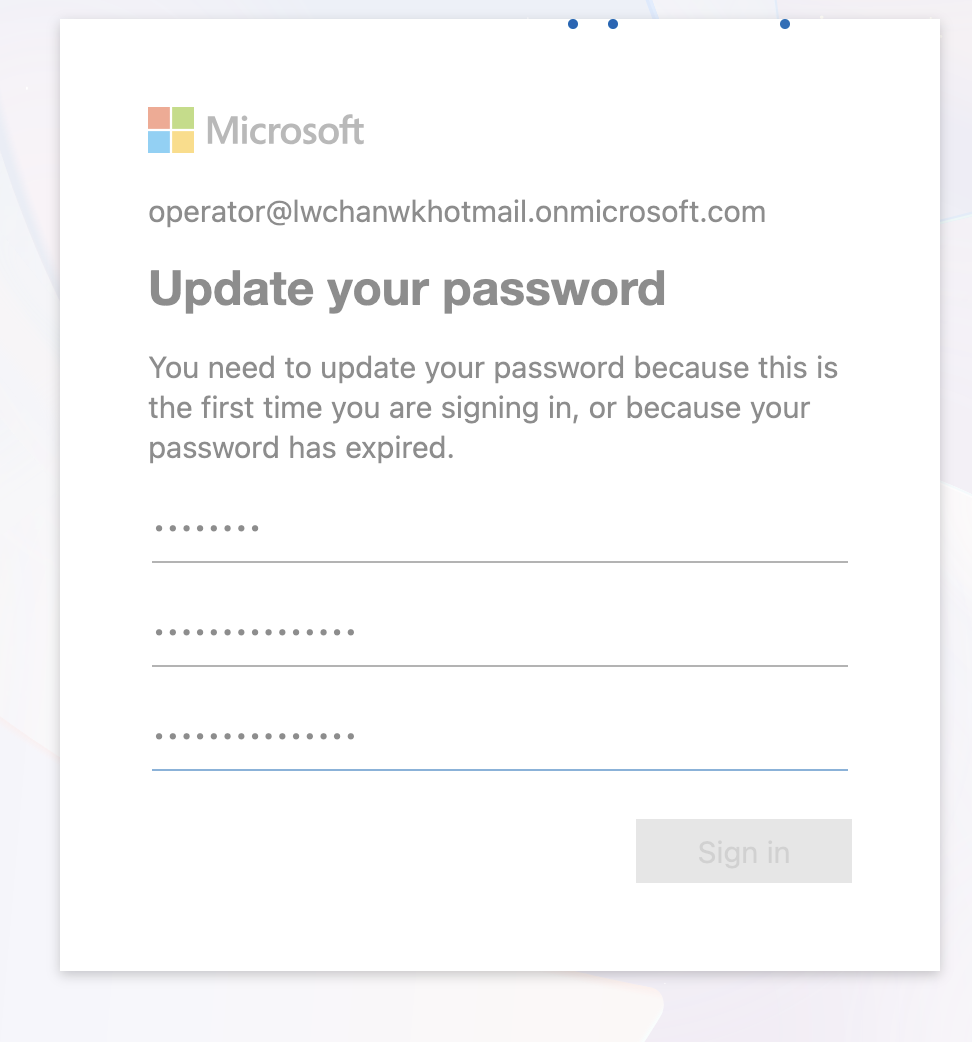
I also captured the first-login password update flow for a test user.
🧱 Terraform Position
This phase was intentionally completed through the Azure Portal first.
The Terraform conversion should come after the workflow is proven.
Recommended IaC targets for this part:
- Microsoft Entra security groups
- Group membership
- App registration
- Service principal / Enterprise Application object
- App roles, after the role model is finalized
- App Service Authentication, after the Portal configuration works
API permissions can be declared in Terraform, but consent automation should be handled carefully.
Important IaC note:
Declaring requested API permissions is not always the same as granting tenant-wide admin consent.
For this lab, Portal-first is the better learning path. Terraform comes later as a repeatability layer, not as the first place to debug identity behavior.
🧾 Summary
Phase 2A built the identity access foundation for the Azure App Service lab.
Completed controls:
- Microsoft Entra security groups
- Test users and assigned group membership
- Identity control comparison notes
- App Registration for the lab web app
- Microsoft Graph
User.Readdelegated permission - Admin consent review
- Enterprise Application assignment required
- Group assignment to the Enterprise Application
- App Service Authentication with Microsoft Entra ID
- Login validation for assigned users
- Blocked access validation for unassigned users
At the end of this phase, the lab proves:
Microsoft Entra ID authenticates users.
Azure App Service Authentication protects the web app.
Enterprise Application assignment restricts app access.
Assigned users can log in.
Unassigned users are blocked.
This completes the identity access foundation.
The next phase moves from sign-in control to application authorization and secure Azure resource access.
The key lesson:
Authentication proves who the user is.
Enterprise Application assignment proves whether the user can access the app.
Application roles and Azure RBAC decide what the user can do after that.