Enterprise Azure Terraform Lab Phase 2B: Authorization and Secure Resource Access
📁 GitHub Repository: lwc-wk/enterprise-azure-lab1
Enterprise Azure Terraform Lab Phase 2B: Authorization and Secure Resource Access
🧩 Background
Phase 2A proved the identity access foundation:
Users can authenticate through Microsoft Entra ID.
Enterprise Application assignment can restrict who is allowed to access the web app.
Phase 2B focuses on the next layer:
After the user signs in, what can the user do?
How does the application protect backend Azure resources?
How can the app access secrets without storing credentials in code?
This part covers:
- Application authorization design
- Role-aware dashboard evidence
- Azure RBAC least privilege
- Conditional Access report-only validation
- Managed Identity
- Key Vault RBAC
- Key Vault references
- Brownfield Terraform import notes
The goal is not just to make login work. The goal is to show the full access chain from user sign-in to secure backend resource access.
🧭 Phase 2B Control Layers
Phase 2B separates application authorization from Azure resource authorization.
| Control Layer | Scope | Example |
|---|---|---|
| App role | Controls what a signed-in user can see or do inside the web app | LabReader, LabOperator |
| Azure RBAC | Controls what a user, group, or managed identity can do to Azure resources | Reader, Website Contributor |
| Conditional Access | Controls access conditions before access is granted | Require MFA, report-only policy |
| Managed Identity | Gives the App Service an Azure-managed identity | System-assigned identity |
| Key Vault RBAC | Controls who or what can manage/read secrets | Key Vault Secrets User, Key Vault Secrets Officer |
| Key Vault reference | Lets App Service load a secret from Key Vault without hardcoding it | @Microsoft.KeyVault(...) |
Short version:
App role = application authorization
Azure RBAC = Azure resource authorization
Managed Identity = workload identity
Key Vault RBAC = secret access control
Key Vault reference = secret retrieval without storing secrets in code
This distinction is the whole point of Phase 2B.
🧱 Step 50 — App Roles Design
I designed four application roles for the lab dashboard.
| App Role | Entra Group | Dashboard Purpose |
|---|---|---|
LabReader |
lab-readers |
View non-sensitive architecture and project evidence |
LabOperator |
lab-operators |
View operational sections and limited safe actions |
LabSecurityReviewer |
lab-security-reviewers |
View logs, diagnostics, RBAC, and security evidence |
LabOwner |
lab-owners |
View full dashboard, cost controls, and roadmap |
For the MVP, I used a role-aware dashboard evidence mode to demonstrate the authorization model.
A future Terraform version can map Microsoft Entra app roles or group claims into the application more formally.
The important point:
Application authorization is not the same as Azure RBAC.
Azure RBAC controls Azure resources. App roles control what the custom dashboard shows after the user is signed in.
🖥️ Step 51 — Role-Aware Dashboard Proof
The dashboard demonstrates application-level authorization.
Evidence:
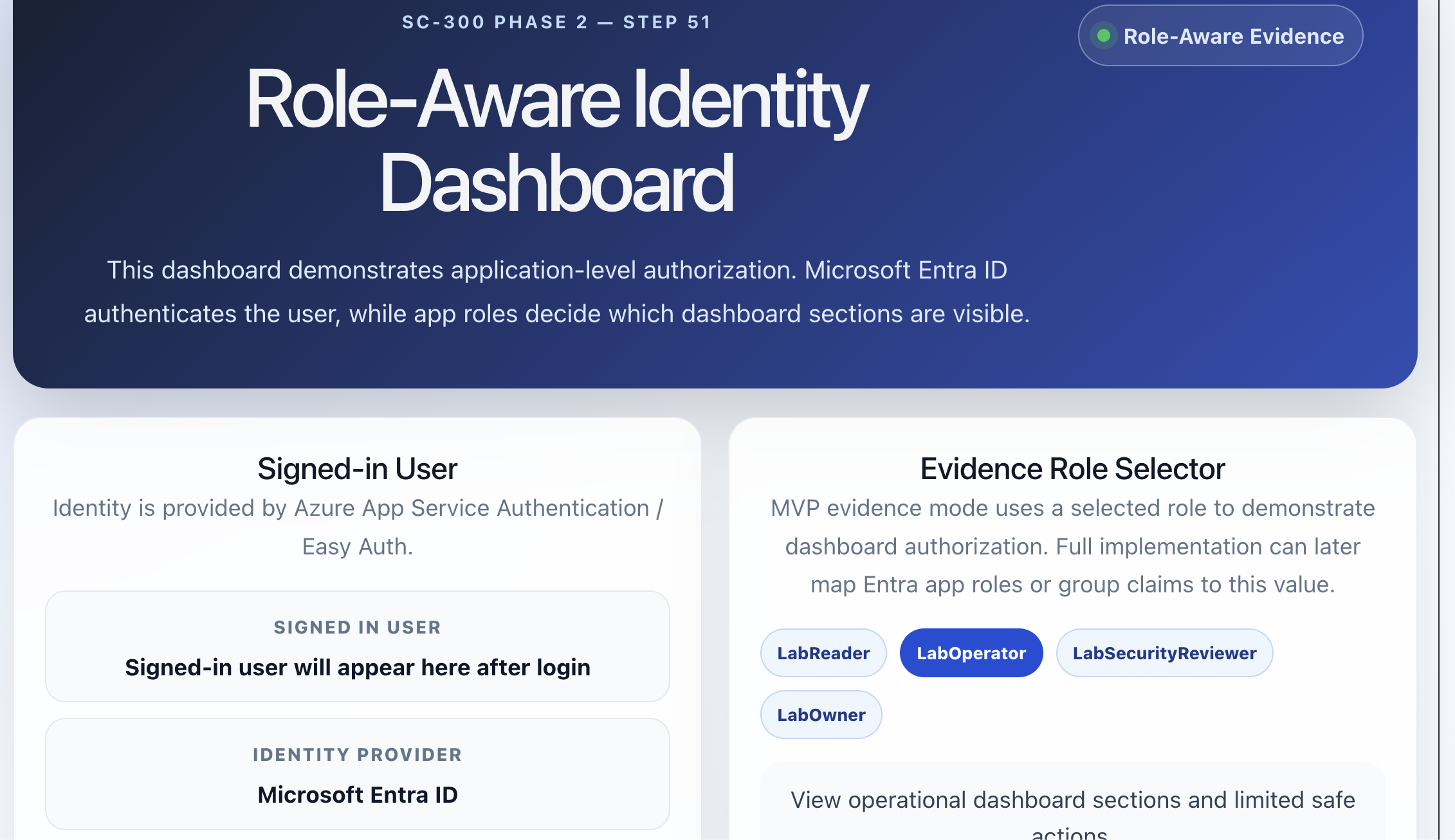
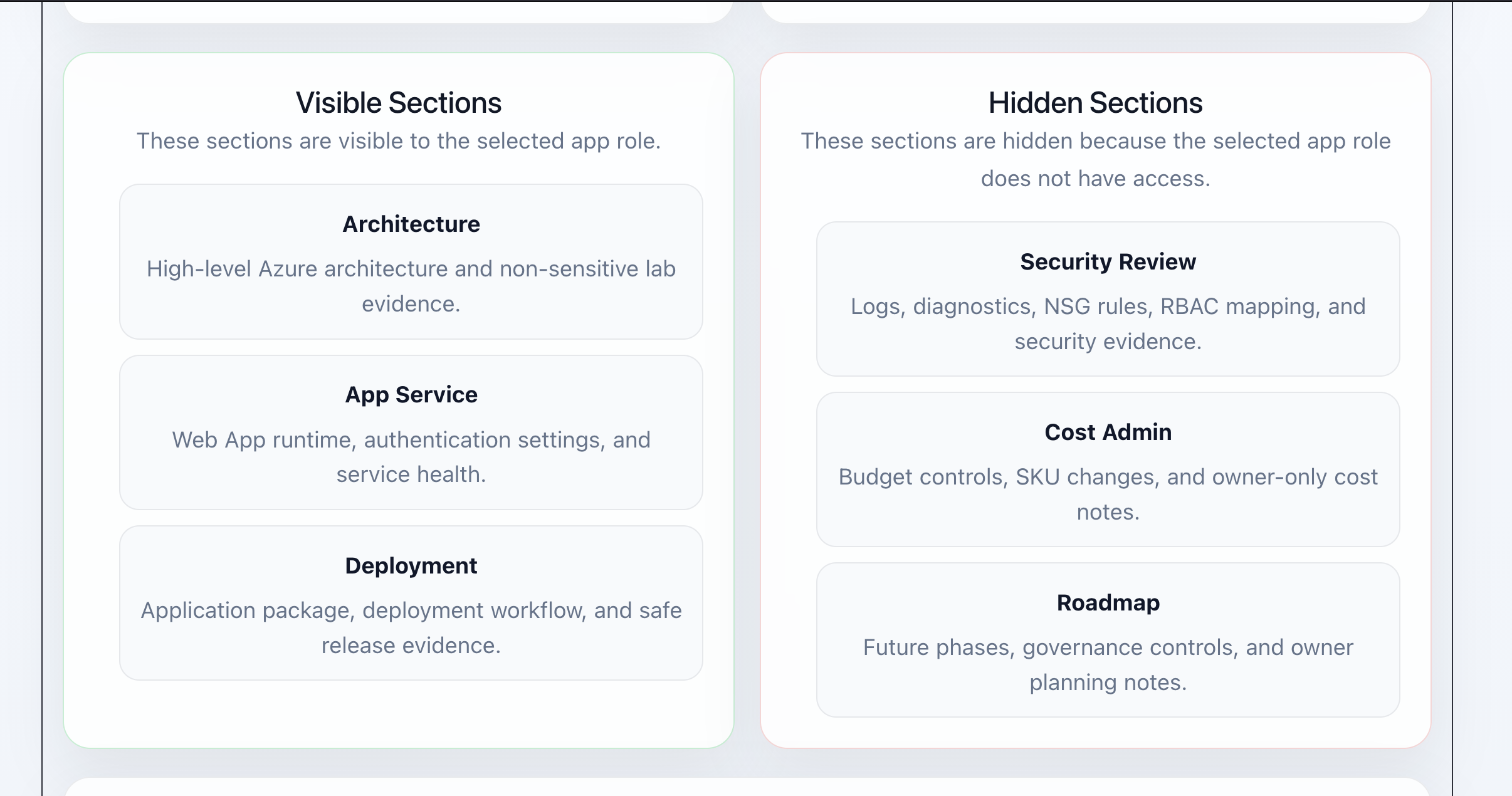
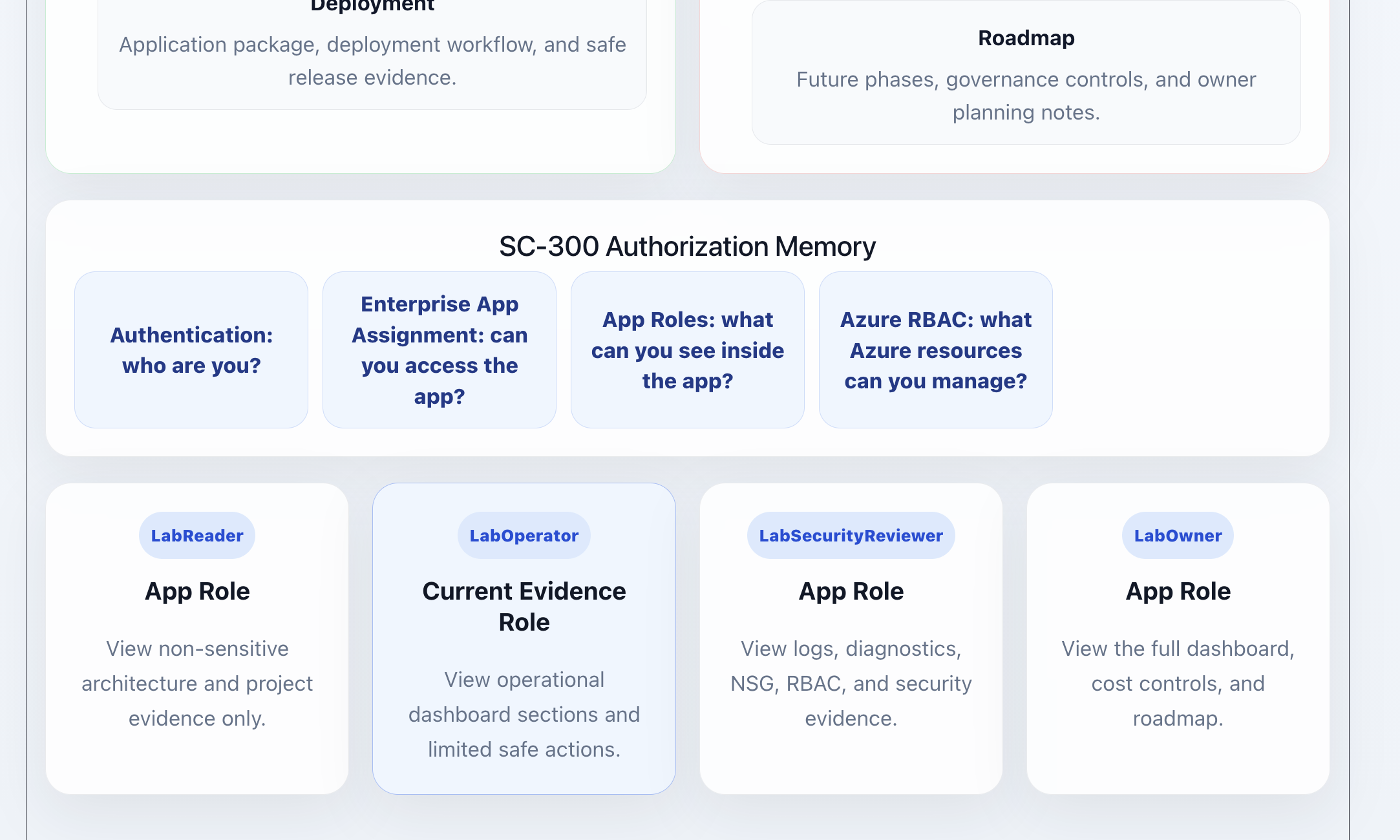
For example, a LabOperator can view operational sections such as App Service and deployment evidence, while more sensitive security review or cost admin sections remain hidden.
SC-300 memory:
Microsoft Entra ID authenticates the user.
Enterprise Application assignment controls whether the user can access the app.
App roles control what the user can see inside the app.
Azure RBAC controls what Azure resources the user can manage.
This is the split that matters in real environments. Azure RBAC does not automatically decide which buttons appear inside a custom web app. That logic belongs to application authorization.
🔐 Step 52 — Azure RBAC Least Privilege
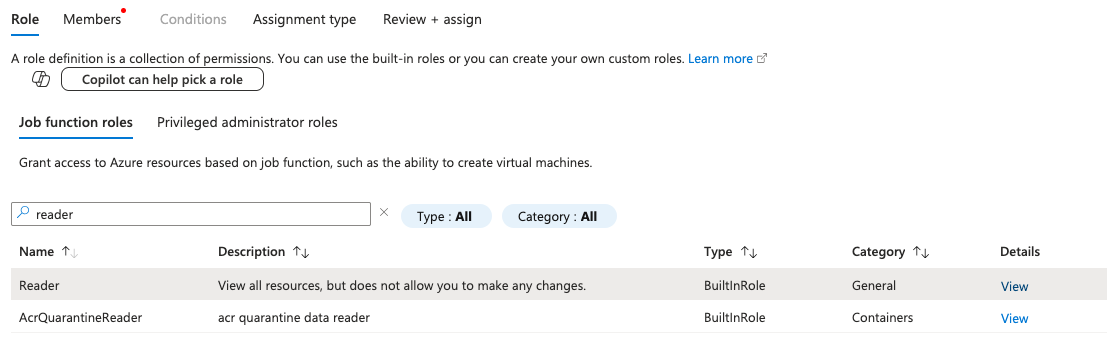
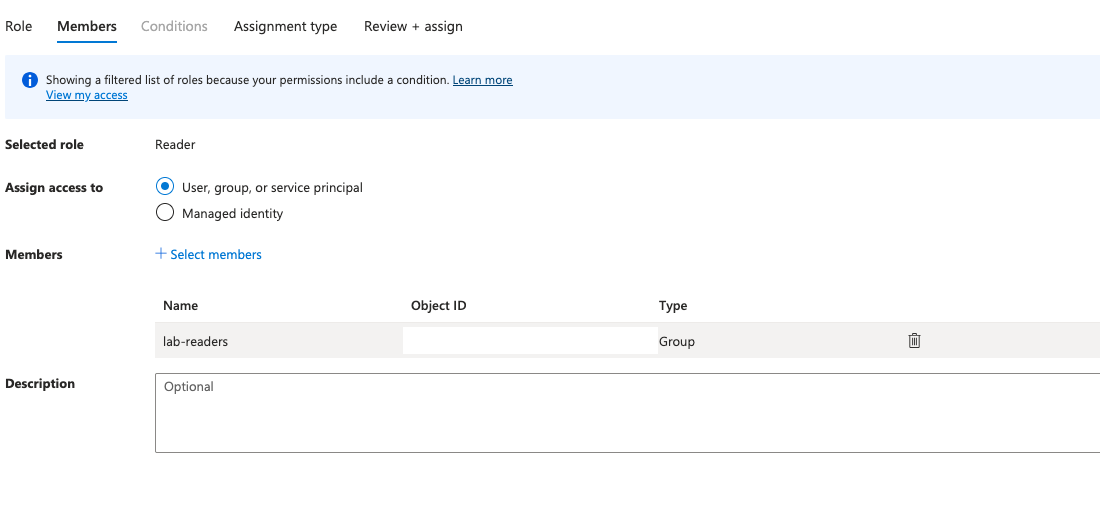
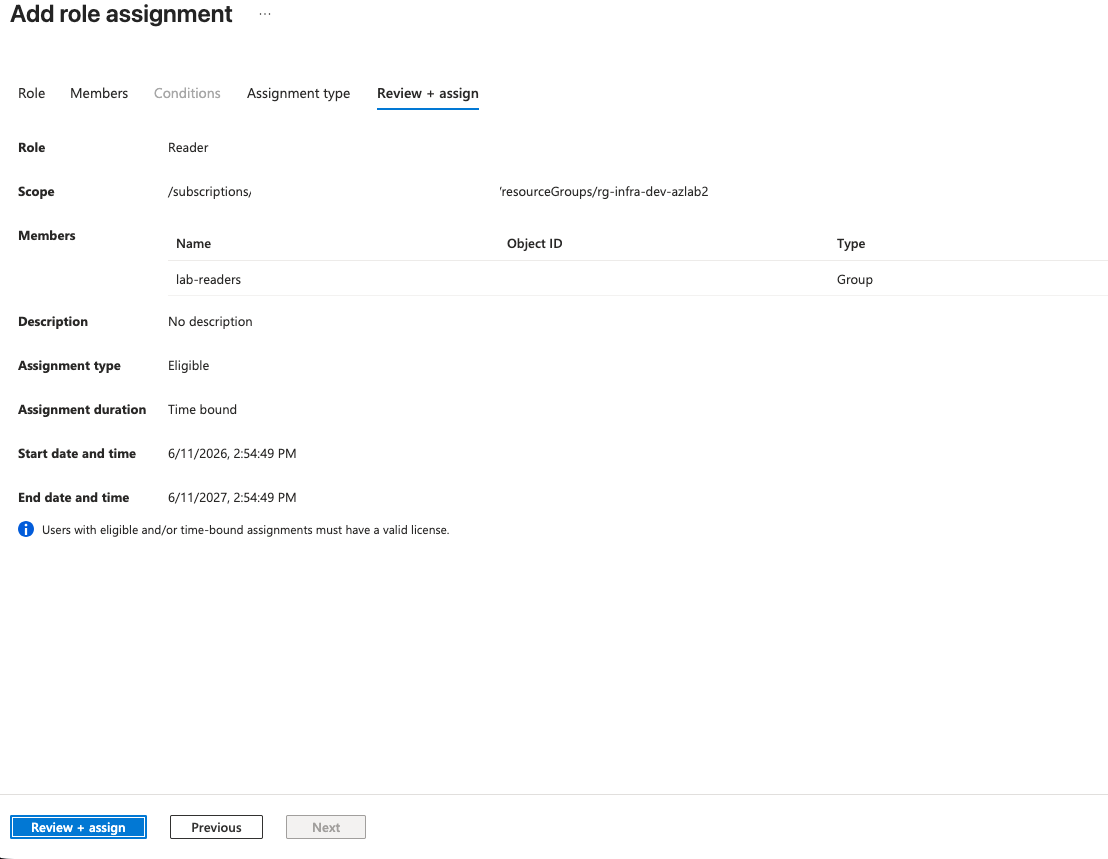
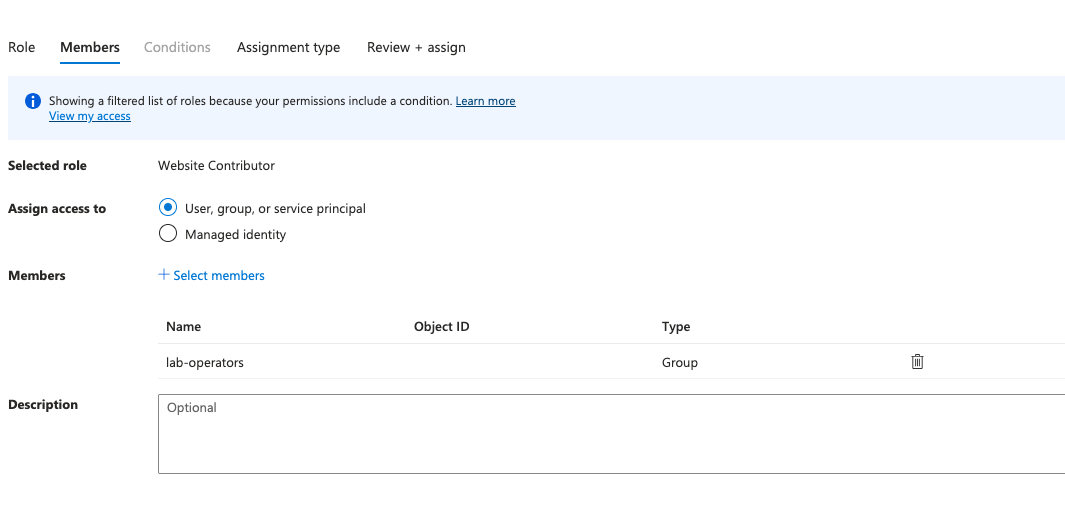
Next, I mapped the Entra groups to Azure RBAC roles.
| Group | Azure RBAC Role | Scope |
|---|---|---|
lab-readers |
Reader | Resource group |
lab-operators |
Website Contributor | App Service or lab resource group scope |
lab-security-reviewers |
Monitoring Reader | Resource group |
Evidence:
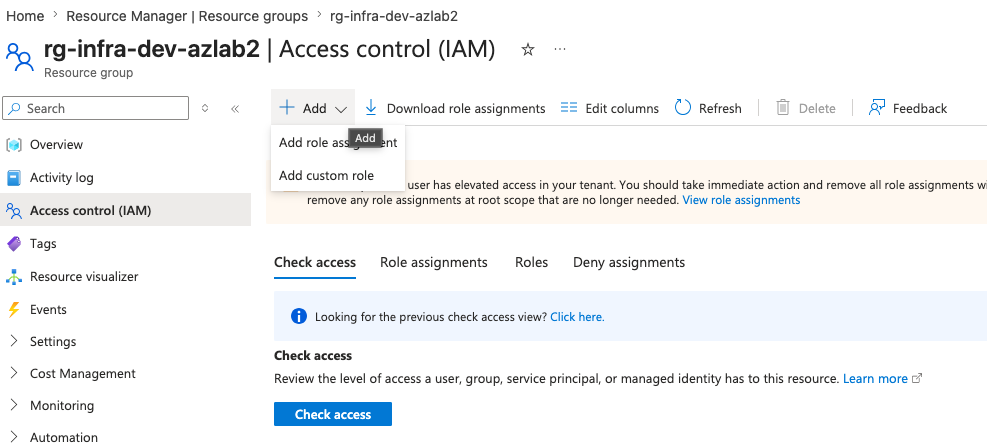
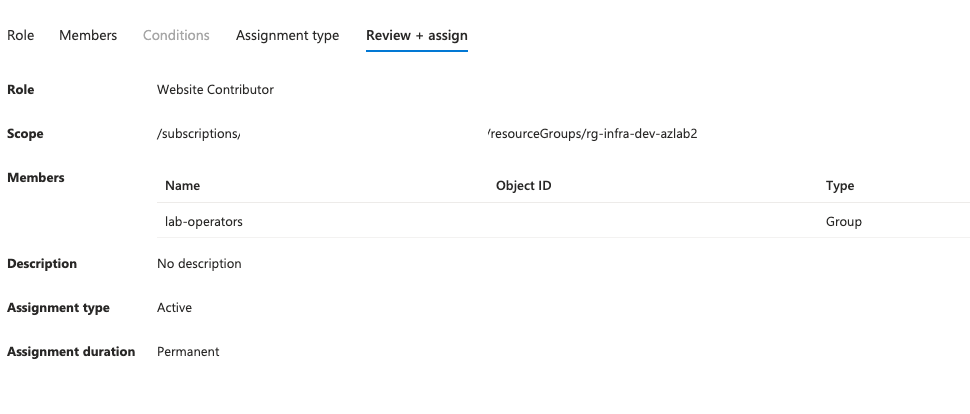
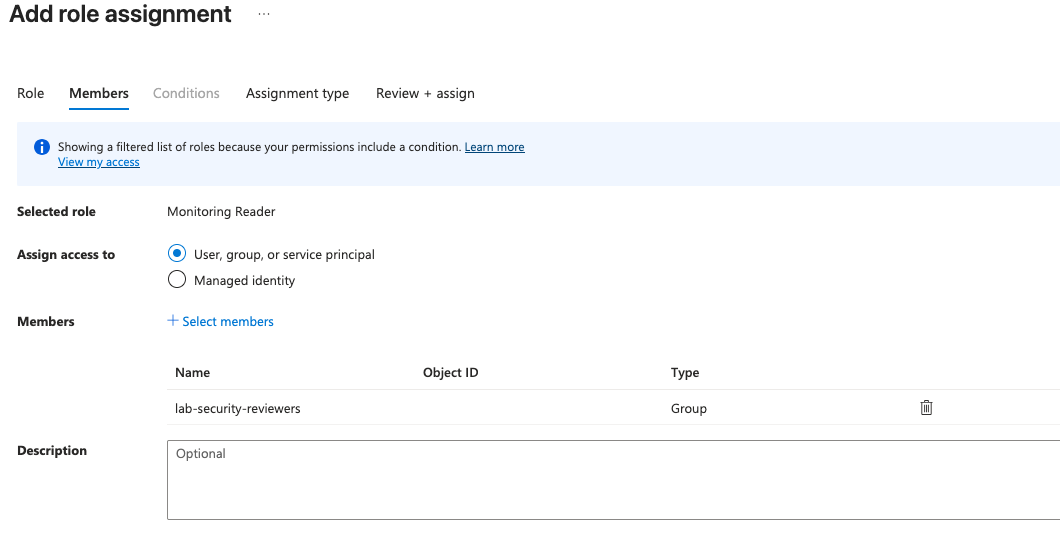
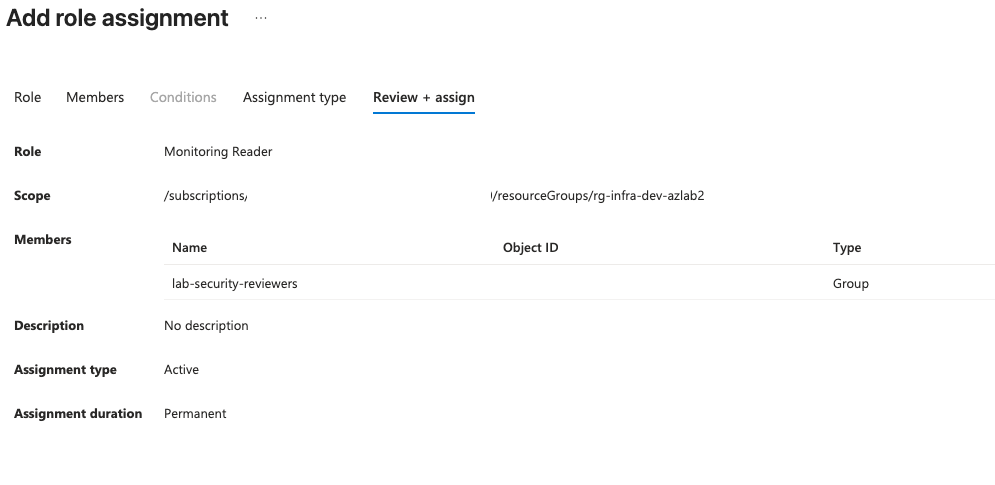
The rule I used:
Least privilege = correct principal + correct role + correct scope.
This is closer to real enterprise practice than assigning permissions directly to individual users. Groups become the stable access layer, and users move in or out of those groups based on responsibility.
🛡️ Step 53 — Conditional Access MVP Policy
I created a Conditional Access policy for the lab application.
Policy intent:
Require multifactor authentication for users accessing the enterprise Azure lab app.
Configuration:
Users/groups:
- lab-readers
- lab-operators
- lab-security-reviewers
- lab-owners

Target resource:
- enterprise-azure-lab-app

Grant control:
- Require multifactor authentication

Mode:
- Report-only first
Evidence:
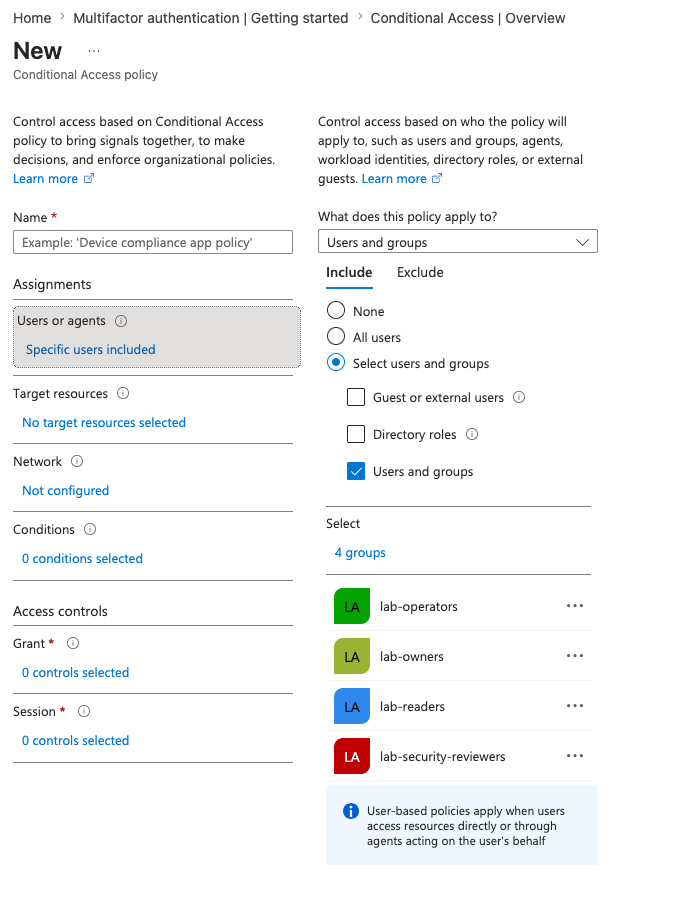
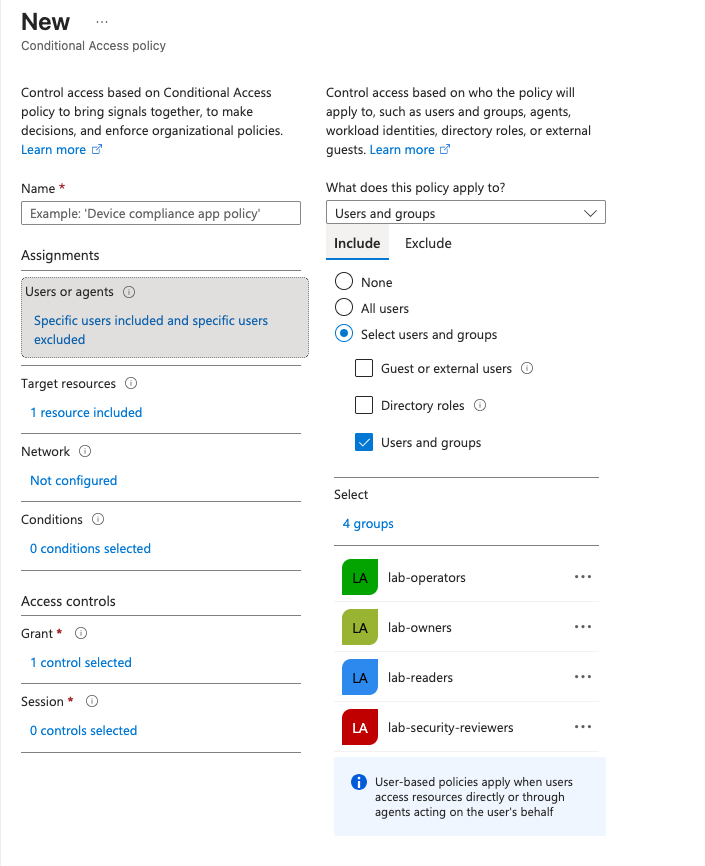
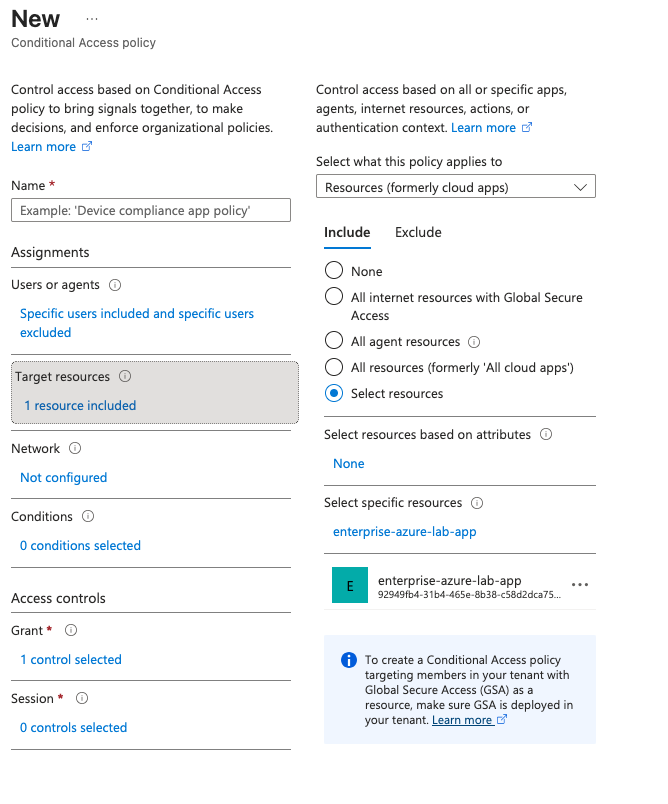
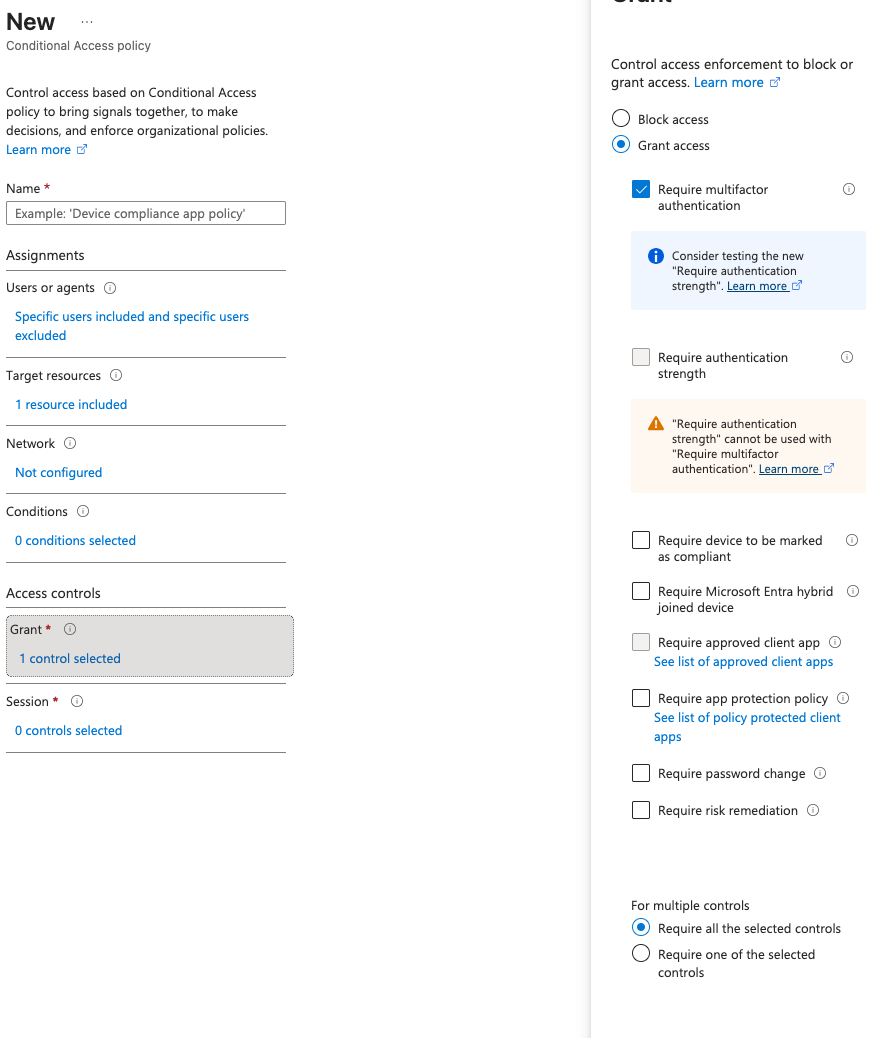
I kept the policy in report-only mode first.
Report-only mode allows policy impact testing before enforcement.
That is the safer production-style habit. Click first, regret later is not a governance strategy. It is just a bug with a meeting invite.
📋 Step 54 — Validate Conditional Access with Sign-In Logs
I checked sign-in logs to confirm Conditional Access behavior.
Evidence:
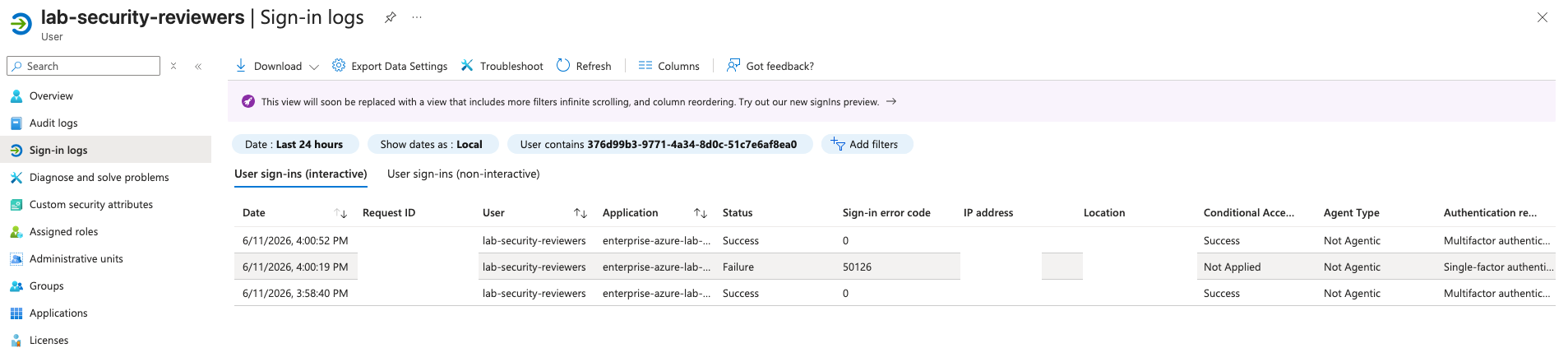
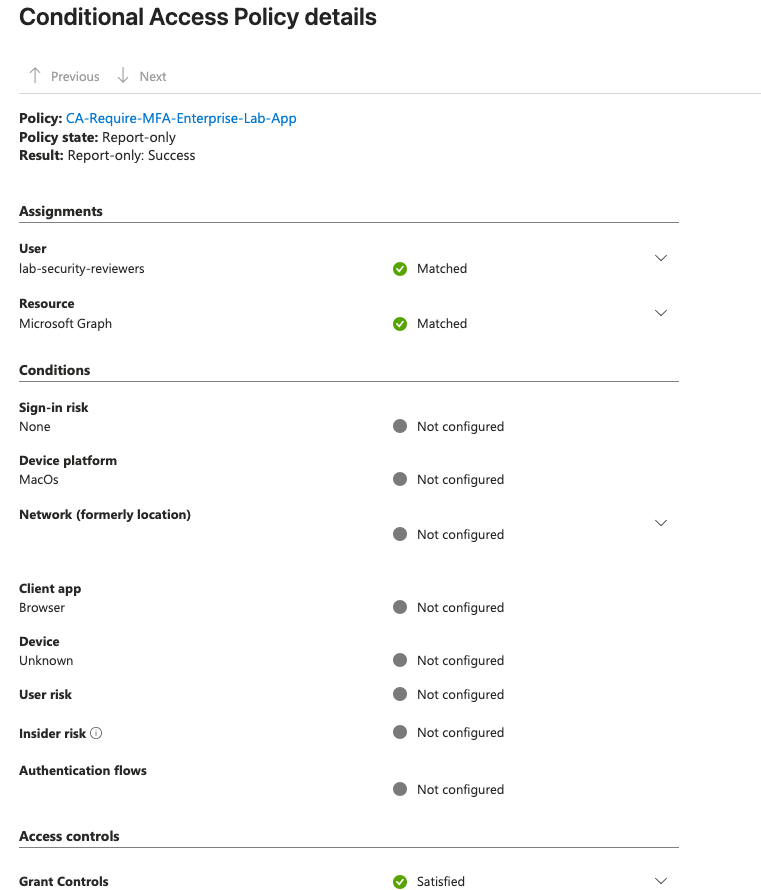
The sign-in evidence showed the Conditional Access policy result and confirmed that the policy matched the selected app/user scenario.
SC-300 note:
Conditional Access evaluation can be validated through:
- What If
- sign-in logs
- policy details on the sign-in event
For a lab tenant, report-only mode is the better default because it proves the policy logic without risking accidental lockout.
🆔 Step 55 — Enable Managed Identity on App Service
I enabled a system-assigned managed identity on the Azure App Service.
Evidence:
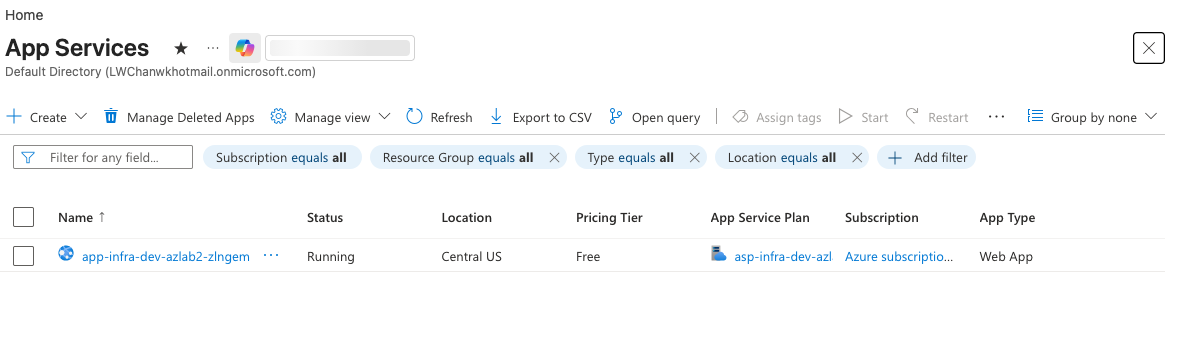
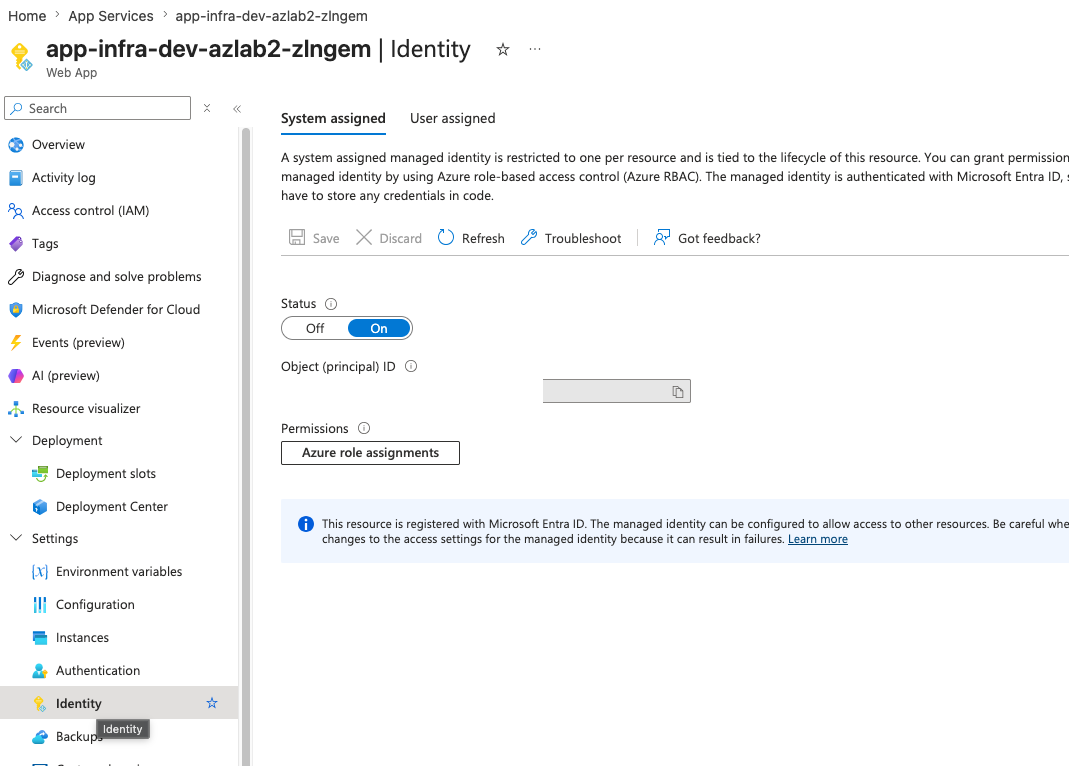
Why this matters:
Managed Identity is an Azure-managed service principal.
It allows the App Service to access Azure resources without storing credentials in code.
Important distinction:
Managed Identity = identity exists
RBAC assignment = permission exists
Turning on Managed Identity does not automatically grant access to Key Vault. The identity still needs the correct Azure RBAC role at the correct scope.
🔑 Step 56 — Key Vault, Key Vault RBAC, and Key Vault Reference
This step connects the application to Key Vault through Managed Identity.
The target design is:
Azure App Service
→ System-assigned Managed Identity
→ Key Vault RBAC
→ Key Vault secret
→ App Service Key Vault reference
The app gets the secret value without storing the secret directly in code or in plain application settings.
Initial RBAC Issue
At first, the portal showed an RBAC authorization issue when trying to view or create secrets.
Evidence:
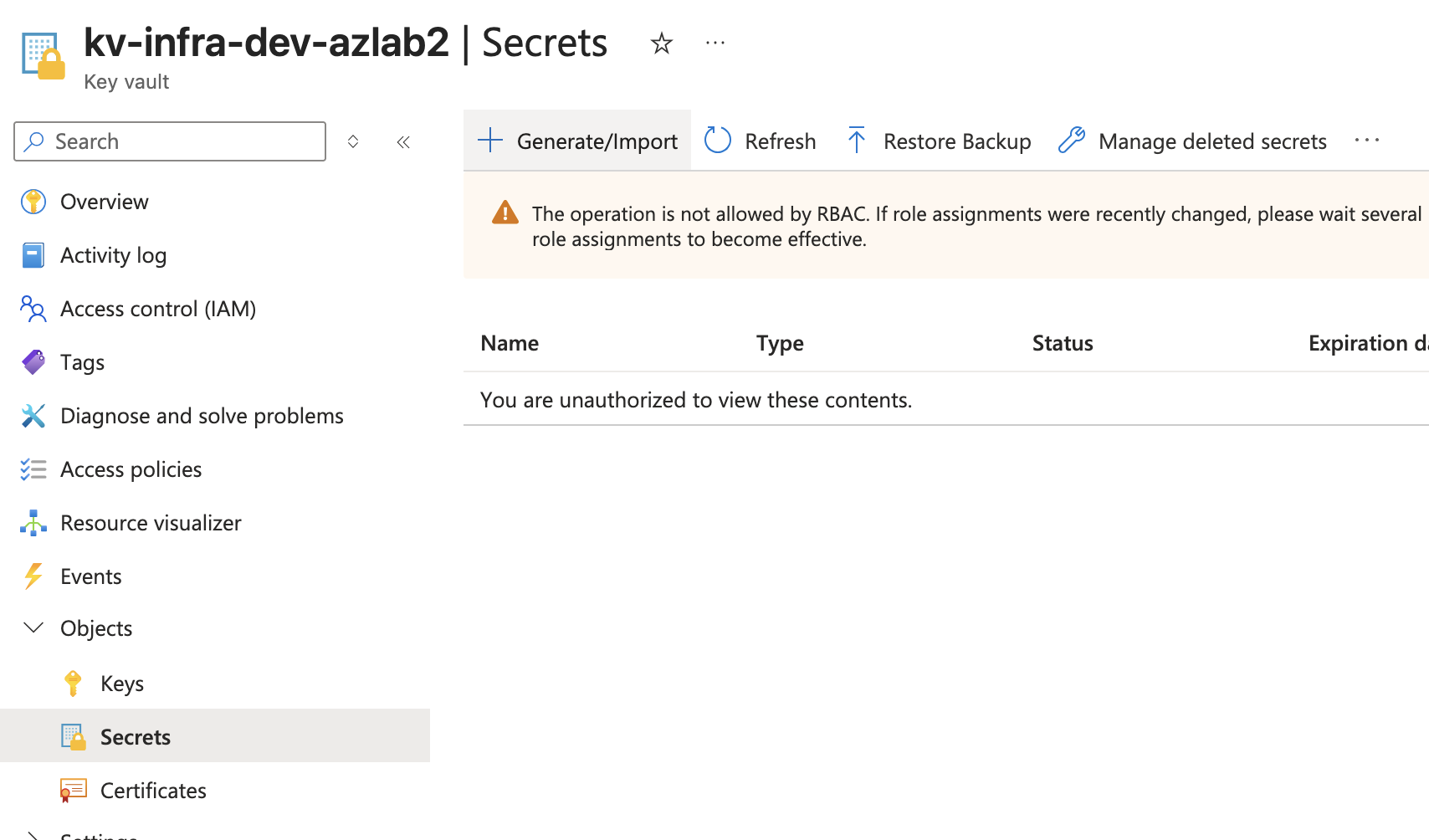
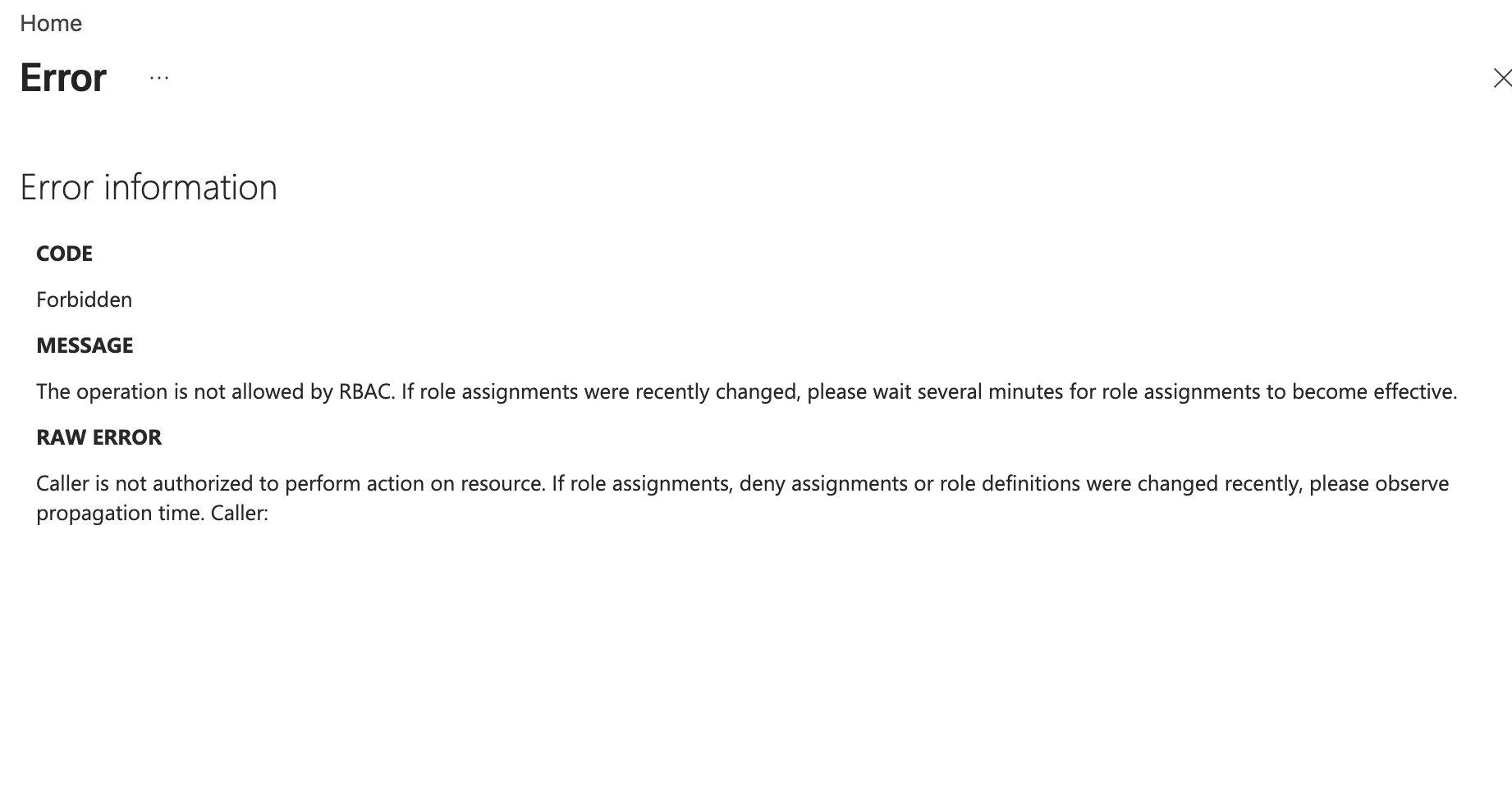
This was useful evidence, not just an error. It proved that Key Vault was enforcing RBAC.
The lesson:
Having access to the Azure portal does not automatically mean secret-management permission exists.
Create the Demo Secret
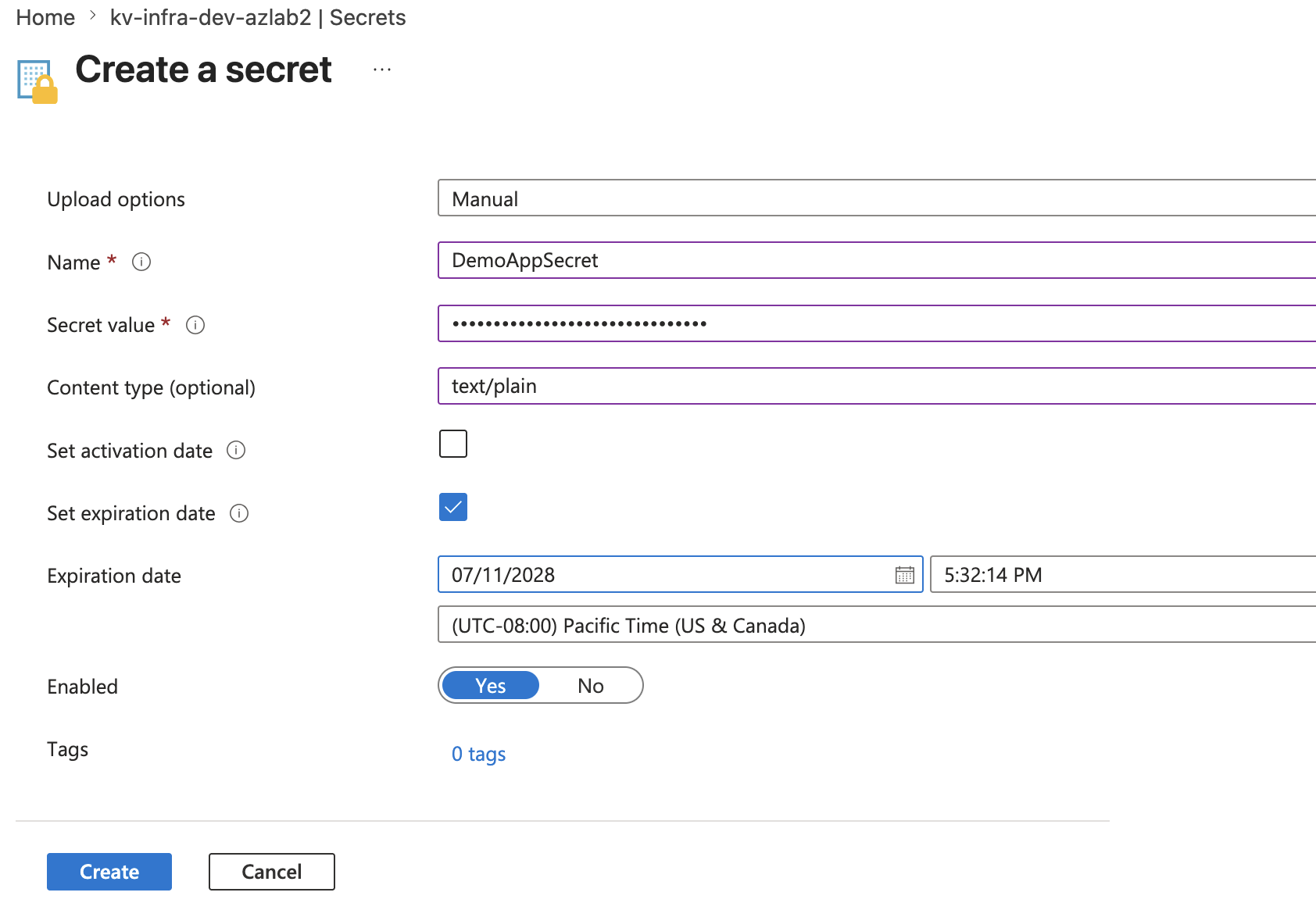
I created a demo secret:
Name: DemoAppSecret
Content type: text/plain
Evidence:
Fix Key Vault RBAC
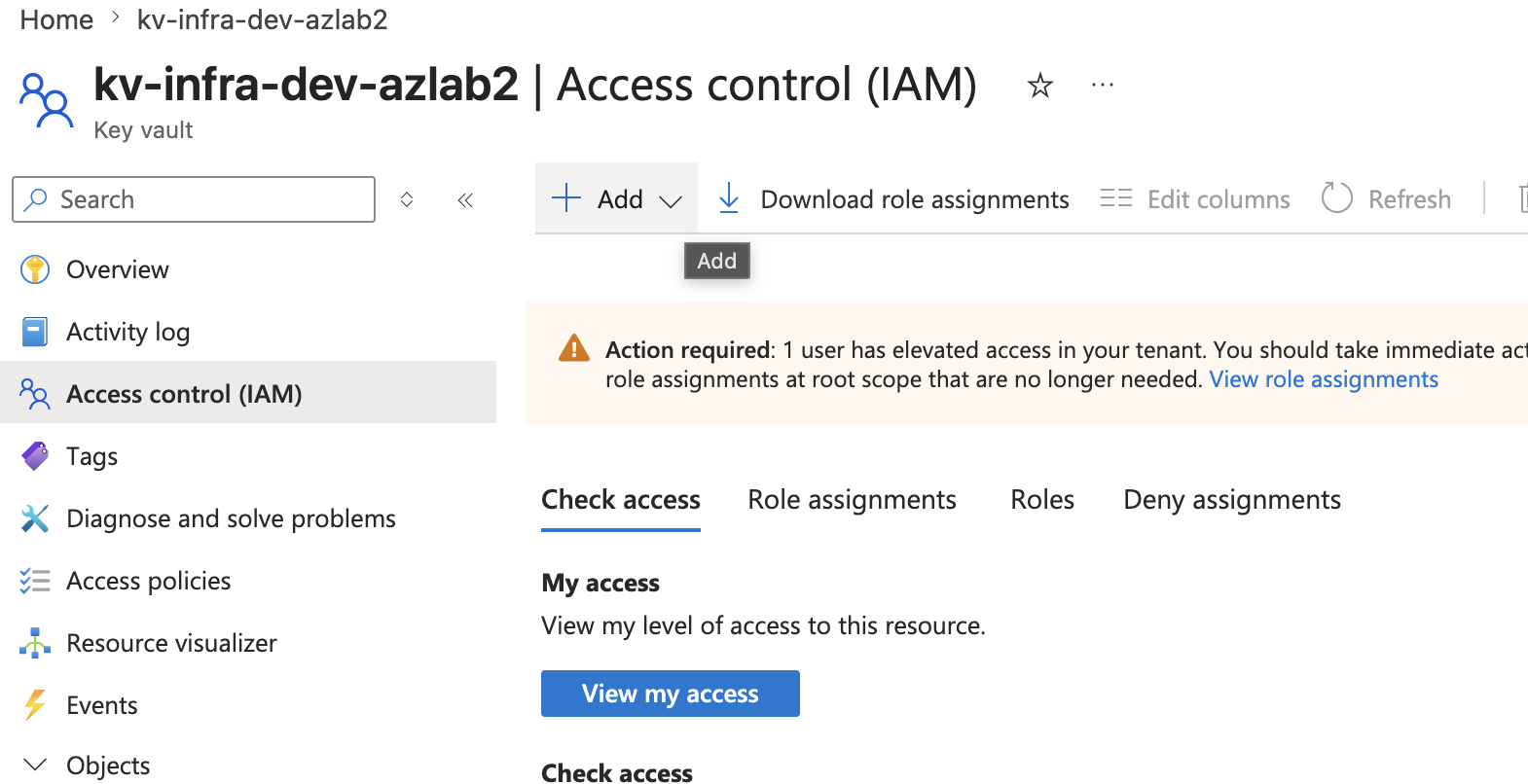
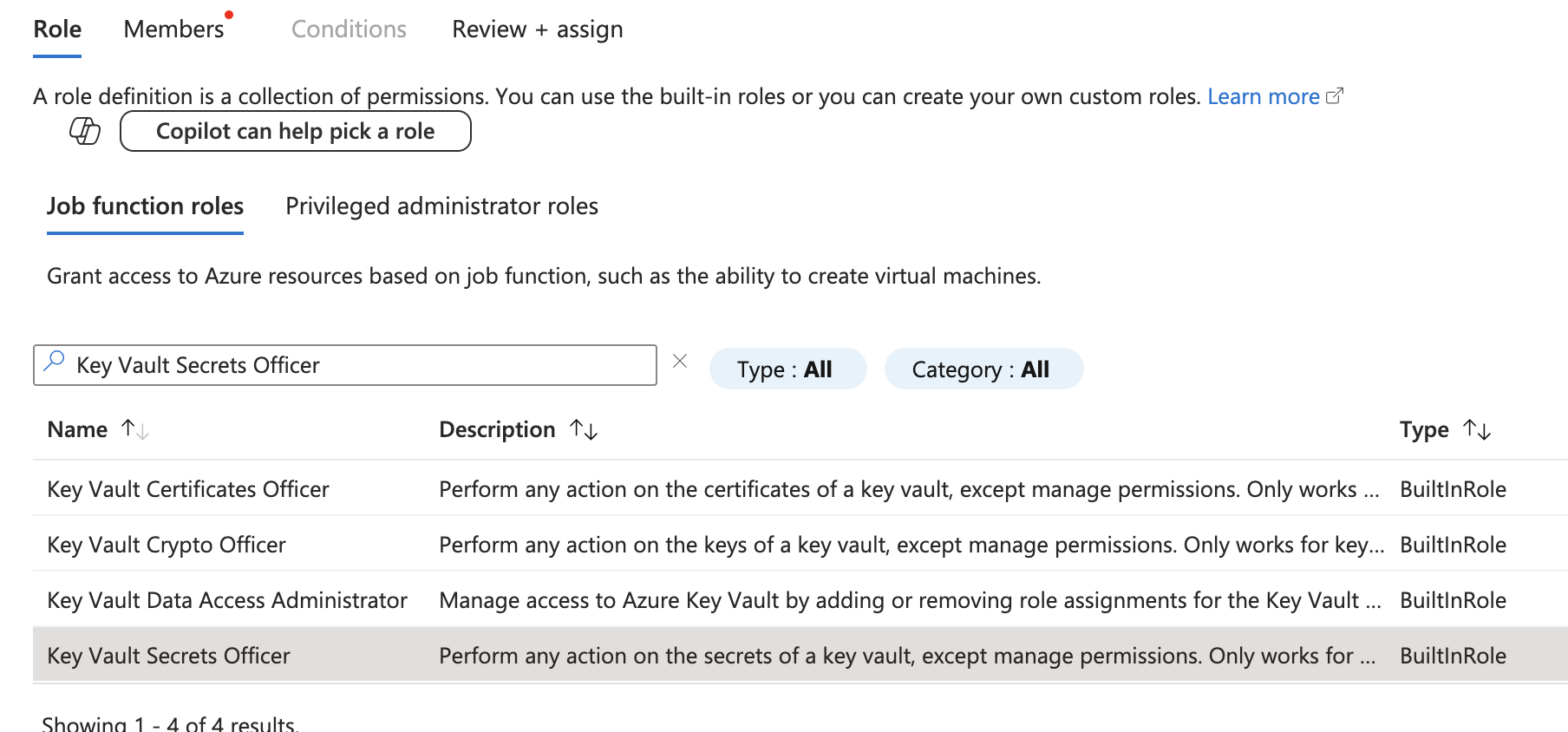
To manage the secret through the portal, I assigned the correct Key Vault role.
Evidence:
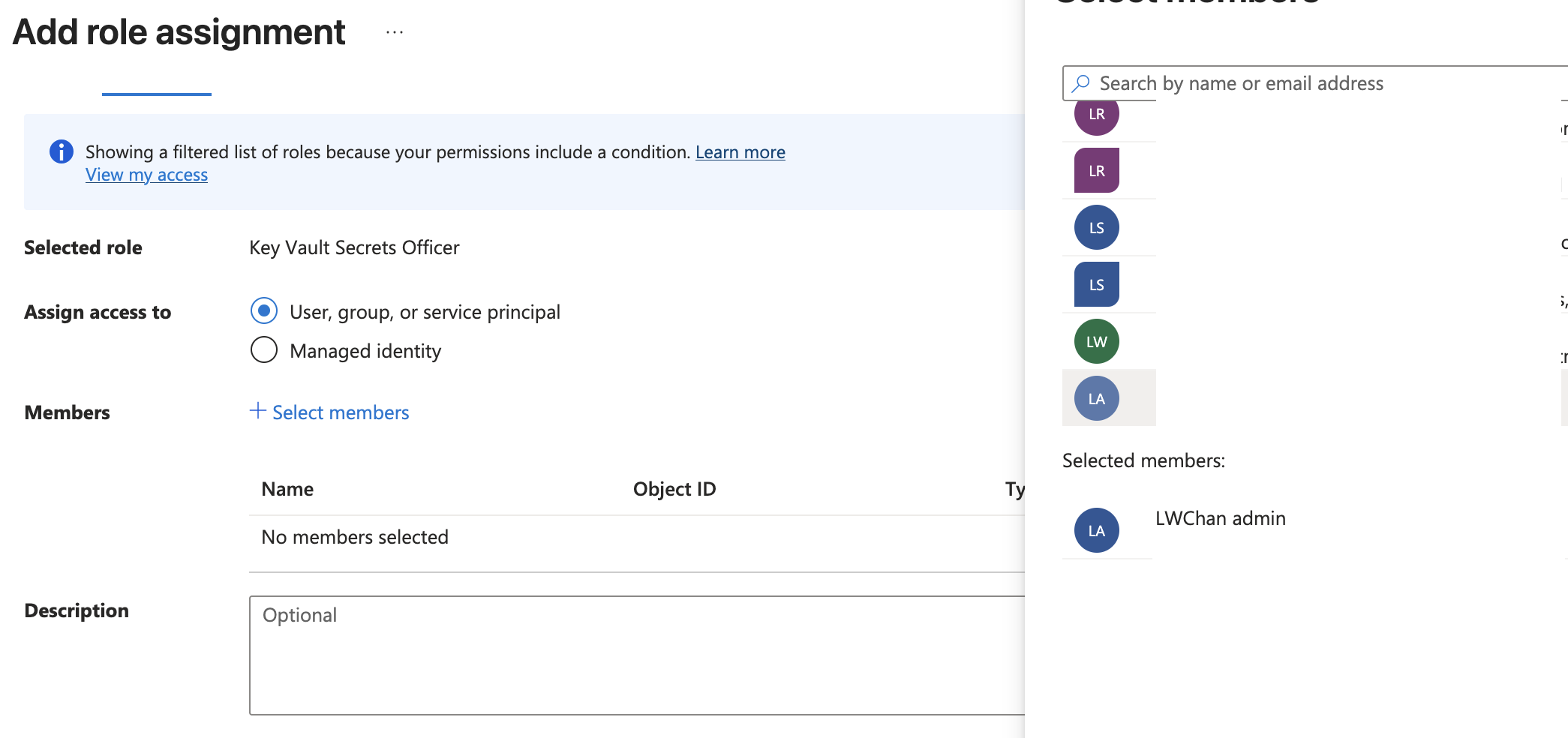
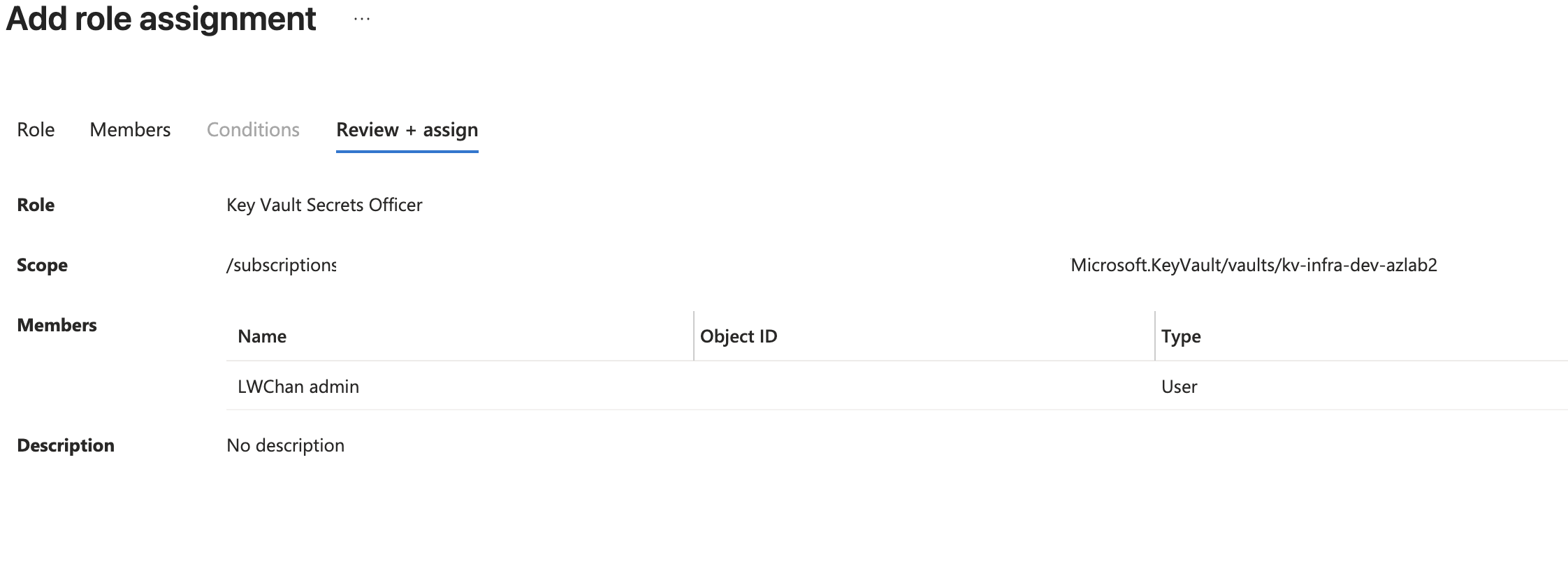
After RBAC propagated, the secret was successfully created.
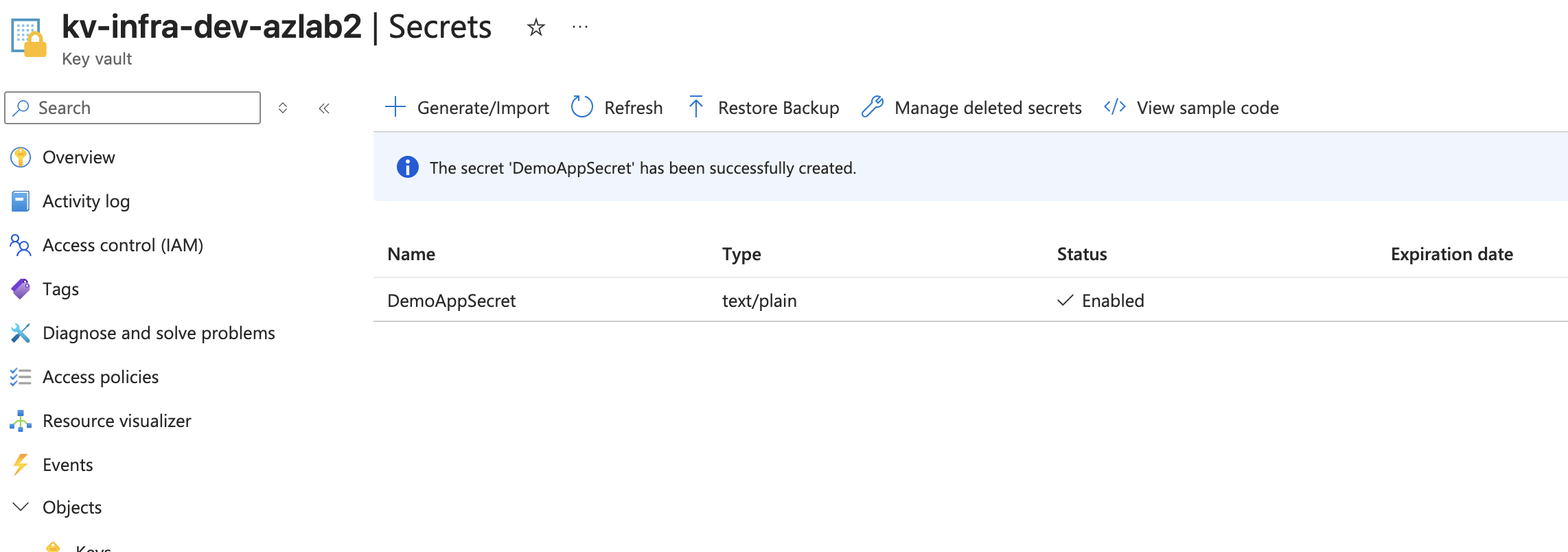
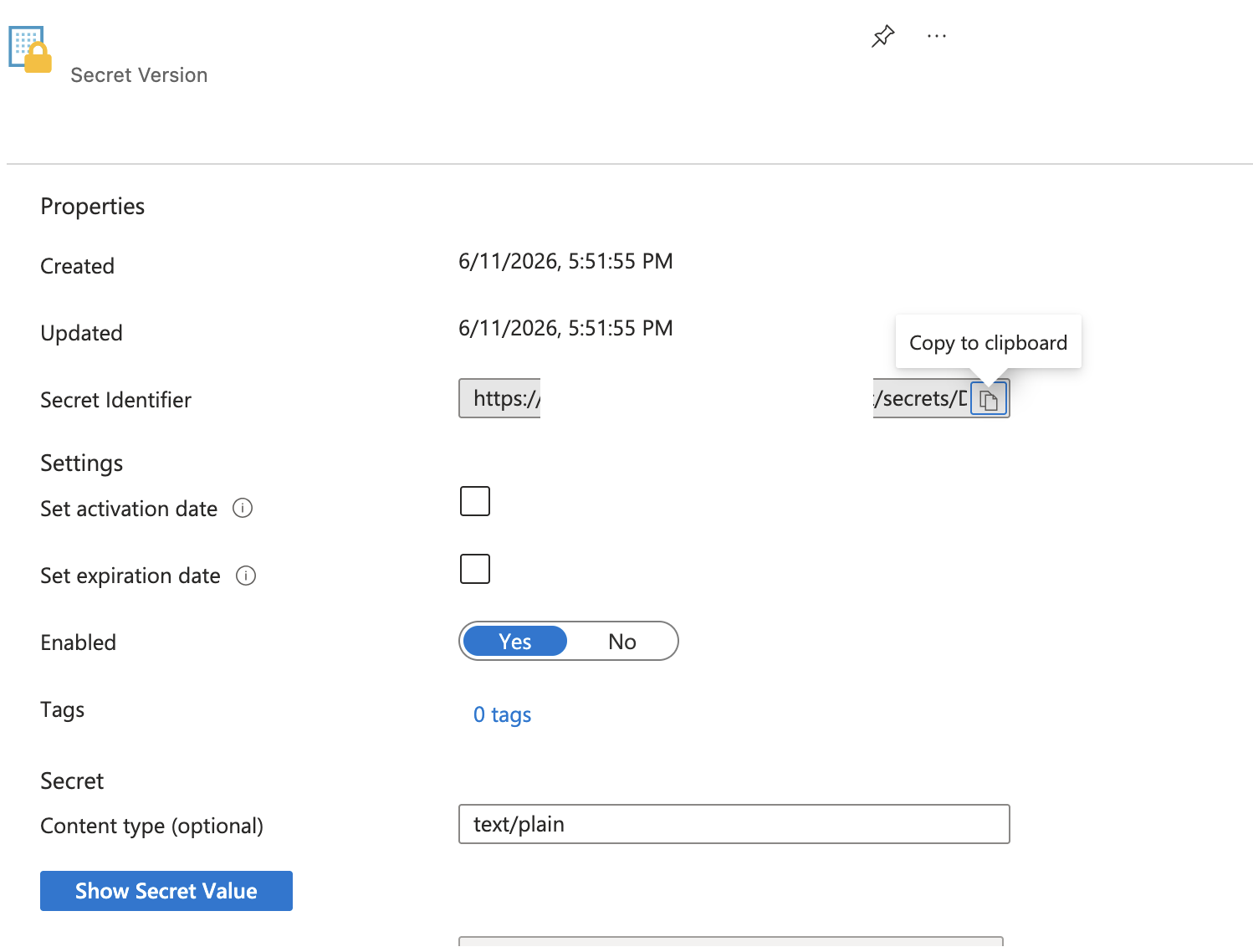
For the application runtime, the App Service managed identity should receive the least-privilege role required to read secrets, such as Key Vault Secrets User.
For portal-based secret administration, an administrator may need a management role such as Key Vault Secrets Officer.
Those are different responsibilities and should not be mixed casually.
Add the App Service Application Setting
I added an App Service environment variable that uses a Key Vault reference.
Name: DEMO_APP_SECRET
Value: @Microsoft.KeyVault(SecretUri=<secret-uri>)
Evidence:
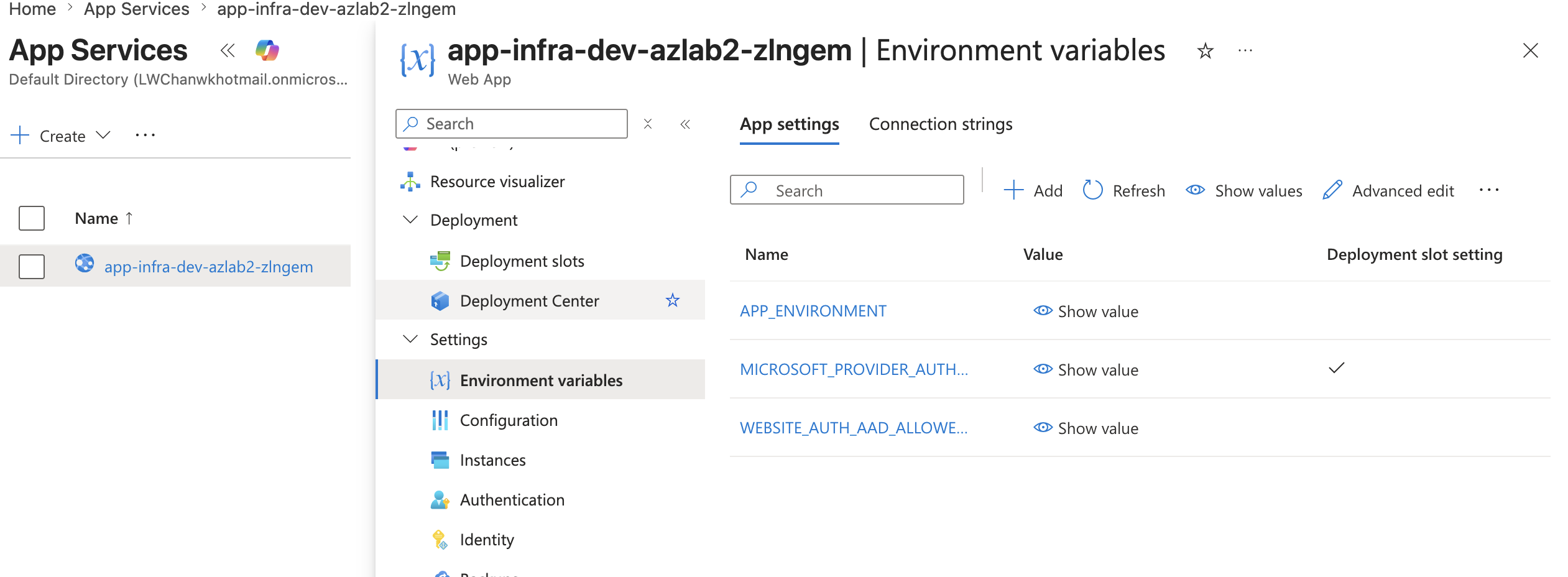
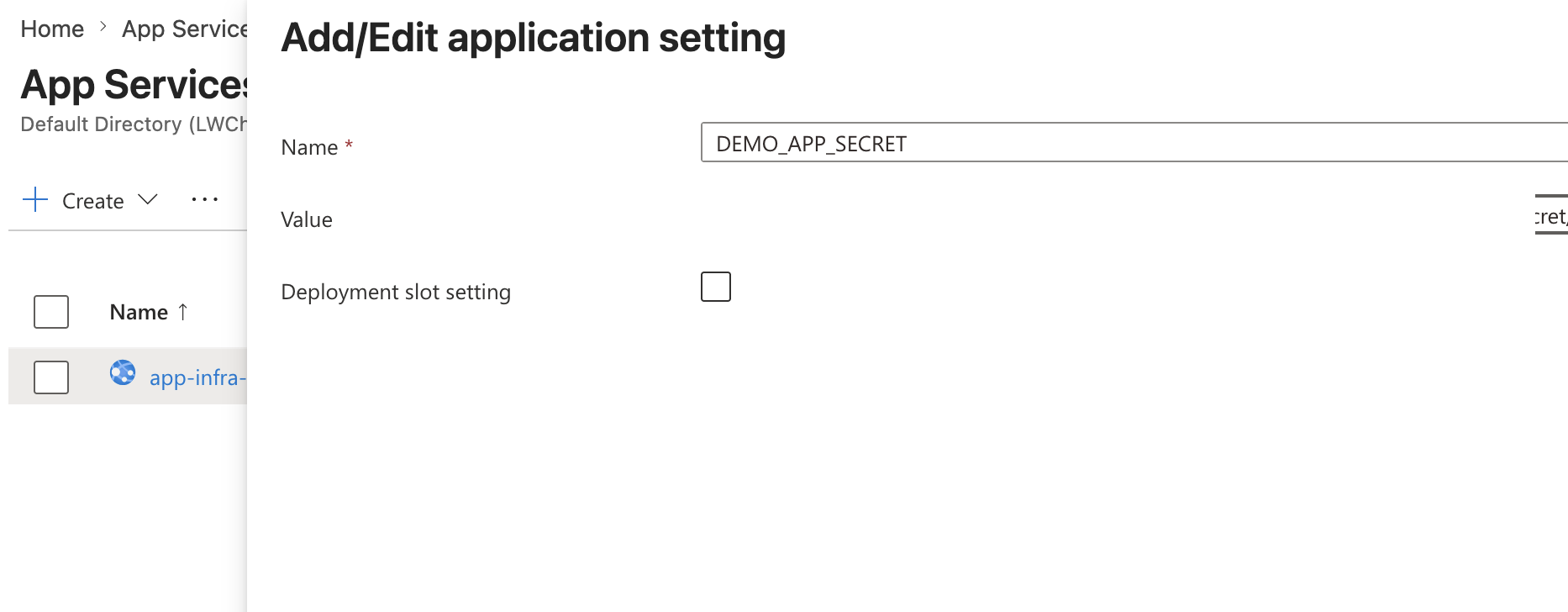
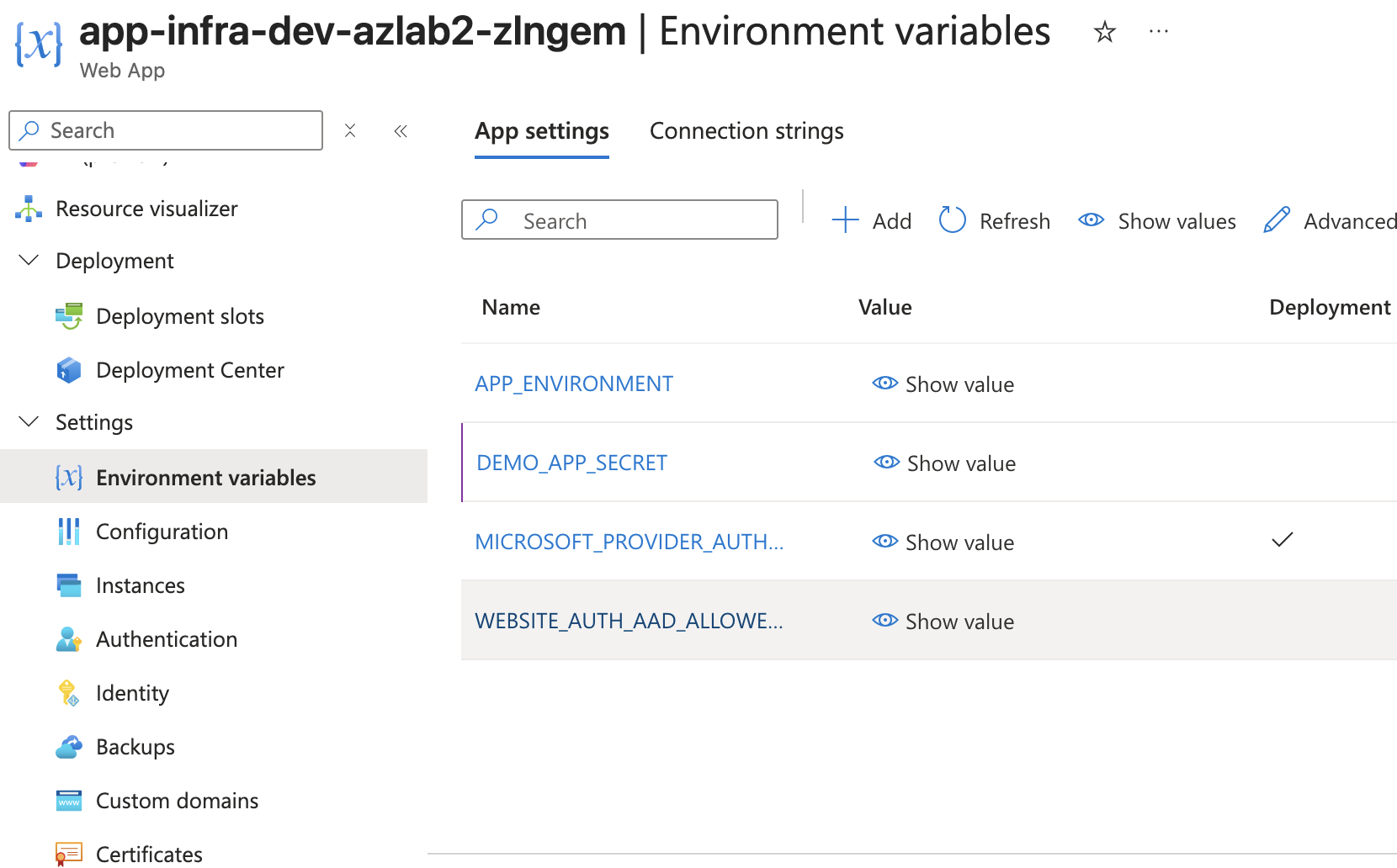
The application setting stores the Key Vault reference, not the raw secret value.
That is the security win.
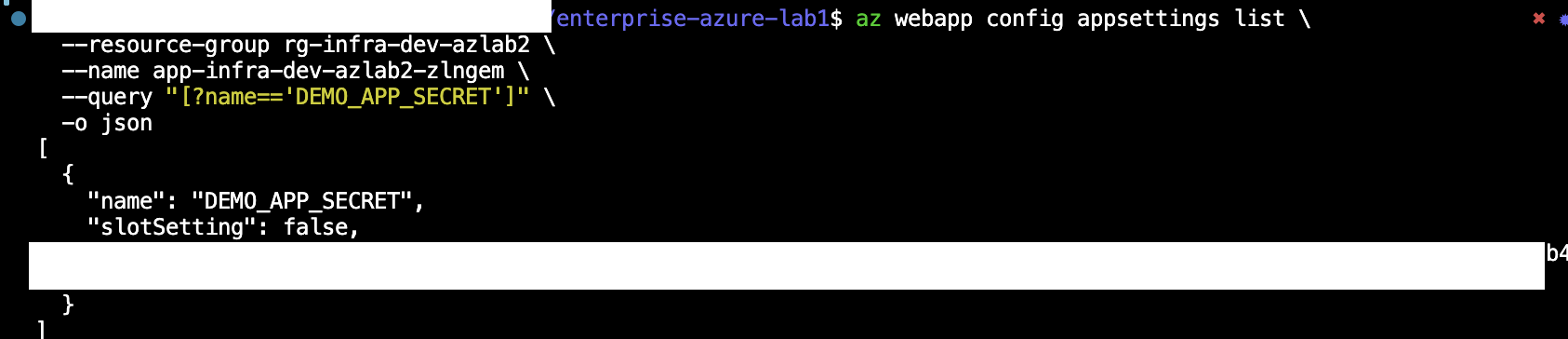
Validate Key Vault Reference Resolution
Finally, I validated the Key Vault reference through Azure CLI / REST output.
Evidence:
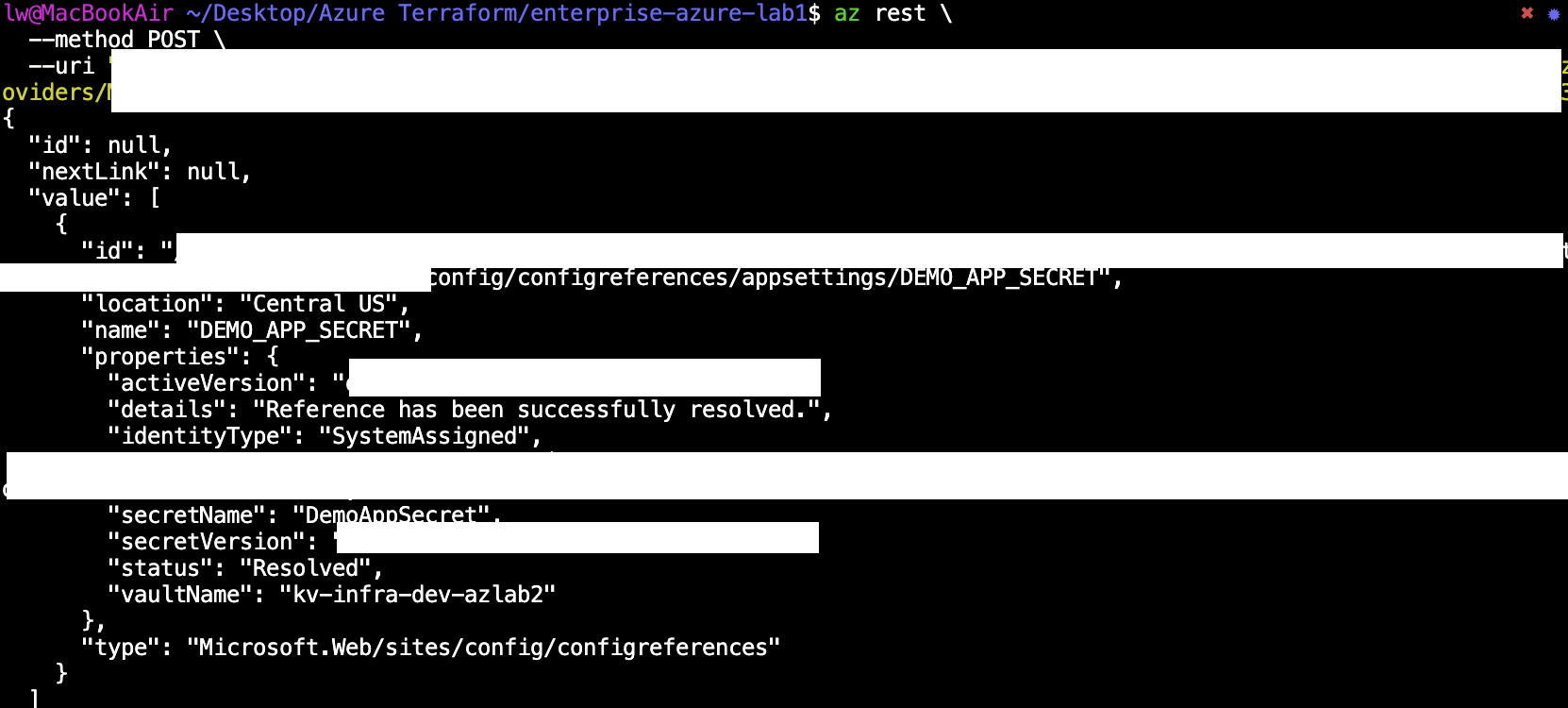
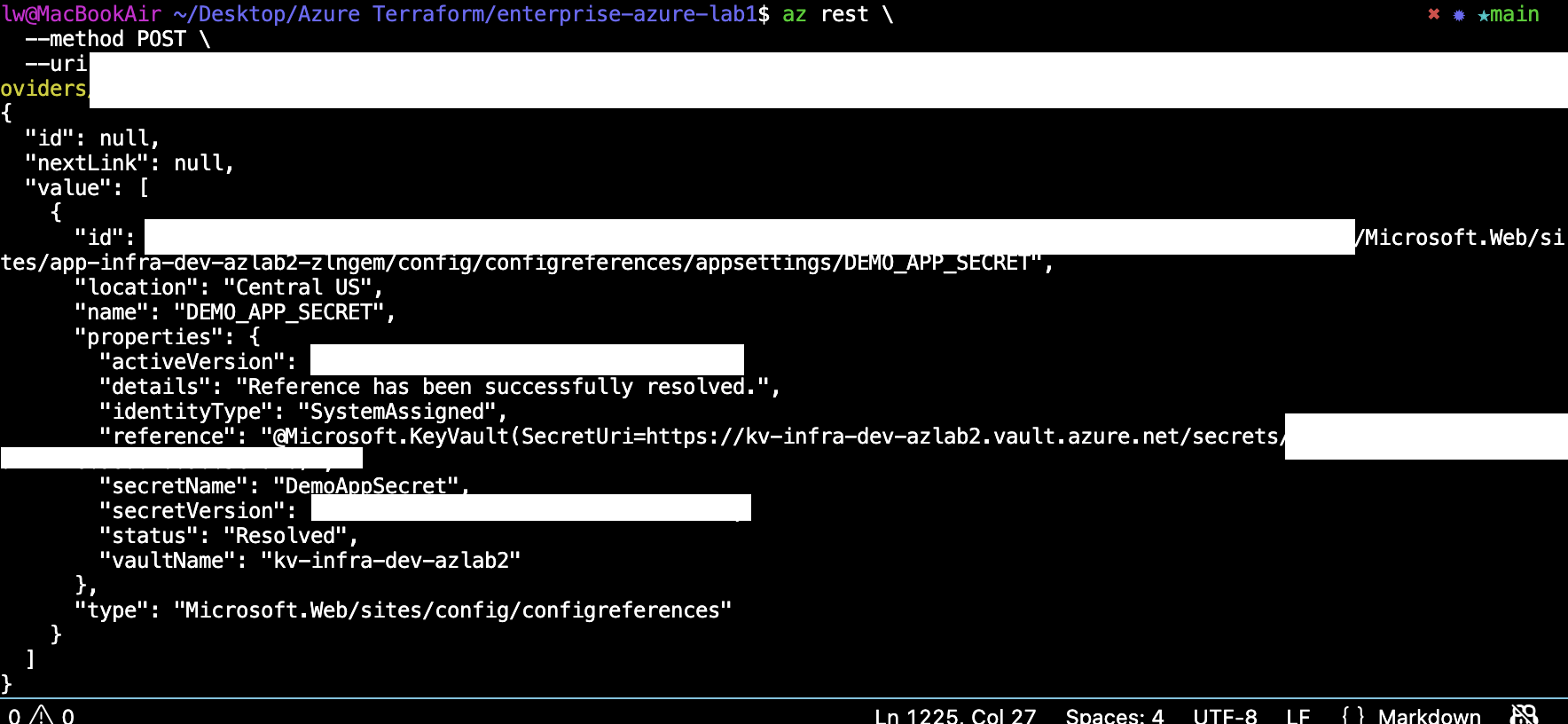
The important result:
status: Resolved
identityType: SystemAssigned
details: Reference has been successfully resolved.
That proves the App Service could resolve the Key Vault reference through its system-assigned managed identity.
🧱 Brownfield IaC Adoption Note
Some resources were created or configured through the portal first, then imported into Terraform state.
Evidence:
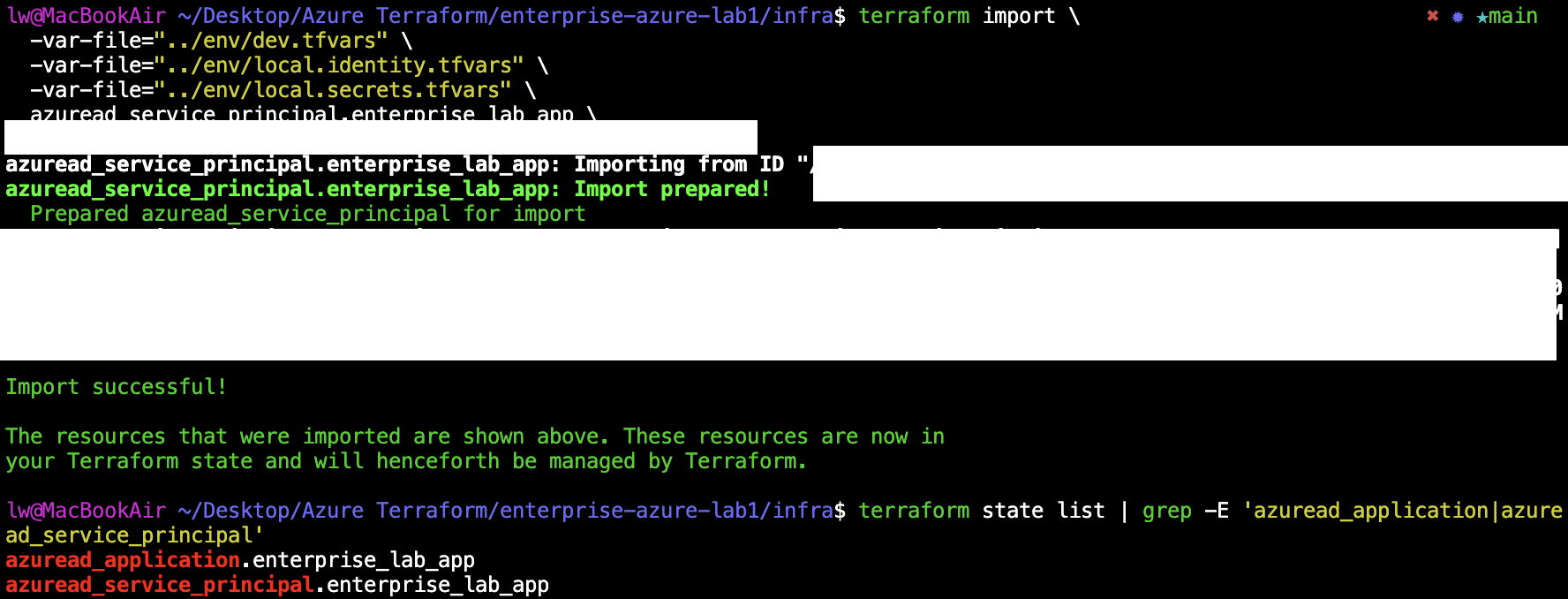
This is a realistic brownfield IaC pattern:
1. Build and validate the workflow manually.
2. Capture evidence.
3. Import existing resources into Terraform state.
4. Convert the proven configuration into repeatable IaC.
For this lab, that approach was safer than trying to automate every identity control before understanding the portal behavior.
The longer-term Terraform target is:
Entra groups
App registration
Service principal
App roles
Group-to-app-role assignments
Azure RBAC
Managed Identity
Key Vault RBAC
Key Vault reference app setting
Not every portal click deserves Terraform immediately. The useful skill is knowing which identity controls are stable enough to automate and which controls should be tested manually first.
🧾 Phase 2B Result
At the end of Phase 2B, the lab proves:
- App roles define the application authorization model.
- Azure RBAC grants least-privilege access to Azure resources.
- Conditional Access can require MFA for the lab app.
- Report-only mode can validate Conditional Access safely.
- Managed Identity allows App Service to access Azure resources without secrets in code.
- Key Vault stores the secret.
- Key Vault RBAC controls who can manage or read secrets.
- App Service can resolve a Key Vault reference through its system-assigned identity.
- Portal-first validation can be converted into Terraform later through a brownfield IaC process.
Phase 2A answered:
Who can sign in?
Phase 2B answers:
What can they do after sign-in?
How does the app securely access backend Azure resources?
This completes the authorization and secure resource access layer of the SC-300 Azure identity lab.
🧠 Key Lesson
The most important lesson from this phase is separation of responsibility:
Microsoft Entra ID handles authentication.
Enterprise Application assignment controls app access.
App roles control in-app authorization.
Azure RBAC controls Azure resource permissions.
Managed Identity gives the app a workload identity.
Key Vault RBAC controls secret access.
Key Vault references let the app consume secrets without storing them directly.
Phase 2B turns the lab from:
Users can sign in.
into:
Users can sign in, receive the correct application experience,
and the application can securely access backend Azure resources without hardcoded secrets.