Enterprise Azure Terraform Lab Phase 2C Part 2: Identity Risk and External Access Boundary
📁 GitHub Repository: lwc-wk/enterprise-azure-lab1
Enterprise Azure Terraform Lab Phase 2C Part 2: Identity Risk and External Access Boundary
🧩 Background
After building the scoped administration and authentication baseline, I moved into identity risk and external access.
This part focuses on a practical security question:
How does Microsoft Entra identify risky sign-ins and users,
and how should external identities be controlled?
This section covers:
- Microsoft Entra ID Protection
- Risky users
- Risky sign-ins
- Risk detections
- Legacy risk policy review
- B2B guest user invitation
- External collaboration settings
- Cross-tenant access settings
The goal is not to simulate a real account compromise.
The goal is to understand where identity risk data appears and how external access boundaries are configured.
🧭 Risk and External Identity Design
The design flow for this part is:
User sign-in activity
 ↓
Microsoft Entra risk detection
 ↓
Risky users / risky sign-ins reports
 ↓
Risk-based Conditional Access design
 ↓
External user collaboration settings
 ↓
Cross-tenant access settings
The main lesson:
Identity risk and external collaboration are separate but related.
Risk controls protect the sign-in path.
External identity settings control who can enter the tenant boundary.
🛡️ Microsoft Entra ID Protection Dashboard
I reviewed the Microsoft Entra ID Protection dashboard.
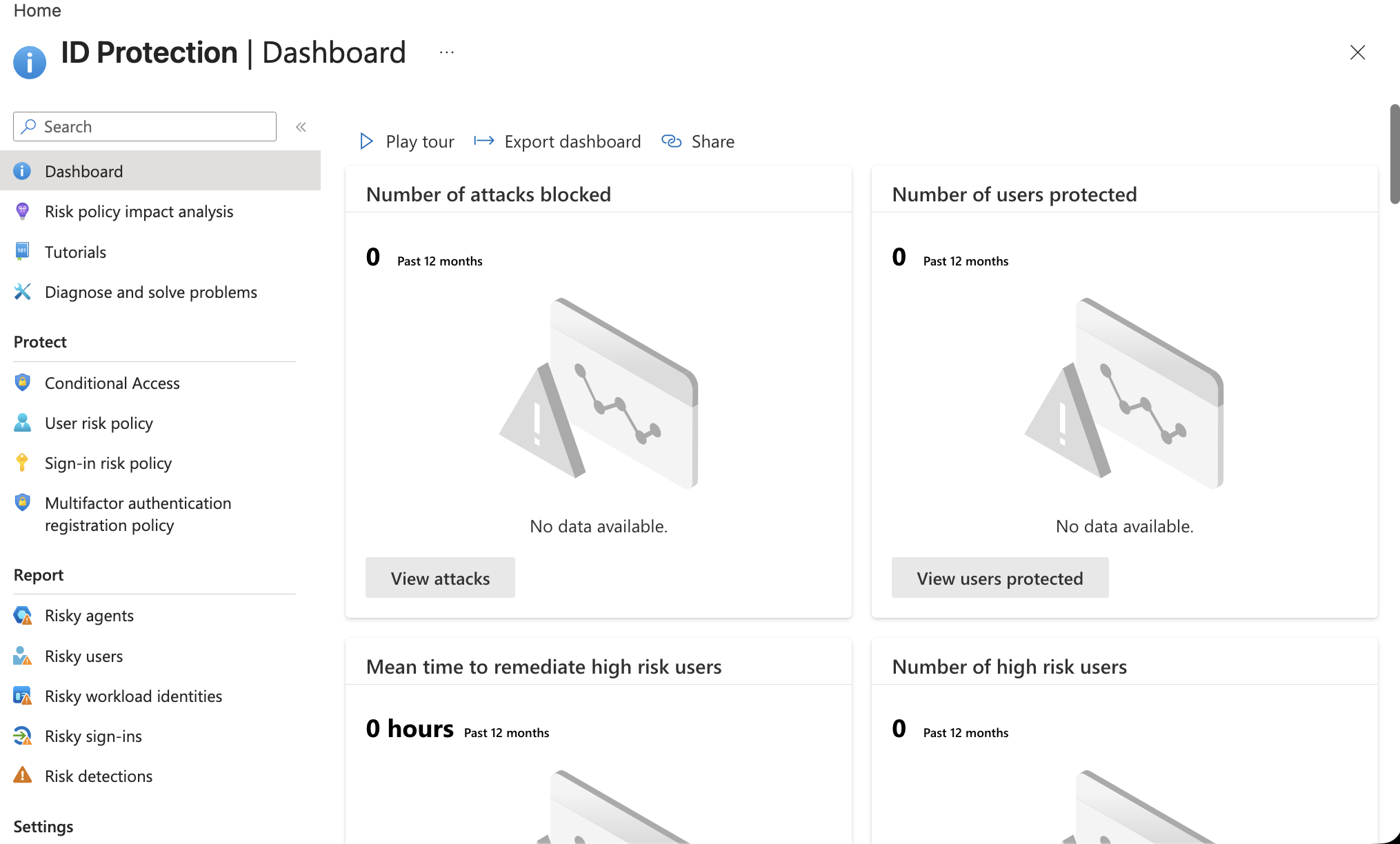
The dashboard summarizes risk-related activity such as:
Number of attacks blocked
Number of users protected
Mean time to remediate high-risk users
Number of high-risk users
In this lab tenant, the dashboard showed little or no risk activity.
That is expected.
A small lab tenant normally does not generate realistic risky sign-in telemetry.
The important evidence is knowing where the reports and policies live.
SC-300 memory:
User risk    = The account itself may be compromised.
Sign-in risk = This specific sign-in attempt may be suspicious.
👤 Risky Users
I reviewed the Risky users report.
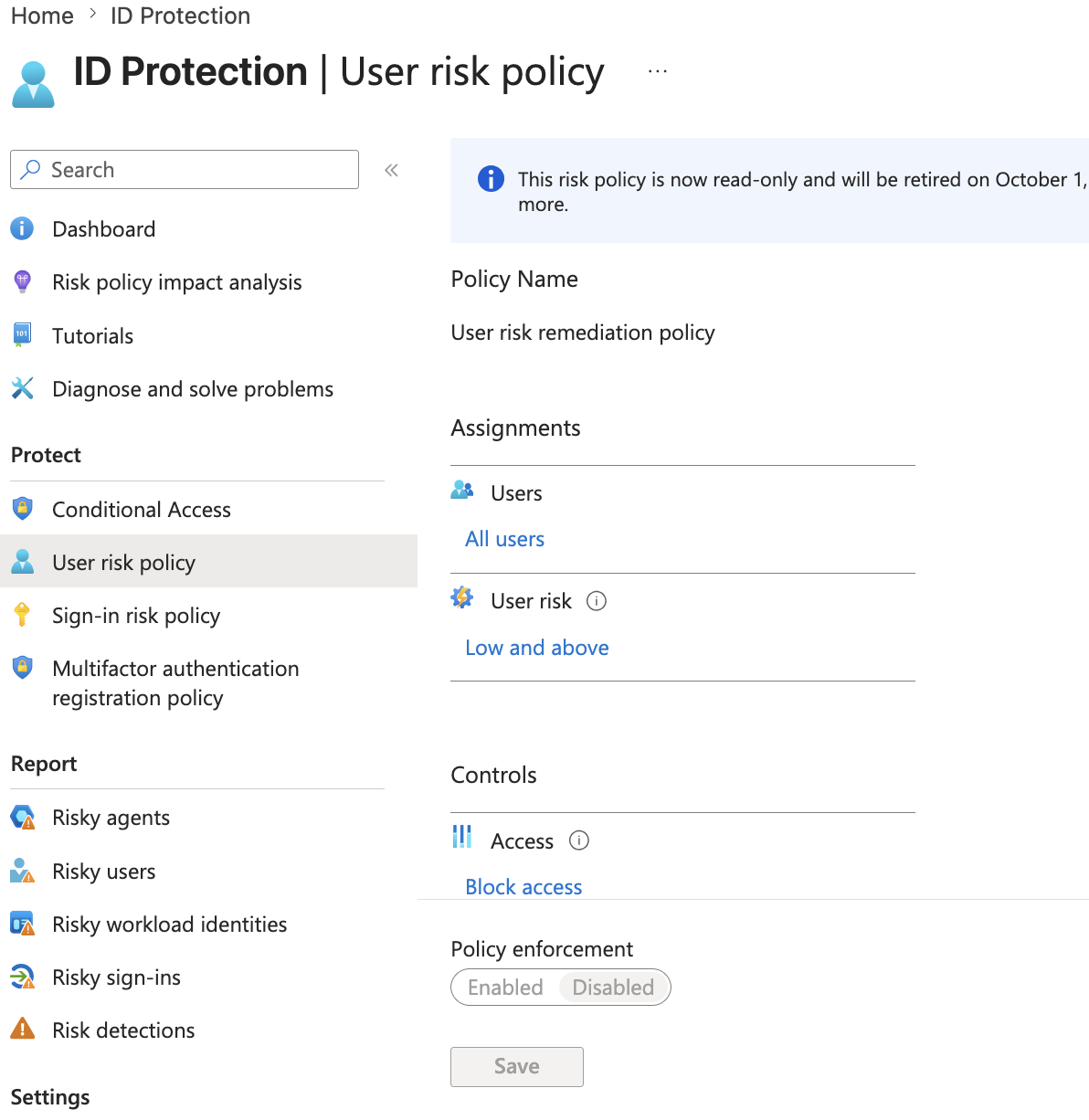
Risky users are identities that Microsoft Entra believes may be compromised.
The report can show users grouped by risk level:
High risk
Medium risk
Low risk
No risk
In this lab, the portal showed users with no risk.
That still proves the reporting location and concept.
For SC-300, the important actions are:
Review risk detections.
Confirm whether the user is compromised.
Reset password or require secure password change.
Dismiss risk only when the risk is known to be safe.
🚪 Risky Sign-ins
I reviewed the Risky sign-ins report.
A risky sign-in is about a specific authentication event.
Examples of sign-in risk signals can include:
Unfamiliar sign-in properties
Anonymous IP address
Atypical travel
Malware-linked IP
Leaked credentials
The lab tenant did not generate real risky sign-in events, which is normal.
The important distinction:
A user can be risky even if the current sign-in is not risky.
A sign-in can be risky even if the user is not globally marked high risk.
This is why SC-300 separates user risk and sign-in risk.
⚠️ Legacy Risk Policies
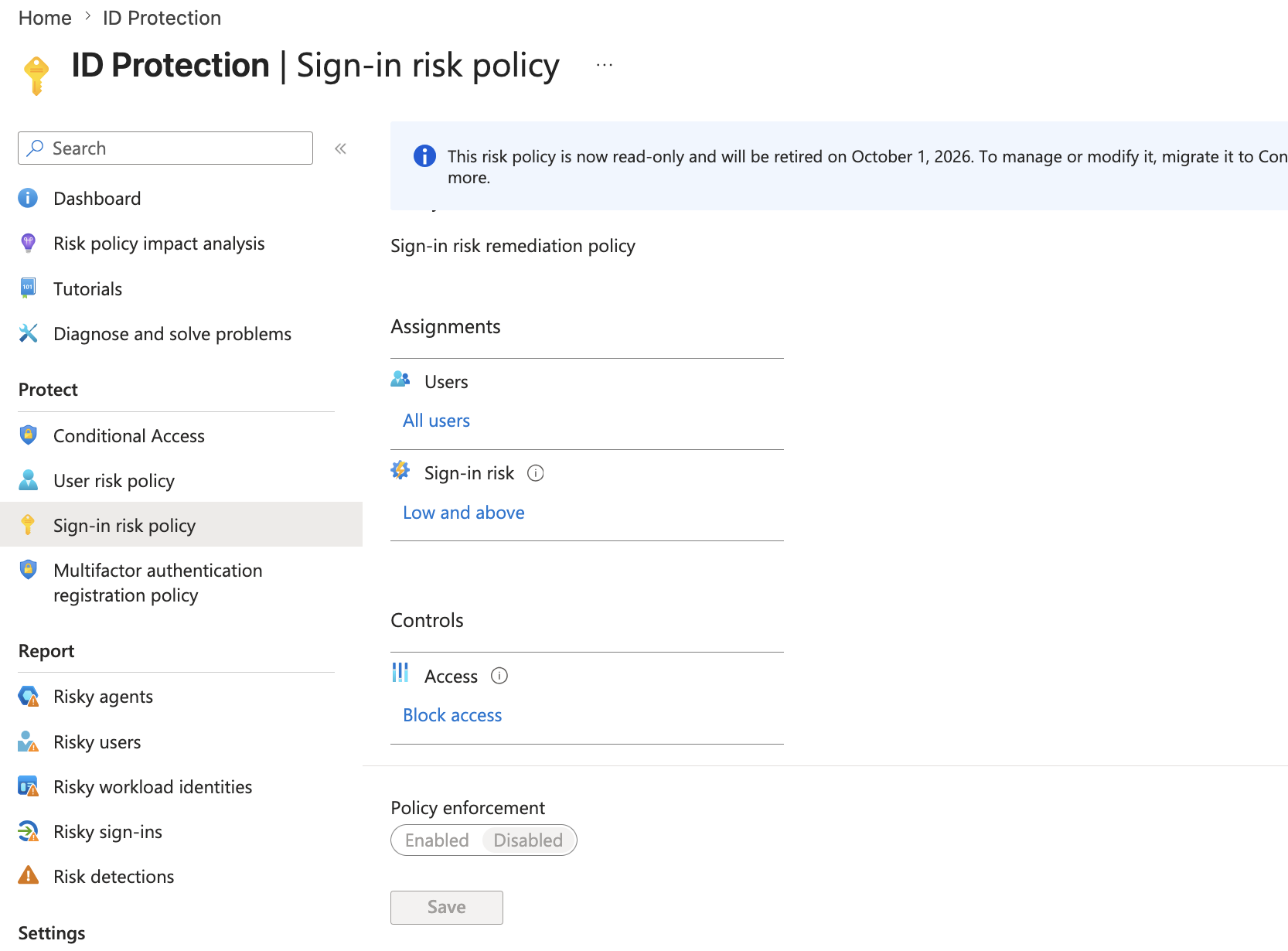
I reviewed the legacy user risk policy and sign-in risk policy pages.
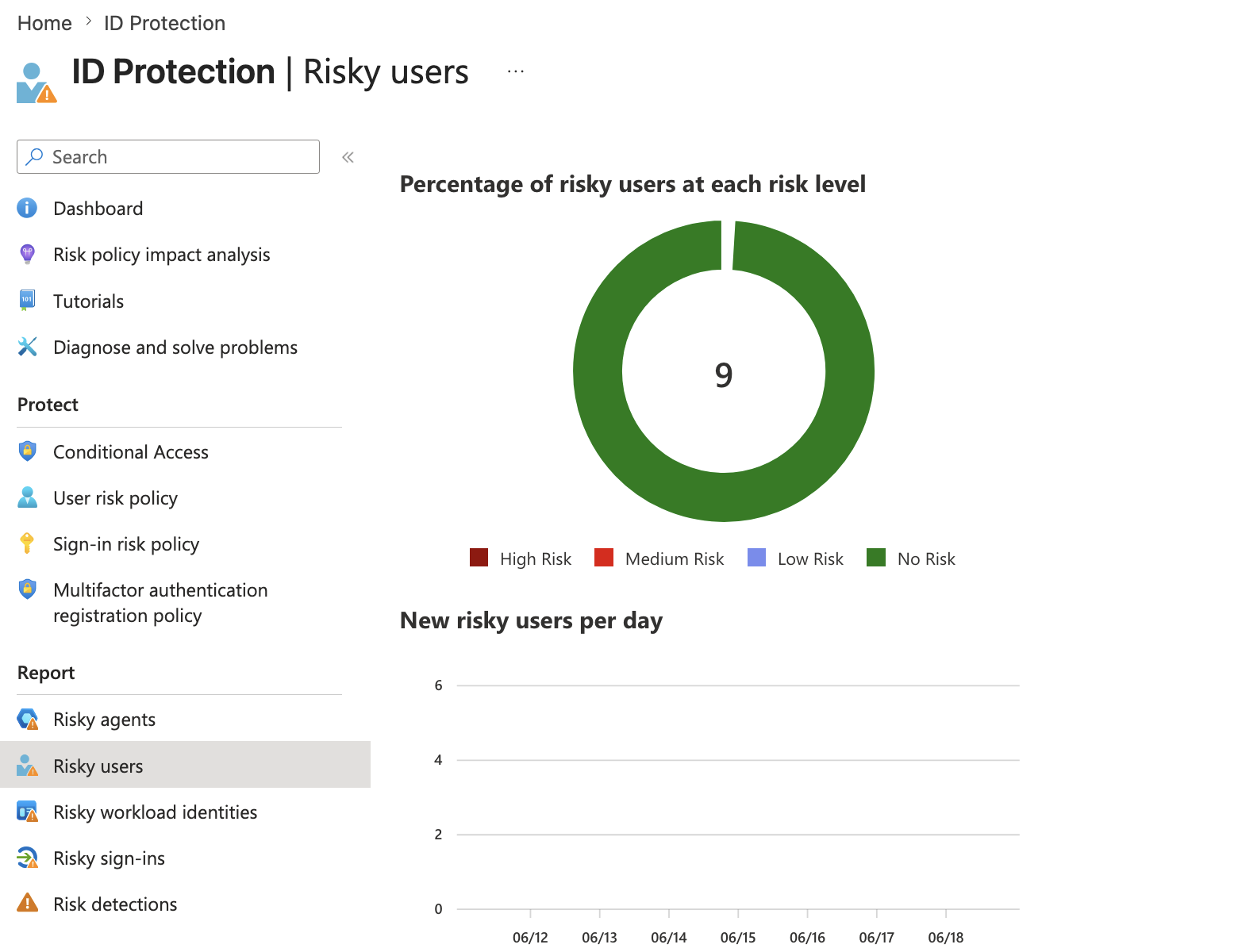
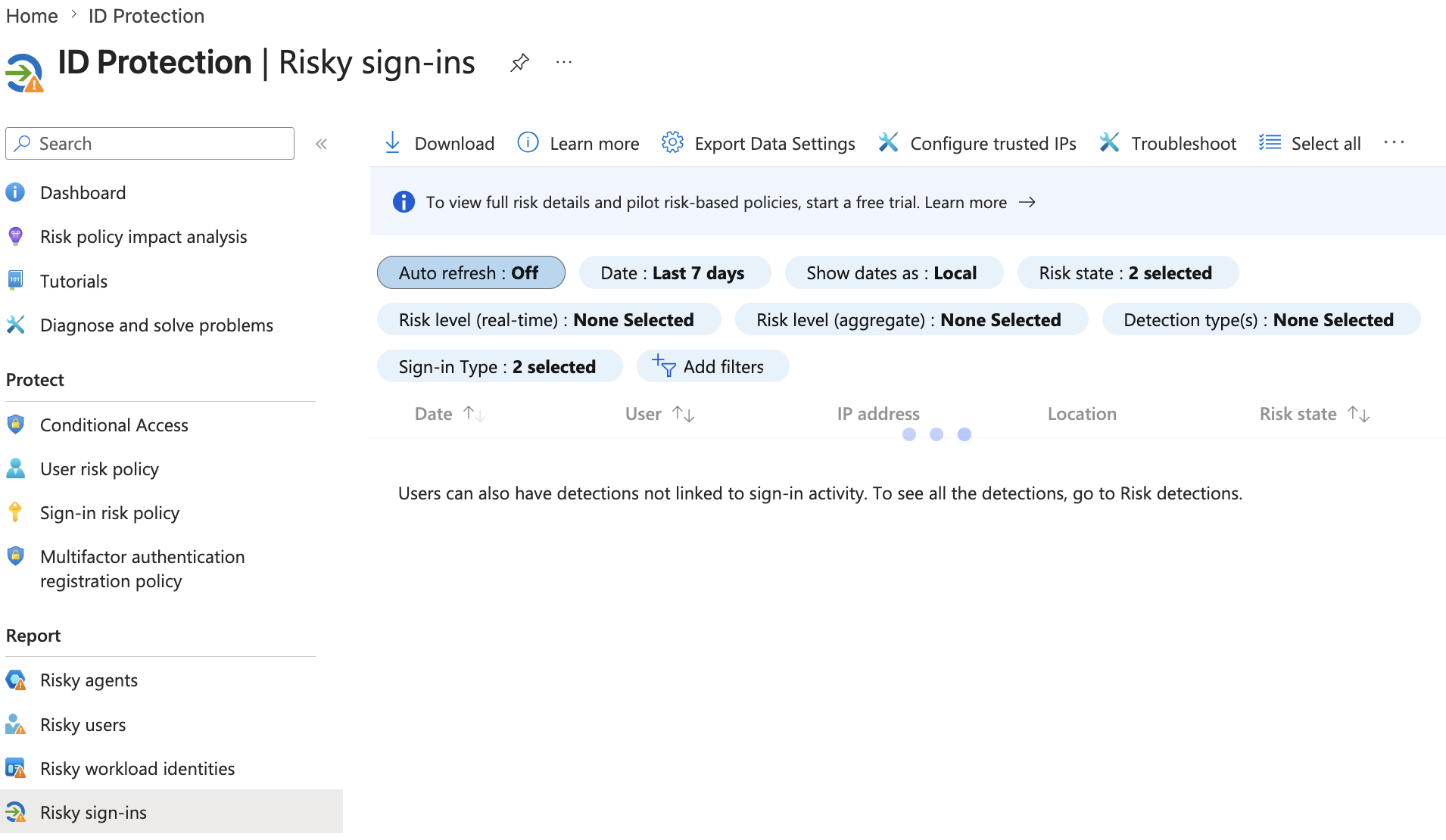
The portal showed that these legacy risk policies are read-only and scheduled for retirement.
This is an important finding.
The practical direction is:
Use Conditional Access risk conditions for modern risk-based enforcement.
Do not build new designs around legacy Identity Protection risk policies.
For this lab, I did not enforce risk policies.
Instead, I documented the legacy retirement notice and used the pages as risk-policy awareness evidence.
Recommended production direction:
User risk condition    → Conditional Access policy
Sign-in risk condition → Conditional Access policy
Report-only first
Exclude break-glass accounts
🧭 Risk Detection Notes
I also reviewed the risk detection area.
Risk detections are the underlying signals that contribute to user risk and sign-in risk.
The mental model:
Risk detections are signals.
Risky users and risky sign-ins are reports.
Conditional Access is where enforcement should happen.
This distinction matters because looking at reports is not the same as protecting access.
A complete design should connect risk visibility to a Conditional Access response.
🌍 External Identities and B2B Collaboration
Next, I reviewed External Identities and B2B collaboration.
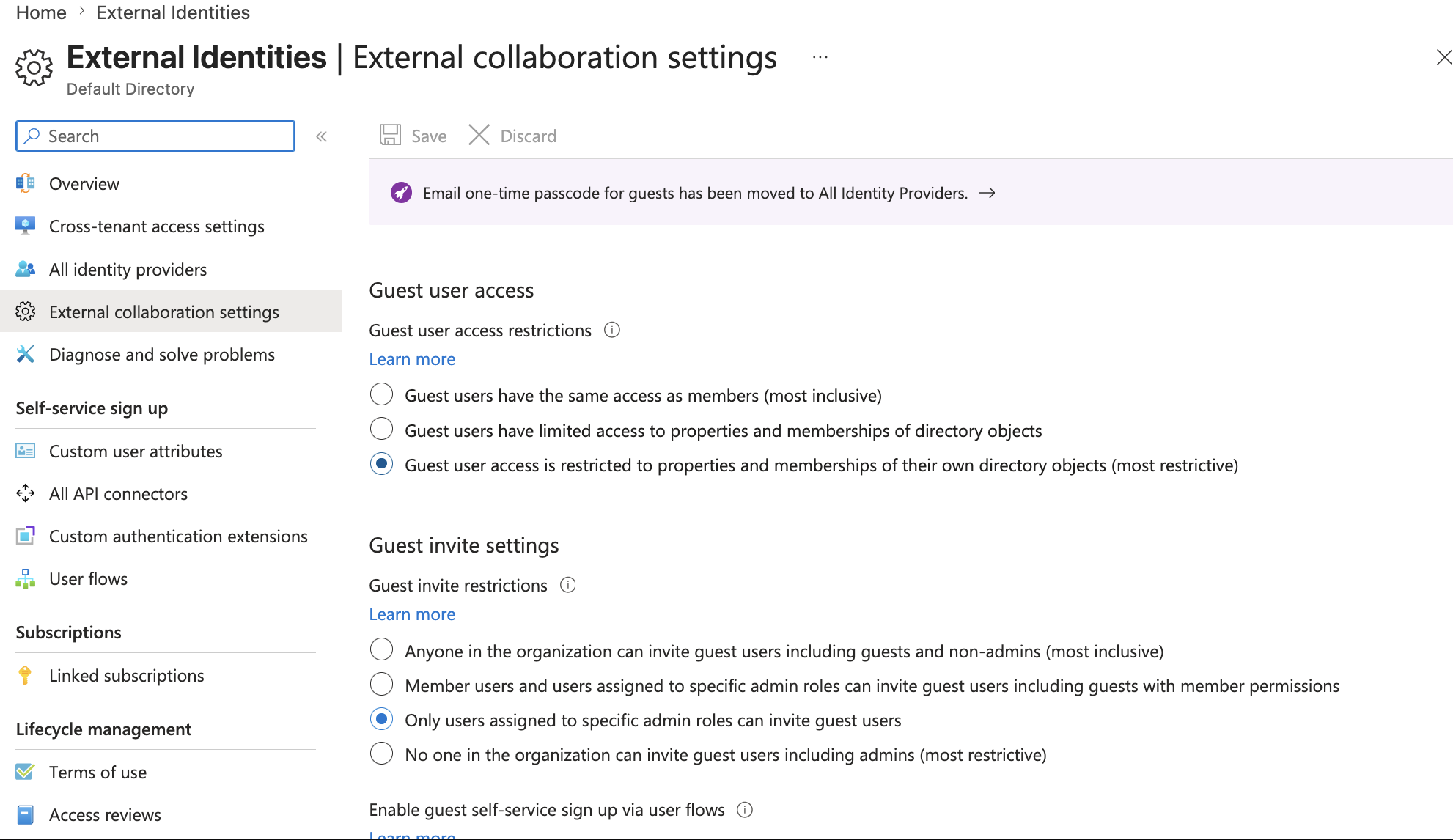
The key settings reviewed were:
Guest user access restrictions
Guest invite restrictions
Guest self-service sign-up
External user leave settings
Collaboration restrictions
Recommended lab posture:
Guest user access restrictions:
Guest user access is restricted to properties and memberships of their own directory objects.

Guest invite restrictions:
Only users assigned to specific admin roles can invite guest users.

Guest self-service sign-up:
No.

External user leave settings:
Yes.

Collaboration restrictions:
Allow invitations to be sent to any domain for lab testing.
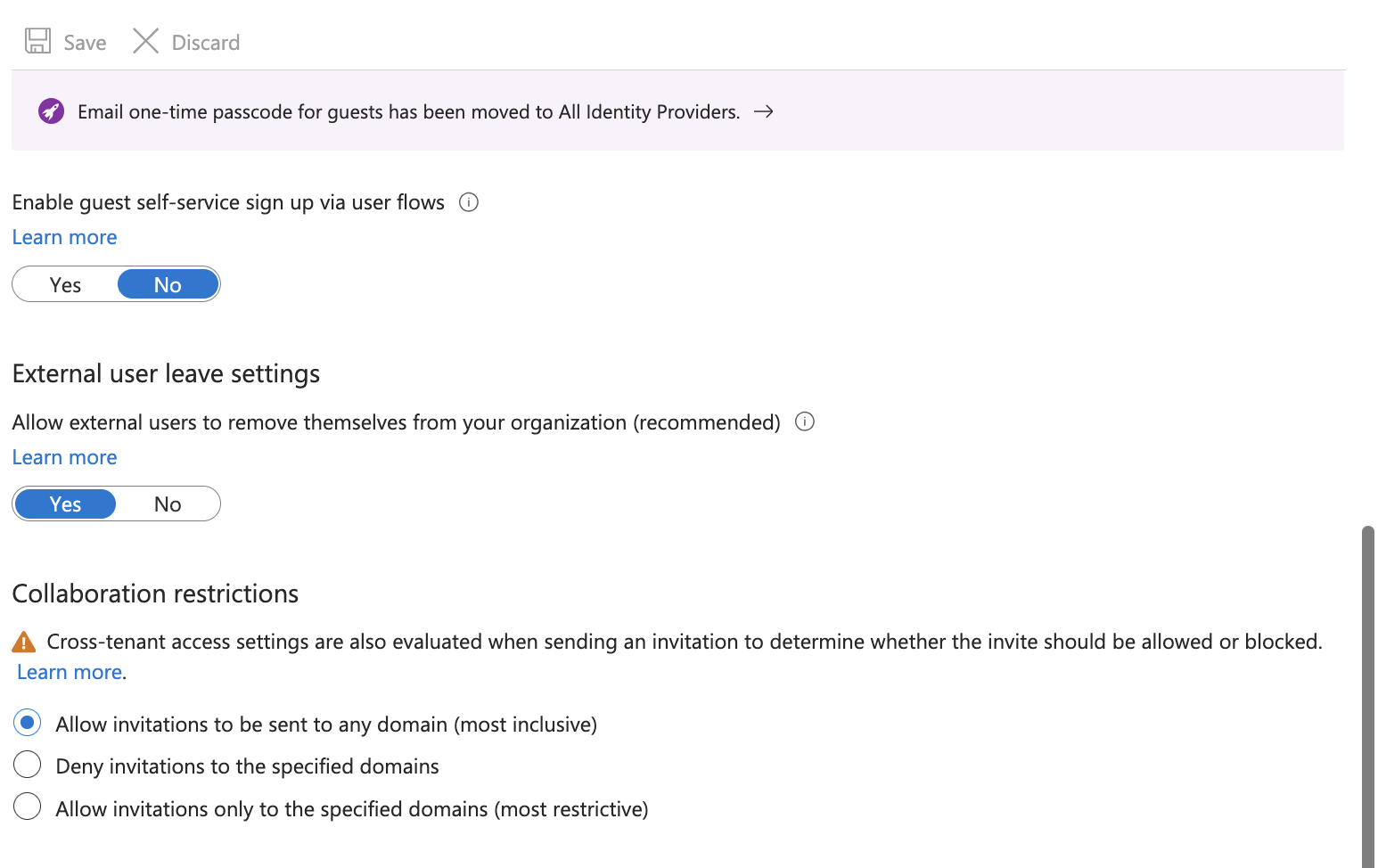
The production posture could be stricter, such as allow-listing trusted partner domains.
The lab goal was to understand the boundary controls without breaking normal guest invitation behavior.
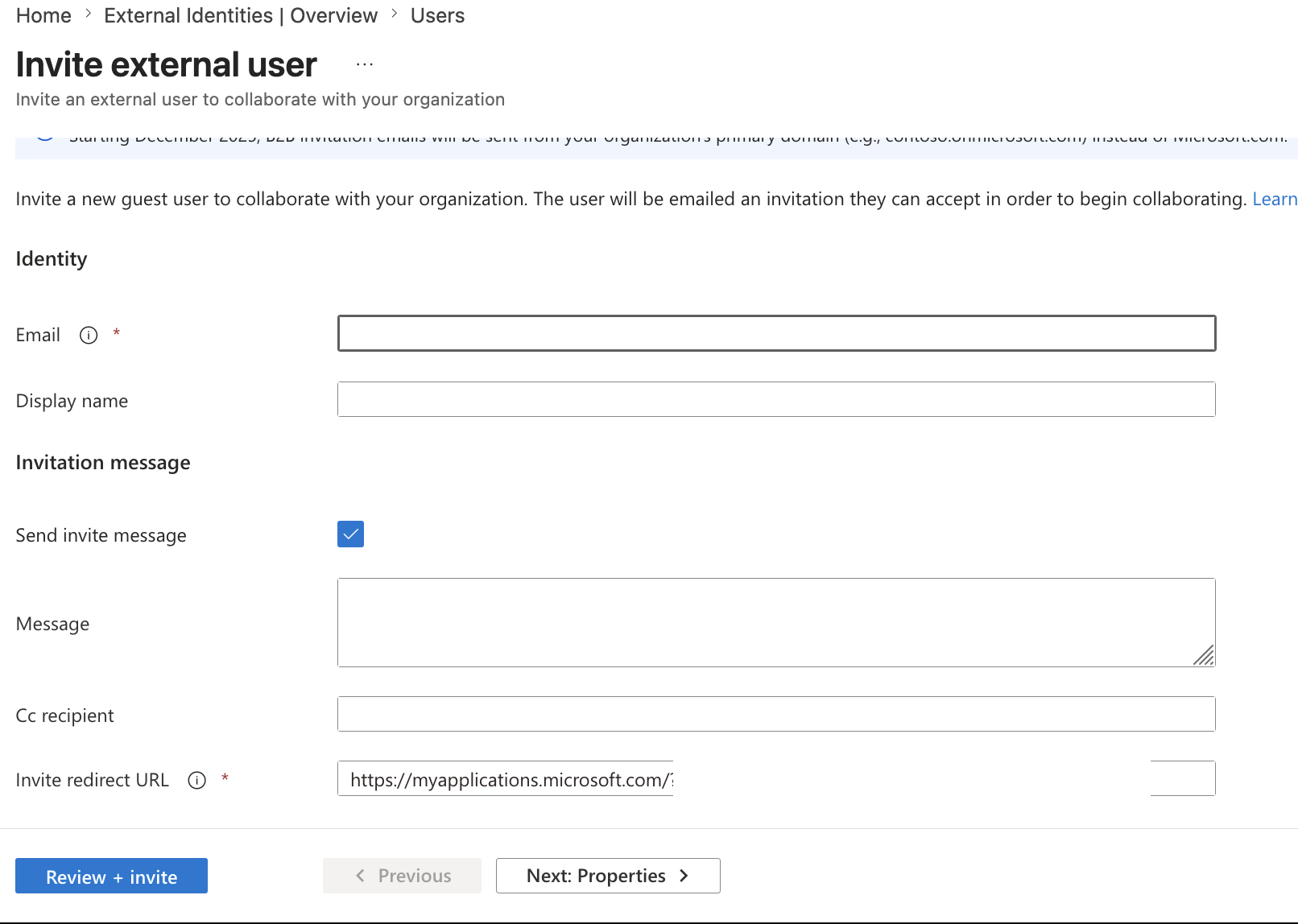
👥 Invite External Guest User
I created a temporary B2B guest invitation.
Portal path:
Microsoft Entra admin center
→ Users
→ All users
→ New user
→ Invite external user
The guest user appears in the tenant as:
User type: Guest
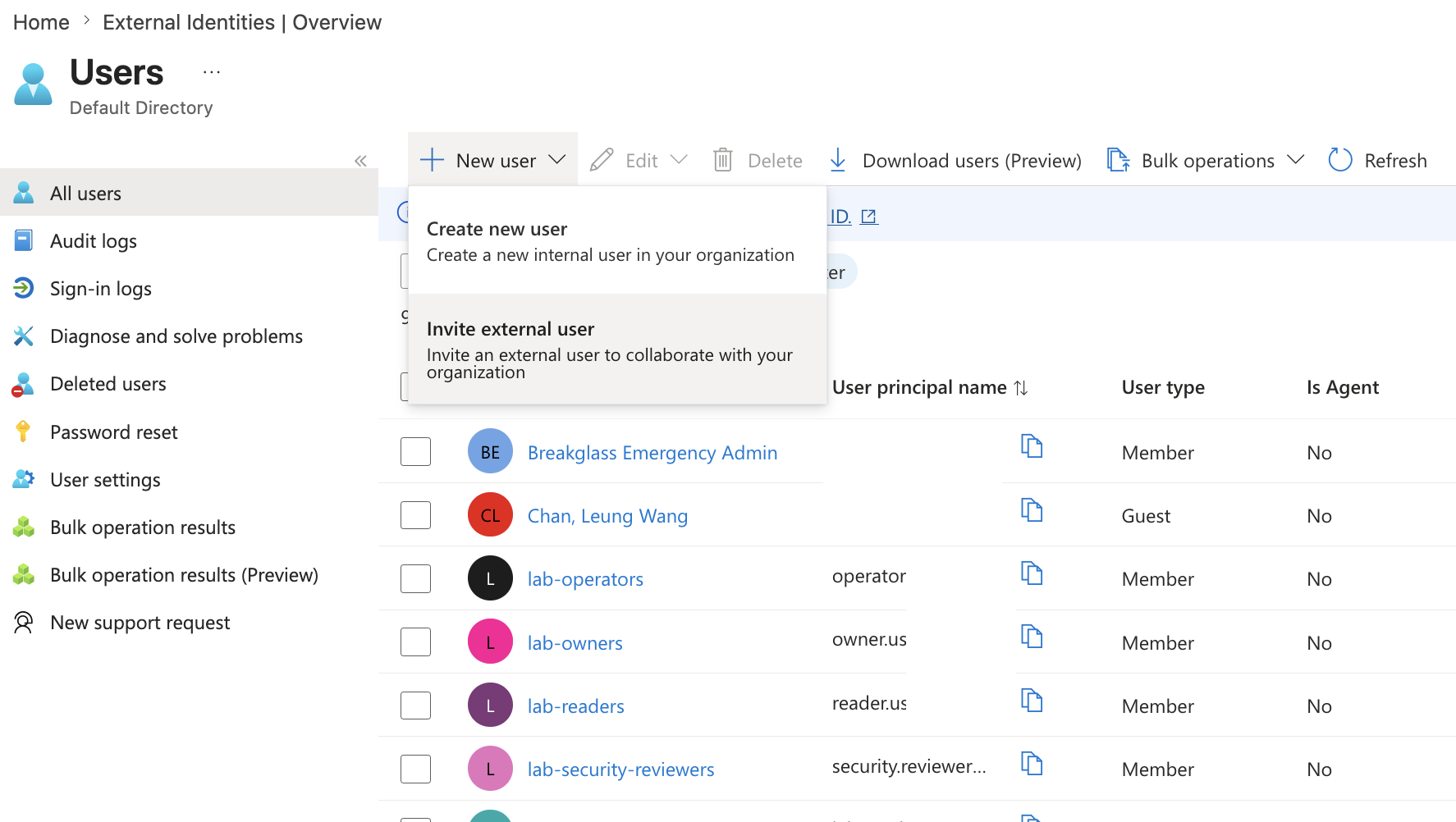
This demonstrates the B2B collaboration model:
The external user keeps their own identity provider,
but Microsoft Entra creates a guest object in this tenant.
SC-300 note:
A guest account is not the same as a new internal member account.
It is a representation of an external identity inside the resource tenant.
The guest user was temporary and should be deleted after evidence is captured.
🔐 Guest Access Restrictions
I reviewed guest access restrictions.
The three main choices are:
| Setting | Meaning |
|---|---|
| Same access as members | Most inclusive |
| Limited access | Guests can see limited directory properties |
| Restricted to own objects | Most restrictive |
For this lab, I used the most restrictive option conceptually:
Guest user access is restricted to properties and memberships of their own directory objects.
This is a safer default because guests should not be able to browse broad directory information unless there is a business reason.
🔄 Cross-Tenant Access Settings
I reviewed cross-tenant access settings.
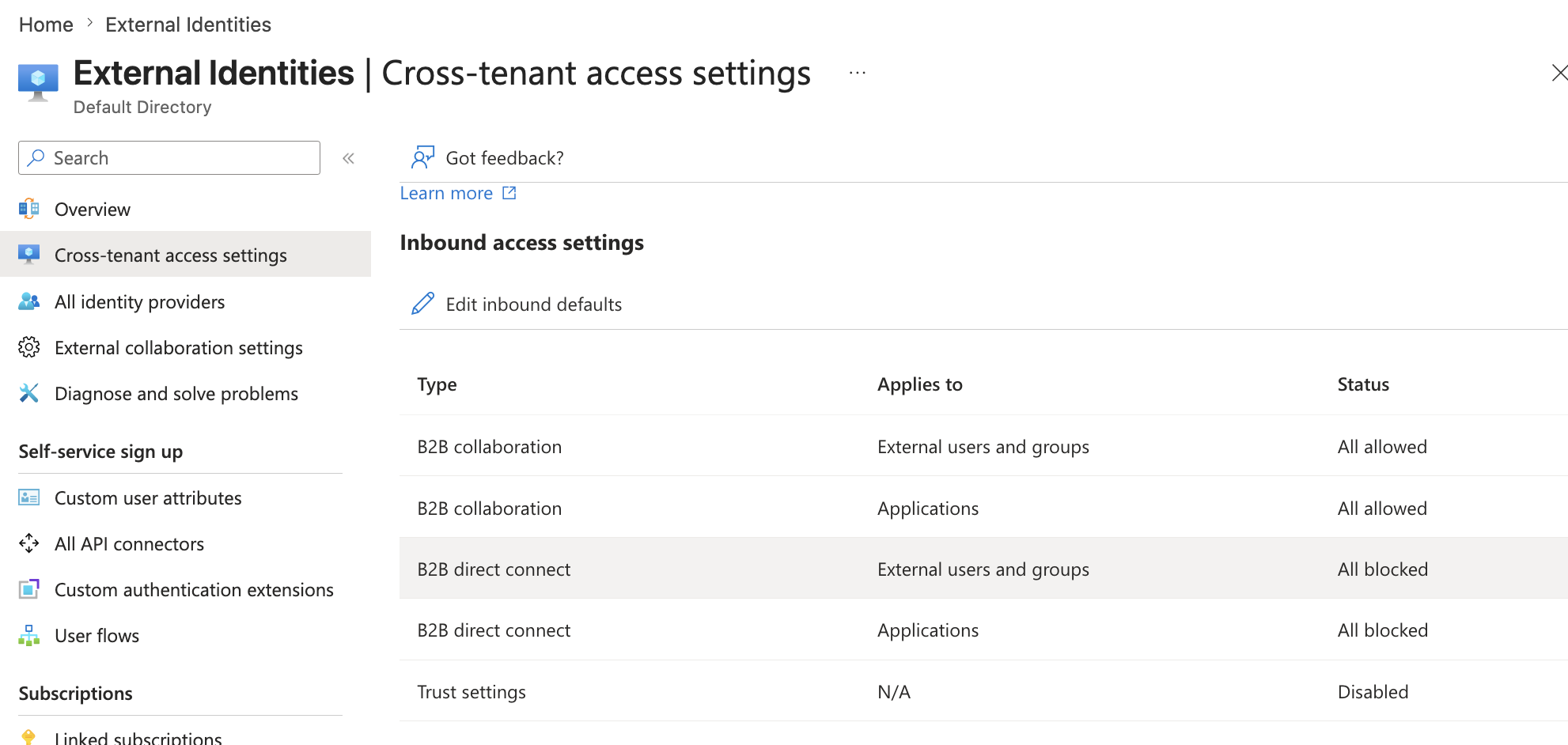
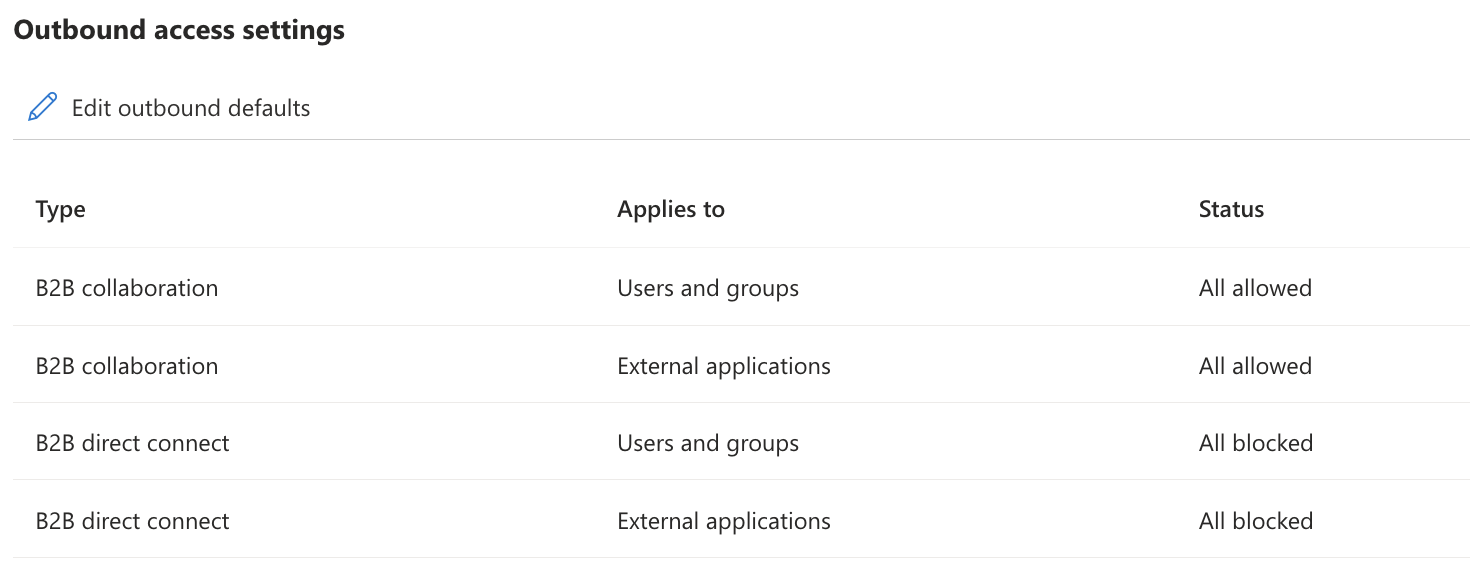
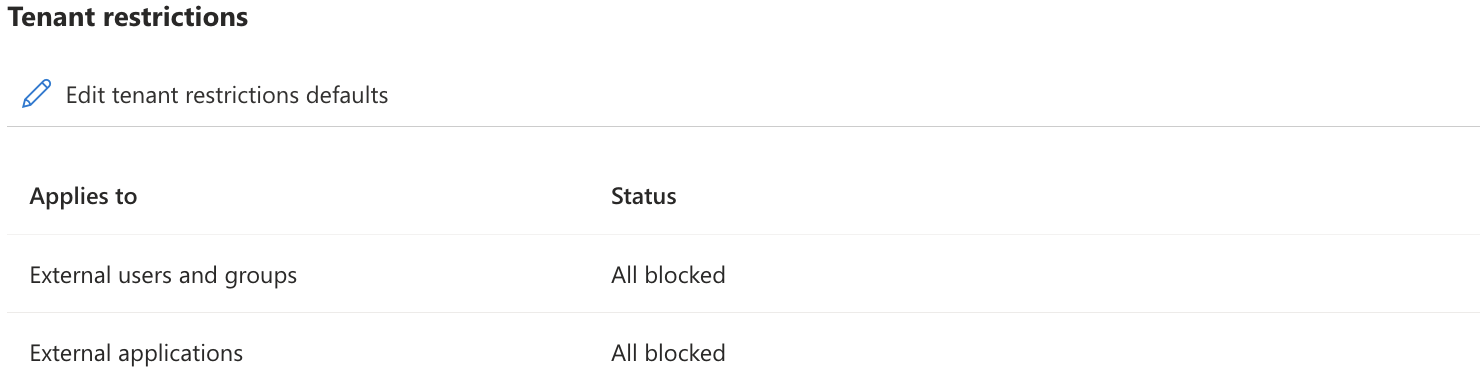
Cross-tenant access settings control how this tenant collaborates with other Microsoft Entra tenants.
The reviewed defaults included:
Inbound B2B collaboration:
External users and groups: All allowed
Applications: All allowed

Trust settings:
Disabled

Outbound B2B collaboration:
Users and groups: All allowed
External applications: All allowed

Tenant restrictions:
External users and groups: All blocked
External applications: All blocked
Important interpretation:
B2B collaboration allowed does not mean automatic access.
Users still need invitation, assignment, group membership, app access, and Conditional Access compliance.
Cross-tenant access settings are about the tenant-to-tenant boundary.
They do not replace app assignment or access packages.
🧱 Inbound vs Outbound
The clean mental model:
| Direction | Meaning |
|---|---|
| Inbound access | External users coming into this tenant |
| Outbound access | Users from this tenant accessing external tenants |
| Trust settings | Whether this tenant trusts another tenant's MFA, compliant device, or hybrid joined device claims |
| B2B direct connect | Direct collaboration scenario, commonly associated with cross-tenant resource collaboration |
| Tenant restrictions | Controls access to external tenants from managed networks or devices |
For this lab, I did not change the default cross-tenant settings.
Reason:
Default cross-tenant settings can affect all external collaboration.
They should not be modified casually for a screenshot.
This is a recurring theme in the lab:
Review tenant-wide controls.
Document the design.
Only change what is necessary and scoped.
🧾 Summary
Part 2 reviewed identity risk and external identity boundaries.
Completed work:
- Reviewed Microsoft Entra ID Protection dashboard
- Reviewed risky users
- Reviewed risky sign-ins
- Reviewed risk detections
- Documented legacy risk policy retirement behavior
- Reviewed guest user access restrictions
- Reviewed guest invite restrictions
- Invited a temporary B2B guest user
- Reviewed cross-tenant access settings
- Documented inbound, outbound, trust, direct connect, and tenant restriction concepts
The key lesson:
Identity risk visibility is not the same as enforcement.
External collaboration is not the same as unrestricted access.
Risk reports show what may be dangerous.
Conditional Access and governance workflows decide what happens next.
External identity settings define the border of the tenant, but users still need explicit access to apps, groups, or resources.
This completes the identity risk and external boundary section.
The next part moves into the strongest identity governance workflow in the lab:
Access Package → Terms of Use → Access Review → PIM